Malware threats are introduced every day, and they are designed to attack devices, networks and sensitive data. The threat of ransomware and locking files, as well as spyware and theft of personal data, is real and increasing. Most users are of the opinion that installing an antivirus is simply enough- that is no longer true.
To malware protect your devices, you must have an inclusive strategy that incorporates technology, intelligent practices, and proactive oversight. I will discuss in this guide seven effective ways to keep your devices safe, practical tips that you can use, and an overview of how more sophisticated tools such as DarkScout can provide an extra level of safety.
By the time you finish reading this article, you will not only know what you should do, but also how you should apply these strategies in a way that you can be sure that your devices will be secured against emerging threats.
Why We Need Malware Protect
The internet has become a very vital aspect of our lives- be it online shopping, online banking, doing business, or even just socializing. But there is danger with this convenience. Any device that is connected can be targeted by malware, and disregarding the risk can be expensive.
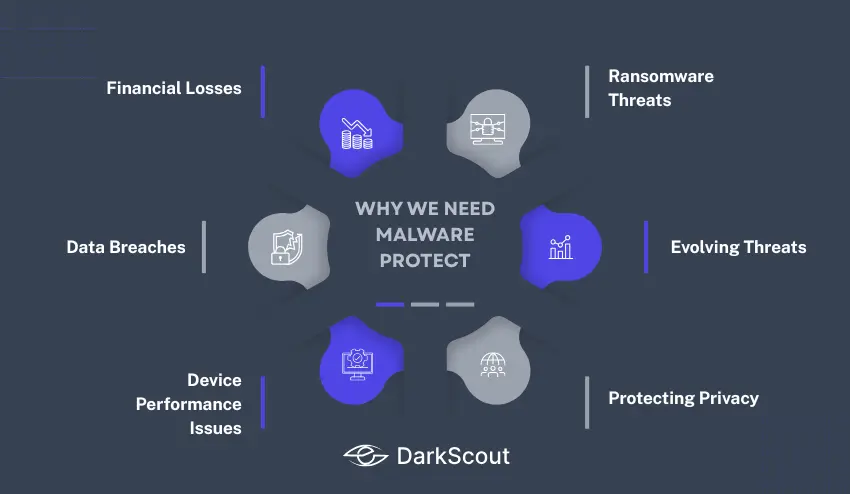
The following is the reason malware protect is a must nowadays:
1. Financial Losses
The hackers obtain banking details, credit cards, and logins with the help of malware. One infection can result in empty wallets and credit card scams or even identity theft.
2. Data Breaches
Any personal photographs, private records and confidential work files may be stolen or leaked in case malware accesses your system. To companies, data breaches may translate to huge financial and reputational losses.
3. Device Performance Issues
Malware can slow down your machine, crash frequently, or consume a large amount of computer resources. A malware infection is silently lurking in the background and may appear as a slow computer.
4. Ransomware Threats
Ransomware is one of the most rapidly spreading types of malware, whereby your files are encrypted and you are charged a fee to unlock them. Valuable personal or business data may be lost within a few seconds without a solid malware protection.
5. Evolving Threats
Malware is no longer as a virus. There are spyware, keyloggers, adware, worms, and trojans in modern attacks. Malware protect is necessary to keep up with hackers who are constantly devising methods of evading security.
6. Protecting Privacy
Although you may not be losing any money, malware may still monitor your online actions, capture keystrokes, or monitor your browsing history. Unprotected, your privacy is never safe.
Simply put, malware is not only a nuisance, but also a direct threat to your finances, privacy and online security. This is why it is no longer a choice but a necessity to invest time and effort in the strategies of strong malware protect.
How to Malware Protect Your Devices
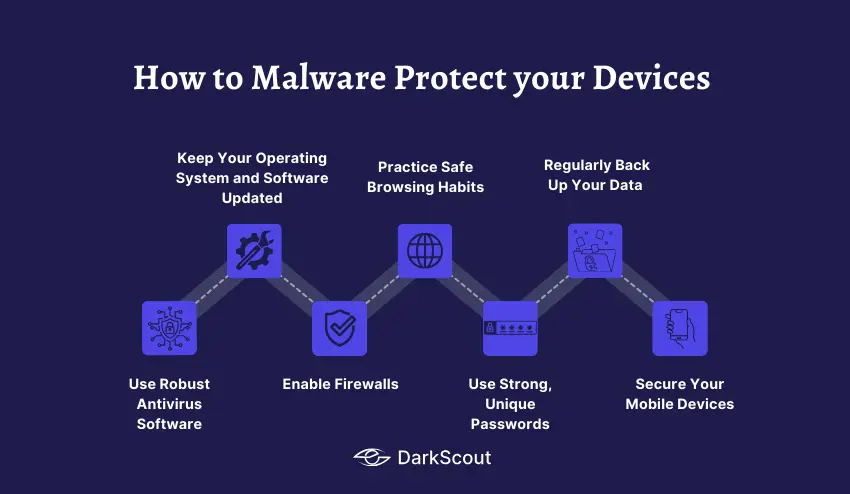
1. Use Robust Antivirus Software
Antivirus software is the foundation of any effective strategy to malware protect your devices. It serves as the initial shield of protection and identifies and prevents malware before it can harm.
Key Tips:
- Select a well-known antivirus program: Webroot Premium, McAfee Total Protection, or Norton 360 are examples.
- Turn on real-time protection: To ensure that files and programs are scanned upon access, ensure that your antivirus is turned on to do so.
- Maintain the software: Have automatic updates in place so that it can be able to identify the most current threats.
- Mingle with other security measures: Safe browsing, strong passwords, and updates to the system are some of the measures that can enhance security.
The initial step to malware protect your devices is to install strong antivirus software that can guarantee your basic security measures are well-built.
2. Keep Your Operating System and Software Updated
One of the ways malware protect your devices is to maintain your operating system and software. Security patches are often offered as updates to plug the vulnerabilities which malware can exploit.
Key Tips:
- Activate automatic updating: Have your OS and applications automatically update.
- Stay on top of updates: Do not simply rely on automatic update; make sure that important updates have been done.
- Keep everything up to date: Browsers and extensions, productivity programs are all potential sources of malware.
- Erase old software: You may have old programs that are not in use or are not supported; this exposes your devices.
Keeping your systems and software updated minimizes the chances of malware infection and enhances the overall security of your device.
3. Enable Firewalls
Firewalls act as a barrier between your device and potential threats from the internet. They scan and track the traffic as it flows in and out of the network to block malicious traffic and assist you to malware protect your devices.
Key Tips:
- Turn on firewalls: most operating systems have firewalls built in- ensure that this is enabled.
- Third-party firewalls: To provide an additional protection, install a third party firewall that is well-known.
- Adjust firewall options: Change firewall rules and exceptions to your security requirements.
- Track network usage: Review logs of suspicious traffic or attempts of unauthorized access on a regular basis.
It also has an extra security measure, the existence of a firewall, to make sure that malware is not introduced into your machines.
4. Practice Safe Browsing Habits
Unsafe websites, downloads or links cause many malware infections. You can significantly reduce the risks and guard your devices through safe browsing.
Key Tips:
- Avoid suspicious links and downloads: Only click on links from trusted sources.
- Install security extensions on the browser: Block pop-ups, malicious websites and phishing.
- Test the site security: You should make sure you see HTTPS and trust seals before entering personal information.
- Be careful of your email attachments: Do not open files whose source is not known or unexpected attachments.
Safe browsing will make sure that malware does not creep into your machines and will be used together with your antivirus and firewall programs.
5. Use Strong, Unique Passwords
Weak or reused passwords can easily compromise you with malware and hackers. Malware is required to make sure that your devices and confidential data are secure through the use of strong and unique passwords.
Key Tips:
- Set difficult passwords: Use letters, numbers, and symbols.
- Use another password: In each account you need to use a different password.
- Install a password manager: save and generate tough passwords in a secure manner in multiple accounts.
- Enable two-factor authentication (2FA): Add an extra layer of protection for critical accounts.
Simple and effective ways of preventing malware and unauthorized access are using powerful passwords so that your devices are not taken over.
6. Regularly Back Up Your Data
Saving a copy of your data is vital since you will be able to retrieve valuable files in case of a malware attack, ransomware, and system failure. One of the most crucial components behind malware protection of your devices is regular backups.
Key Tips:
- Use cloud storage or external drives: Store copies of important files in multiple locations.
- Automate the backups: Schedule the backups to automatically execute to remember them.
- Always have copies: Have various backup copies so that you can retrieve data of certain dates.
- Back up regularly: Make sure that your backup files are not corrupt.
Regular data backup minimises the chances of the data being lost forever and increases your resistance to malware attacks.
7. Secure Your Mobile Devices
Malware continues to attack mobile devices and it is important to consider them as part of your malware protect device strategy.
Key Tips:
- Maintain your OS: Install updates in order to address vulnerabilities.
- Only download applications through official stores: Do not use third-party application stores or unknown sources.
- Install security applications: Scan with antivirus or security applications on mobile.
- Care about links and attachments: Do not use suspicious links or open files that you do not know.
- Allow remote tracking and wiping: You can secure or wipe the data remotely in case of theft or loss.
Mobile device security means that you are not only safeguarding your computers, but all the mobile devices that are connected to your personal or work network.
How DarkScout Can Help Malware Protect Your Device
The modern day digital environment is rapidly evolving cyber threats that even traditional antivirus software cannot keep up with. Whereas most tools will respond to a malware after it has been identified, DarkScout will go to the next level to actively track the possible threats in order to help you malware protect your devices even before an attack takes place.
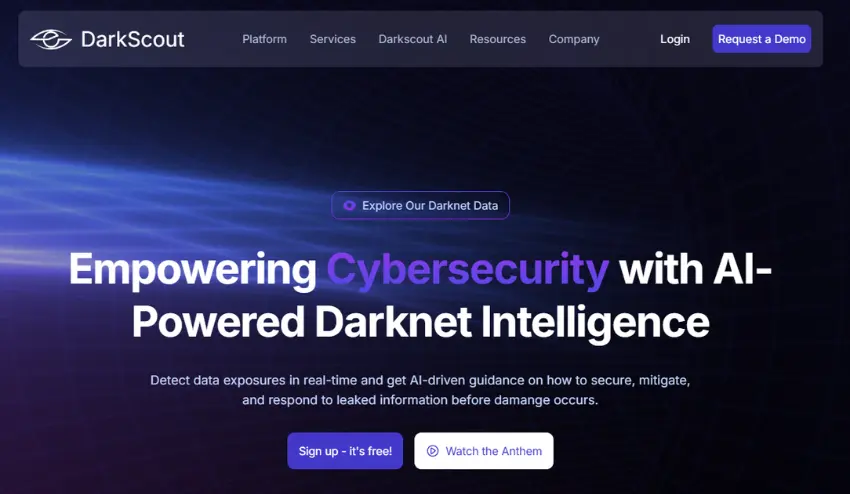
Key Advantages of DarkScout:
- Real-Time Darknet Intelligence:
DarkScout is an active scanner of dark and deep web to detect stolen credentials, leaked personal information, and malware threats. This prompt identification enables you to take action before hackers or malware can use vulnerabilities to exploit them and this will provide you with a strategic advantage in securing your devices.
- AI-Driven Threat Analysis:
DarkScout is an artificial intelligence that identifies patterns in large data sets. It detects abnormal activity, anticipates possible malware attacks, and it notes the weaknesses of your network that conventional tools may not. This makes even advanced or newly developed malware to be detected at its early stages.
- Comprehensive Digital Coverage:
DarkScout does not target a single component of your system. It scans networks, endpoints, applications, and cloud environments. Scanning every potential opening, it will assist you in eliminating blind spots and minimize the possibility of malware getting into your machines.
- Seamless Integration With Existing Security Systems:
DarkScout is not meant to be used in lieu of your existing security. It also works with your current antivirus and firewall solutions, and it supplements your overall cybersecurity system without interfering with business operations.
- Seamless Integration With Existing Security Systems:
DarkScout is not going to substitute what you already have in place within your security but will improve it. It meant to work with your already installed antivirus and firewall software and it supplements your overall cybersecurity system without interfering with your day-to-day business.
- Actionable Alerts and Insights:
In addition to the detection, DarkScout offers operational insights in an easy manner. The threats are made known to you and how to mitigate them and then it becomes easy to take up immediate protective measures and ensure a strong malware defense.
Having DarkScout on your cybersecurity list will enable you to have a multi-layered defense that is proactive. Combined with antivirus software, safe browsing, and frequent software updates, and a good password, it can help you put a significant barrier between yourself and the latest and more advanced attacks on your devices (computers, laptops, and mobile devices) when used alongside a password.
Conclusion
The threats from malware are advancing rapidly, and malware protection that relies on simply installing antivirus software is no longer sufficient. To protect your devices from malware, you need a multi-layered strategy using strong security tools; secure browsing behaviors, updates, backups, and strong passwords; and you should equally ensure that mobile devices are not overlooked, as they are just as vulnerable to attacks as computers.
When you layer those spoke tactics with next-gen solutions like DarkScout, you can move beyond reactive defense to use predictive protection. Instead of waiting to be attacked, you can detect early threats before they become attacks and mitigate the risk, to protect your personal and business data.
To put it in brief, proper malware protection can be attained through proactive, regular, and dynamic measures. You can secure your devices, secure your privacy and outsmart the cybercriminals with the right approach.