Private cloud security focuses on protecting data, applications, and systems that run in a cloud used by only one organization. Such environments usually deal with sensitive data and crucial workloads, which makes security one of the priorities.
A public cloud allows less control in comparison with a private cloud. With such control comes increased responsibility. In case of a low level of security, organizations may experience data breaches, downtimes, and compliance issues. This blog defines the concept of private cloud security, its importance, typical threats, and the proper implementation of the concept.
What Is Private Cloud Security?
Private cloud security refers to the policies, tools, and practices used to protect data, applications, and infrastructure in a single-tenant cloud environment.
Simply put, it provides a guarantee that the private cloud is not accessed by unauthorized individuals and that data is not vulnerable to attacks, abuse, or unintentional disclosure.
The private clouds are not shared with other customers as compared to the public clouds. This mitigates certain risks, but does not eliminate them. Protection against hackers, insider threats, and configuration errors is still required by organizations.
As an illustration, an organization that has internal systems or databases of its customers in a private cloud will need to control user access, encrypt data, and track activity to prevent unauthorized access.
You May Also Like: Best Cloud Security Tips: 10 Essential Tips to Protect Your Business in 2026
Types of Private Clouds and Deployment Models
Private clouds can be set up in different ways. Each model offers a different level of control, cost, and responsibility. Choosing the right one affects how security is managed.
1. On-Premises Private Cloud
On-premises private cloud is one that is operated within the data center of a company. The company owns and controls all hardware and software.
This model has complete security control. It is also demanding of experienced personnel and increased expenses. Patching, monitoring and physical security are part of the organization.
2. Hosted Private Cloud
A private cloud hosted is based on dedicated infrastructure in a third-party data center. The atmosphere is not shared with other customers.
The physical infrastructure is controlled by the service provider. The organization deals with data, access and applications. The sharing of security responsibilities is present.
3. Virtual Private Cloud (VPC)
A virtual private cloud is based on a public cloud platform but remains independent of other users. This option is provided by providers such as AWS and Azure.
A VPC is flexible and isolated. The infrastructure is secured by the provider. The organization gains workloads, access and data.
A hybrid model is also used in many organizations. This is a combination of both the personal and the shared cloud resources to be flexible and scaled.
Common Private Cloud Security Risks
Private clouds offer more control than public clouds. But they are not secure by default. Many risks come from configuration issues and internal mistakes.
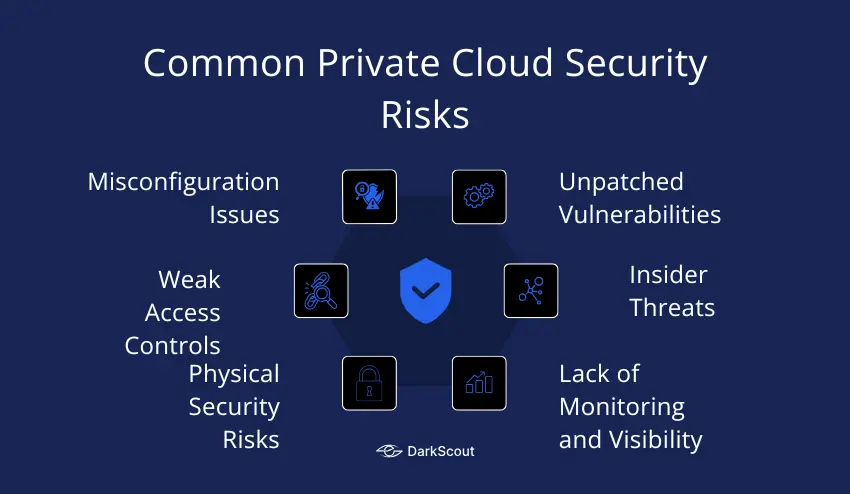
1. Misconfiguration Issues
One of the largest security threats on the privately configured clouds is misconfiguration. Security settings can be open or be configured wrongly. The management consoles can be opened to the internet. Storage systems can be permitted to be accessed without due restrictions.
Such errors are usually done during setup or system amendments. Misconfigurations may go on long without being detected.
2. Unpatched Vulnerabilities
The environment of the private clouds is based on software and virtual platforms. These systems should be updated regularly. Delayed patches leave well-known security vulnerabilities open.
Hackers tend to search systems that are not up to date. Without fixing the vulnerabilities, attackers can easily access them.
3. Weak Access Controls
Access controls establish the access to cloud resources. Issues arise when users get excessive access. The old accounts can be left open when there is a change of role or exit.
In the absence of effective identity management, sensitive systems or data can be accessed by unauthorized users.
4. Insider Threats
Internal teams primarily utilize the use of private clouds. This adds the risk of insider threats. Contractors or employees can abuse their access.
There are accidents where some of the incidences occur. Others are intentional. Both may cause data leaks or damage of system.
5. Lack of Monitoring and Visibility
Surveillance assists in identifying security problems at an earlier stage. In the absence of logs and alerts, suspicious activity is unknown. The length of time of attack is extended.
Investigations are also difficult to perform due to limited visibility once an incident takes place.
6. Physical Security Risks
Hosted private clouds rely on third-party data centers. Physical access of servers should be regulated. Poor physical security may put infrastructure in danger.
Organizations are to review the data center security standards and compliance reports.
How to Detect If Your Private Cloud Is at Risk
Early risk detection can be used to avoid severe issues. Checking and monitoring are important.
1. Unusual Access Activity
Monitor unforeseen logins or tries. Several unsuccessful logins can be used as a sign of an attack. Note the logins of strange places or equipment.
2. Misconfiguration Signs
Check settings regularly. Weak storage permissions, open ports, or facing consoles are warning signs. Misconfigurations normally occur after updates or modifications.
3. Audit and Log Gaps
Make sure that logs are full and checked on a regular basis. Lost logs or incomplete audit trails complicate the process of threat detection. Establish warning signals on suspicious behavior.
4. Alerts from Monitoring Tools
Monitor system activity with use monitoring tools. Alerts may be used to detect unauthorized access, modification of data or abnormal usage patterns. Rapid actions minimize possible harm.
5. Regular Reviews
Arrange regular security audits. Add access controls, software updates and configuration checks. Periodic reviews allow identifying issues before they get out of hand.
When Should You Implement Private Cloud Security
Private cloud security should be a priority from the start. Waiting until a problem occurs can be costly.
1. Early-Stage Implementation
Install security when constructing your own cloud. The initial design should include secure access, encryption, and monitoring. Early security minimizes risks in the future and eases compliance.
2. Handling Sensitive Data
When your cloud is holding sensitive or regulated information, then put up strong security as soon as possible. Finance records, health information, or personal customer information should be secured at the very beginning.
3. Moving from Public to Private Cloud
Companies that are migrating off a public cloud and into a private one ought to take security measures of the migration. The data transfer, access setup and configuration must be done in accordance with best practices of security.
4. Increasing Users or Services
Add security with the addition of new users, applications or workloads. The more users, the more likely there is a possibility of error or insider abuse. Security should increase with growth.
5. After Security Incidents or Audits
In case of audit findings of weaknesses, enforce better security. The previous events are the signals that the controls should be enhanced.
How to Implement Private Cloud Security
Layered protection and planning are necessary to implement security in a private cloud. These are the steps that can be taken to minimize risks and safeguard sensitive data.
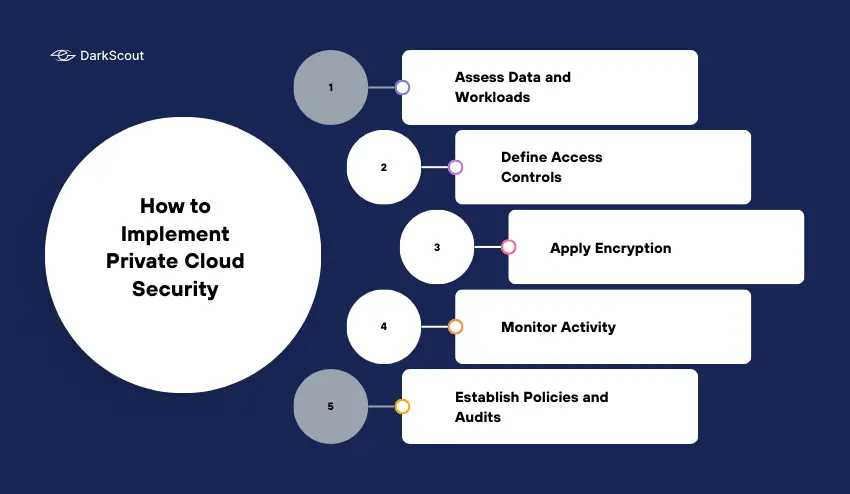
1. Assess Data and Workloads
Determine what data and applications are to be protected. Sort information on the basis of sensitivity. Pay attention to vital systems and data.
2. Define Access Controls
Only people who require it need to be given access. Use role-based permissions. Check and revise on a regular basis. Eliminate accounts that are unnecessary.
3. Apply Encryption
Secure data on rest and transit. This prevents unauthorized access of information. Encrypt with high standards that are certified by industry standards.
4. Monitor Activity
Install logging and monitoring of all systems. Search for suspicious activity or unauthorized access attempts. Alerts are used to act promptly in response to possible threats.
5. Establish Policies and Audits
Create clear security policies. Include guidelines for user behavior, system updates, and data handling. Conduct regular audits to ensure compliance and detect issues early.
Private Cloud vs Public Cloud Security
There are security differences between the private and public clouds. Knowledge of these assists in selection of the appropriate environment.
1. Control and Responsibility
With a private cloud, the organization has complete control over infrastructure. Monitoring, security settings and access are all in house.
Infrastructure security is controlled by the provider in a public cloud. The access and data protection of shared resources are controlled by customers.
2. Risk Exposure
One organization is assigned to the private clouds. This minimizes contact with fellow tenants. Public clouds use the infrastructure of numerous customers, which may become risky in case of isolation failure.
3. Visibility
There is improved visibility of systems and data in the private clouds. It is easier and more detailed to monitor. Provider tools and reporting determine public cloud visibility.
4. Compliance
Private clouds can be more customized to meet regulatory requirements. There are certain controls that can be applied in organizations. Compliance certifications can be provided in public clouds but cannot be customized.
5. When to Choose Private Cloud
Sensitive data or mission-critical workloads are more appropriate to the use of private cloud. It offers enhanced level of control, enhanced isolation and customized security. Public cloud can be applicable to less sensitive workloads where the cost and flexibility are important.
Conclusion
Private cloud security is needed to secure sensitive data and important systems. Although the private clouds offer greater control, it does not necessarily mean that they are safe. Even misconfigurations, weak access controls, and insider risks may lead to issues.
It is important to implement security at the initial stage. Control access, encrypt data, track activity and perform frequent audits. Keep your security up to date to ensure that you are ahead of any new threats.
With the help of these practices, organizations will be able to secure their data, ensure compliance, and minimize the risk of expensive breaches. Begin protecting your own cloud now to make sure that your systems and data are protected.