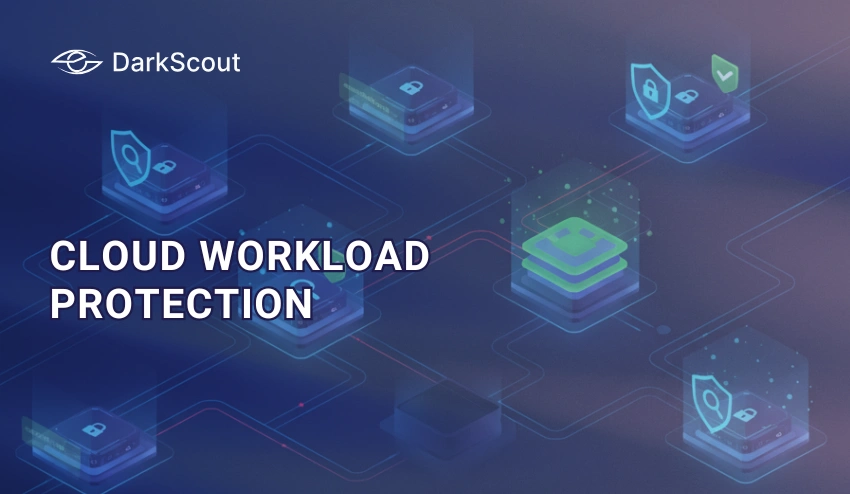
Cloud workload protection is one of the most important parts of keeping your data safe in the cloud. As more businesses and individuals move their work online, the risks that come with it are growing too. Understanding how to protect what runs in the cloud is no longer optional; it is essential.
Most people know that the cloud stores data. But fewer people realize that the cloud also runs things, applications, databases, virtual servers, and automated processes. All of these are called workloads. And every single one of them can be a target for attackers if left unprotected.
This guide breaks down cloud workload protection in plain English. You will learn what it is, why it matters, how it works, and what you can do to stay protected. Whether you are new to cloud security or just looking to fill in the gaps, this is the right place to start.
What Is Cloud Workload Protection?
Cloud workload protection is the process of securing everything that runs inside a cloud environment. That includes virtual machines, containers, serverless functions, databases, and applications. The goal is simple, make sure none of those things get compromised, tampered with, or exploited.
Here is a simple way to think about it. Imagine your cloud environment is a busy office building. People come and go, files move between floors, and dozens of systems run at the same time. Cloud workload protection is the security team that watches every room, every door, and every person in that building, around the clock.
A Cloud Workload Protection Platform (CWPP) is the actual tool that does this job. It gives you visibility into what is running, flags anything suspicious, and helps you respond fast when something goes wrong. Most platforms work across public, private, and hybrid cloud environments, so nothing falls through the cracks.
What Is a Cloud Workload? (And Why Does It Need Protecting?)
A cloud workload is anything that runs in the cloud. It is not just a file sitting in storage, it is an active process. When an app processes a payment, when a database responds to a query, when a server spins up to handle traffic, all of that is a workload.
Most people picture the cloud as a place where things are stored. But the cloud is also a place where things happen. And anything that is active and connected to the internet is something an attacker can potentially reach.
That is exactly why workloads need their own layer of protection. Storing data safely is one thing. But if the application processing that data has a vulnerability, or if someone sneaks in through a misconfigured container, the damage can be just as bad, sometimes worse.
Types of Cloud Workloads
Not all workloads look the same. Here is a quick breakdown of the most common types and why each one carries its own risks:
| Workload Type | What It Is | Why It Needs Protection |
|---|---|---|
| Virtual Machines (VMs) | Software-based computers running in the cloud | Can be compromised if unpatched or misconfigured |
| Containers | Lightweight, portable app environments | Shared infrastructure means one breach can spread fast |
| Serverless Functions | Code that runs on demand without a dedicated server | Hard to monitor — threats can hide in short-lived processes |
| Databases | Structured data storage and retrieval systems | Prime target for data theft and ransomware |
| Applications | Web apps, APIs, and business software in the cloud | Entry points for attackers via vulnerabilities or stolen credentials |
Each of these workload types operates differently. That means each one needs a slightly different approach to stay secure. A good cloud workload protection strategy covers all of them, not just the obvious ones.
Why Cloud Workload Protection Matters
Here is the honest truth, the cloud is not automatically secure just because a big tech company runs it. You are responsible for what happens inside your cloud environment. And as cloud use grows, so does the number of people trying to exploit it.
In 2024, over 80% of data breaches involved data stored or processed in the cloud. That number is not going down. Attackers have gotten smarter, faster, and more creative. And most of the time, they are not breaking through walls, they are walking through doors that were accidentally left open.
Cloud workload protection is what closes those doors. It gives you the visibility and control to catch problems before they turn into disasters. Without it, you are essentially running a busy operation with no security cameras and no alarm system.
The Growing Threat Landscape
The threats targeting cloud workloads are not slowing down. Ransomware, credential theft, supply chain attacks, and zero-day exploits are all increasingly aimed at cloud environments. Why? Because that is where the valuable stuff is now.
Attackers know that most organizations have moved their critical operations to the cloud. They also know that many of those organizations have not kept their security up to speed with how fast their cloud environments have grown. That gap is exactly what gets exploited.
It is not just external attackers either. Misconfigured settings, overly permissive access controls, and outdated software inside cloud workloads create vulnerabilities from the inside. These are not dramatic hacks, they are quiet, overlooked mistakes that can cause massive damage.
The Shared Responsibility Problem
One of the most misunderstood things about cloud security is who is actually responsible for it. Cloud providers like AWS, Azure, and Google Cloud are responsible for the security of the cloud, the physical infrastructure, the networking, the hardware. But you are responsible for the security in the cloud, your data, your workloads, your configurations.
This is called the shared responsibility model. And it trips up a lot of people. Many businesses assume that because they are using a trusted cloud provider, everything is covered. It is not. If you misconfigure a storage bucket, leave a container exposed, or use weak credentials, that is on you, not your cloud provider.
Cloud workload protection fills that gap. It is the part of security that you own, and it is the part that makes the biggest difference in whether your cloud environment stays safe or gets breached.
How Cloud Workload Protection Works
Understanding cloud workload protection is one thing. Knowing how it actually operates is what makes it useful. At its core, the process follows a clear and logical flow, discover what you have, watch it closely, catch anything suspicious, and act fast when something goes wrong.
It sounds simple. But in a cloud environment where hundreds of workloads can spin up and down in minutes, doing all of that automatically and in real time is what makes a proper cloud workload protection platform so valuable.
Let us walk through each step.
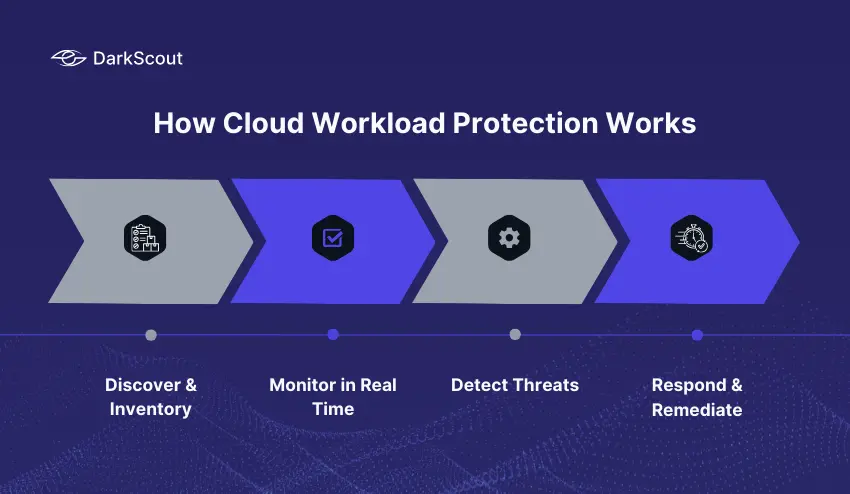
Step 1 — Discover & Inventory
You cannot protect what you cannot see. The first thing any cloud workload protection platform does is scan your entire cloud environment and build a complete picture of everything running in it.
That means every virtual machine, every container, every serverless function, every database. Even the ones that were spun up quickly and forgotten about. Shadow workloads, resources that exist without anyone actively managing them, are one of the biggest hidden risks in cloud security. This step finds all of them.
Step 2 — Monitor in Real Time
Once everything is mapped out, continuous monitoring begins. The platform watches user activity, system behavior, network traffic, and configuration changes, all at the same time, around the clock.
This is not a once-a-day scan. It is live. If a user suddenly accesses a workload they have never touched before, or if a container starts behaving in an unusual way, the system picks it up immediately. That kind of real-time visibility is something manual monitoring simply cannot match.
Step 3 — Detect Threats
The data is collected through monitoring. Detection makes sense of it. This is the stage in which the platform examines all that it notices and marks anything that appears to be out of place.
This is done with the help of behavioral analytics and machine learning in modern cloud workload protection platforms. They are taught what normal is like in your particular setting – and then they become very adept at identifying what is not normal. An unusual location login, a sharp increase in data transfer, a change in the configuration that was not supposed to occur, and so on, these are the types of indicators that will trigger the alert.
Step 4 — Respond & Remediate
An alarm that is not taken is nothing but noise. It is the response step that makes a detection an actual fix. The responses may be automatic or manual based on the platform and its setting.
Automatic actions may involve isolating a compromised load, revoking suspicious access, or blocking suspicious network traffic prior to causing damage. Manual responses entail reporting the situation to the security team to enable a human to look at the situation and make decisions. The most desirable arrangements employ a mix of the two – automation to save time, human judgment to handle the difficult decisions.
Together, these four steps form a continuous cycle. Discover, monitor, detect, respond, and then start again. Because in cloud environments, things change constantly. And your protection needs to keep up.
Key Components of Cloud Workload Protection
A cloud workload protection platform is not just one tool doing one thing. It is a collection of capabilities working together to cover every angle of your cloud security. Understanding what those components are helps you know what to look for, and what you might be missing.
Here are the core components that make up a solid cloud workload protection strategy.
1. Vulnerability Management
Every workload has weak points. Unpatched software, outdated libraries, and known security flaw, these are the cracks that attackers look for first. Vulnerability management continuously scans your workloads to find these issues and prioritizes them based on how serious they are.
The key word here is continuously. A one-time scan is not enough. Cloud environments change too fast. A new container might be deployed with an outdated dependency today, and exploited tomorrow if no one catches it.
2. Runtime Protection
This is protection that happens while your workloads are actually running, not just before they are deployed. Runtime protection monitors the behavior of active workloads and steps in if something starts acting in a way it should not.
Think of it like a smoke detector. You do not just check for fire risks before you turn on the stove. You keep the detector running the whole time you are cooking. Runtime protection does the same thing for your cloud workloads.
3. Network Security and Microsegmentation
Not every workload needs to talk to every other workload. Microsegmentation divides your cloud environment into smaller, isolated sections. If one workload gets compromised, the attacker cannot simply move sideways and reach everything else.
This is one of the most effective ways to limit the damage of a breach. Instead of one open floor plan where everything is connected, you create separate rooms with locked doors between them.
4. Identity and Access Management (IAM)
Who has access to your workloads, and what can they do with that access, matters enormously. IAM controls make sure that only the right people and systems can reach sensitive workloads, and that they can only do what they are supposed to do.
Overly permissive access is one of the most common causes of cloud breaches. Someone gets hold of a set of credentials — sometimes through a data breach or even through the dark web, and suddenly they have the keys to workloads they should never have been able to touch.
5. Threat Intelligence Integration
Good cloud workload protection does not operate in isolation. It pulls in external threat intelligence, information about known attack methods, malicious IP addresses, compromised credentials, and emerging threats, and uses that context to make better decisions.
This is where platforms like DarkScout add a layer that most standard CWPPs miss. While a CWPP watches what is happening inside your cloud, dark web monitoring watches what is being said and sold outside it. Leaked credentials, stolen data, and early signs of targeted attacks often surface on the dark web long before the attack itself happens.
6. Compliance and Audit Logging
Many industries have strict rules about how data must be stored, accessed, and protected. Cloud workload protection platforms maintain detailed logs of everything that happens across your workloads, who accessed what, when, and what changed.
These logs serve two purposes. First, they help security teams investigate incidents after the fact. Second, they provide the documentation needed to prove compliance with regulations like GDPR, HIPAA, and PCI DSS during an audit.
7. Configuration and Posture Management
Misconfigurations are the number one cause of cloud security incidents. A storage bucket left publicly accessible, a firewall rule set too broadly, a container running with more permissions than it needs, these mistakes happen constantly and quietly.
Configuration management continuously checks your cloud workloads against security best practices and flags anything that does not measure up. It is not glamorous work, but catching a misconfiguration before an attacker finds it is one of the highest-value things a cloud workload protection platform can do.
Cloud Workload Protection vs. Similar Terms
If you have spent any time researching cloud security, you have probably run into a wall of acronyms. CWPP, CSPM, CNAPP, CIEM, they all sound similar, and they all overlap in some way. It is easy to get confused about what each one actually does and which one you actually need.
Here is the honest answer: they are not the same thing, but they are not completely separate either. Think of them as different tools in the same toolbox. Each one has a specific job, and the best security setups use more than one of them together.
Let us break down the key differences in plain English.
| Term | Full Name | What It Focuses On | Best For |
|---|---|---|---|
| CWPP | Cloud Workload Protection Platform | Securing active workloads — VMs, containers, serverless functions | Protecting what is running in the cloud |
| CSPM | Cloud Security Posture Management | Finding misconfigurations and compliance gaps in cloud settings | Fixing how the cloud is configured |
| CNAPP | Cloud Native Application Protection Platform | End-to-end security for cloud-native apps, from build to runtime | Full lifecycle protection for modern apps |
| CIEM | Cloud Infrastructure Entitlement Management | Managing who has access to what in the cloud | Controlling permissions and reducing access risk |
| SIEM | Security Information and Event Management | Collecting and analyzing security logs across all systems | Centralized visibility and incident investigation |
So What Is the Difference Between CWPP and CSPM?
This is the most common point of confusion. CWPP and CSPM are often mentioned together, and for good reason. They complement each other perfectly.
CSPM looks at your cloud configuration and asks: is everything set up correctly? Are there any open doors that should be closed? CWPP looks at your cloud workloads and asks: is everything running safely right now? Are there any threats happening in real time?
You need both. A perfectly configured cloud environment can still have workloads that get compromised at runtime. And a platform that monitors workloads brilliantly cannot fix a misconfigured storage bucket on its own.
Where Does CNAPP Fit In?
CNAPP is essentially the bigger picture. It brings CWPP, CSPM, and several other capabilities together under one roof. If CWPP is the security guard watching the inside of the building and CSPM is the inspector checking the locks, CNAPP is the entire security management system that oversees everything.
Many modern platforms are moving toward the CNAPP model because managing multiple separate tools gets complicated fast. But for organizations just getting started, understanding CWPP on its own is still the right place to begin.
Major Cloud Workload Protection Advantages
Cloud workload protection is not only an attack prevention tool. It brings your whole cloud operation into greater visibility, more control and more resilience. These are the main advantages that are the most important.
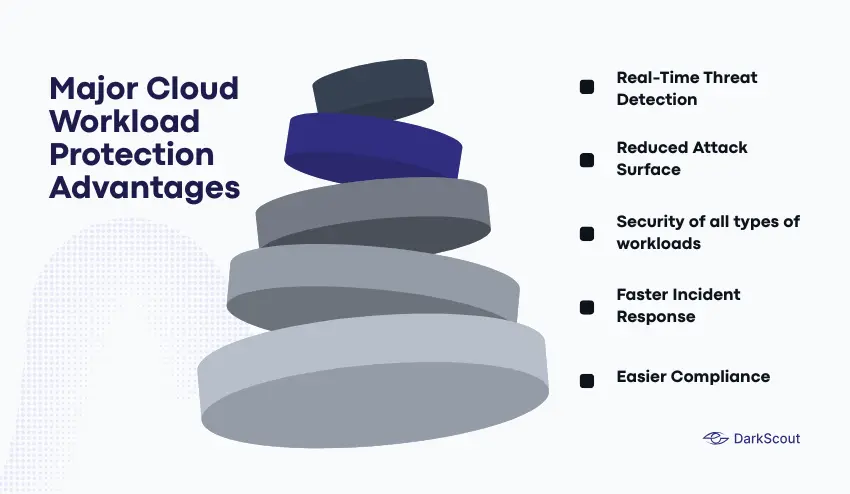
- Real-Time Threat Detection
Threats do not keep business waiting. Cloud workload protection patrols your surroundings 24/7 and raises a red flag whenever something suspicious occurs in your environment to provide your team with a real opportunity to react before it gets out of control. - Reduced Attack Surface
Any vulnerability that is not patched, a setting that is not configured correctly, and a permissive access point is a welcome to the attackers. Cloud workload protection will constantly identify and seal such loopholes, reducing the number of access points that an attacker can use. - Security of all types of workloads.
Cloud workload protection applies to any of the aforementioned: virtual machine, container, or serverless functions. Each environment does not require its own tool. - Faster Incident Response
When there is an emergency, time is of the essence. It is possible to isolate a compromised workload, or revoke suspicious access in seconds with automated responses, whereas a human may not be able to notice and respond manually. - Easier Compliance
Laws such as GDPR, HIPAA, and PCI DSS mandate that every access point of what and when must be documented in detail. Cloud workload protection keeps such logs in automatic mode, and audits become much less painful.
Common Cloud Workload Protection Threats
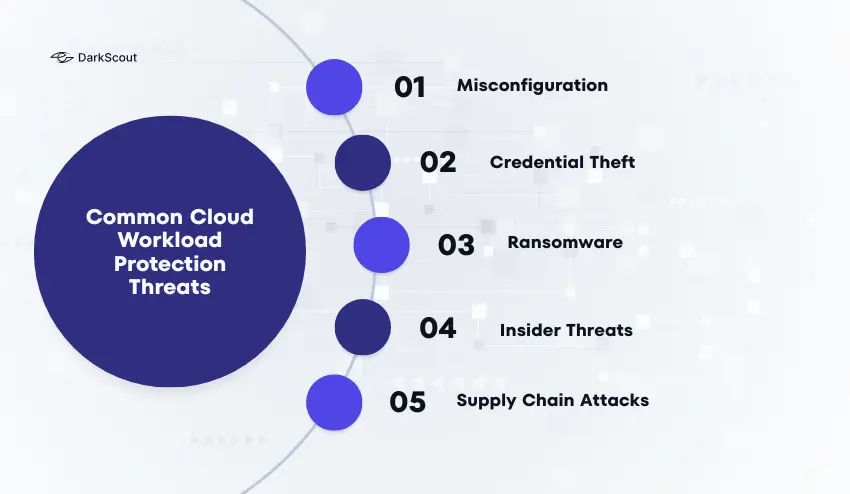
Knowing what you are up against is half the battle. These are the threats that hit cloud workloads most often, and the ones that cause the most damage when they are not caught in time.
1. Misconfiguration: This is the number one cause of cloud breaches, and it is almost always accidental. A storage bucket left open to the public, a firewall rule that is too broad, a container running with more permissions than it needs. Nobody sets these up wrong on purpose, but attackers find them anyway, and fast.
2. Credential Theft: Stolen usernames and passwords are behind a huge number of cloud incidents. Attackers get hold of credentials through phishing, data breaches, or by buying them off the dark web. Once they are in, they can access workloads, move around the environment, and cause serious damage while looking like a legitimate user the whole time.
3. Ransomware: Ransomware has found a very comfortable home in the cloud. Attackers encrypt critical workloads and demand payment to restore access. For businesses that rely on those workloads to operate, even a few hours of downtime can be devastating.
4. Insider Threats: Not every threat comes from outside. Employees, contractors, or anyone with legitimate access can, intentionally or not, put workloads at risk. Whether it is a disgruntled employee deleting resources or someone accidentally exposing sensitive data, insider threats are real and often overlooked.
5. Supply Chain Attacks: Modern cloud workloads rely heavily on third-party code, open-source libraries, and external services. If any one of those dependencies has a vulnerability, or gets compromised, it can open a backdoor straight into your environment without you ever knowing.
Best Practices for Cloud Workload Protection
Knowing the threats is one thing. Actually doing something about them is another. These are the practices that make the biggest difference — not in theory, but in real cloud environments.
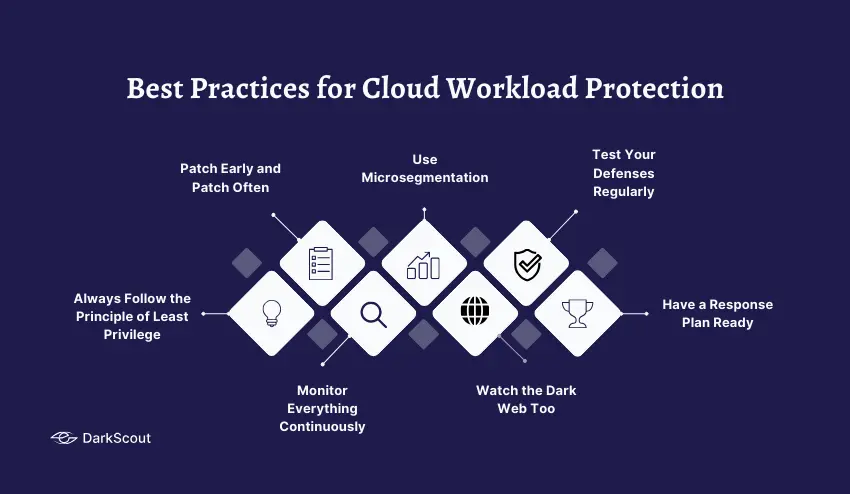
- Always Follow the Principle of Least Privilege
Give every user, application, and system only the access it actually needs, nothing more. It sounds simple, but most cloud environments have permissions that have crept way beyond what is necessary over time. Audit them regularly and cut back anything that is not needed. - Patch Early and Patch Often
Unpatched vulnerabilities are low-hanging fruit for attackers. Set up automated patching where you can, and keep a close eye on any workloads that cannot be patched automatically. The longer a known vulnerability sits unaddressed, the more likely someone will find and exploit it. - Monitor Everything Continuously
Do not rely on scheduled scans or weekly reports. Cloud environments move too fast for that. Continuous monitoring means you catch problems as they happen, not days later when the damage is already done. - Use Microsegmentation
Keep your workloads separated from each other wherever possible. If one workload gets compromised, microsegmentation stops the attacker from moving sideways through your entire environment. Think of it as containing a fire before it spreads to the whole building. - Watch the Dark Web Too
Most organizations focus entirely on what is happening inside their cloud. But threats often start outside it. Credentials get leaked, data gets sold, and attack plans get discussed on dark web forums long before anything happens in your environment. Tools like DarkScout give you that outside view, so you can act before an external threat becomes an internal crisis. - Test Your Defenses Regularly
Do not assume your protection is working just because nothing bad has happened yet. Run penetration tests, simulate attack scenarios, and review your security posture regularly. Finding a gap yourself is always better than an attacker finding it first. - Have a Response Plan Ready
When something goes wrong, and at some point, something will, you do not want to be figuring out what to do on the fly. Have a clear incident response plan in place before you need it. Know who does what, how workloads get isolated, and how you communicate during an incident.
Selecting the Right Cloud Workload Protection Platform (CWPP)
Not all CWPP are constructed in the same way. This is what to be on the look out before committing to one.
- Workload Coverage- ensure that it secures VMs, containers, serverless functions, and databases. Lapses in coverage imply lapses in security.
- Real-Time Detection – It must be able to detect threats as they occur and automatically respond to them, not in hindsight.
- Multi-Cloud Support – In case you have more than a single cloud provider, then your CWPP must be compatible with all of them.
- Simple Integration It must integrate well with your current tools – SIEM, identity management, threat intelligence without introducing additional workload.
- Compliance Built In – Built in compliance reporting and logs save grievous time when the audit arrives.
Conclusion
Cloud workload protection is not optional anymore. Threats are growing, cloud environments are expanding, and the gaps between the two are exactly where attackers operate.
Protect what is running inside your cloud. But do not stop there. Threats often start outside it, on the dark web, where stolen credentials and leaked data are bought and sold before an attack ever happens. DarkScout gives you that outside visibility, so nothing catches you off guard.