Your website has vulnerabilities right now. You just don’t know it yet.
And here’s the thing. Hackers do know. They use automated scanners that crawl millions of websites every day, looking for these exact weak points. When they find one, they exploit it. Simple as that.
The good news? The most common website vulnerabilities are easy to find and fix once you know what you’re looking for. Understanding common website vulnerabilities is the first step to protecting your site. I’m going to walk you through the big ones and show you exactly how to check if your site has them.
Understanding Common Website Vulnerabilities
Before we dive into the specific vulnerabilities, let’s be clear about what we’re dealing with. Common website vulnerabilities are security weaknesses that exist across millions of websites. They’re not unique to your site; they’re patterns that hackers know how to exploit because they see them everywhere.
The eight common website vulnerabilities below account for the majority of successful website hacks. Let’s break them down one by one.
1. Weak or Missing SSL/TLS Certificate
This is the big one and tops almost every list of common website vulnerabilities. If your site doesn’t have HTTPS (that little padlock in the address bar), you’re wide open.
What it is: SSL/TLS encrypts the connection between your website and your visitors. Without it, everything sent between them, passwords, credit card numbers, personal info, travels in plain text that anyone can intercept.
Why hackers love it: They can sit on public Wi-Fi networks and capture login credentials, payment info, and personal data as it passes through unencrypted.
How to spot it: Look at your URL. Does it start with https:// or just http://? If there’s no “s,” you don’t have SSL. Even if you do have it, your certificate might be expired, misconfigured, or using outdated encryption.
The fix: Get an SSL certificate from your hosting provider (most offer them free now through Let’s Encrypt). Install it properly and force all traffic to HTTPS.
Scan your website now to check your SSL configuration instantly. DarkScout’s scanner tests your certificate strength, expiration date, and configuration in about 60 seconds.
2. Missing Security Headers
Security header misconfigurations rank high among common website vulnerabilities that most site owners have never even heard of. But they’re one of the easiest ways to protect your site from common attacks.
What they are: Security headers are instructions your web server sends to browsers telling them how to behave when loading your site. Things like “don’t allow this page to be embedded in an iframe” or “only load scripts from trusted sources.”
Why hackers love when they’re missing: Without proper headers, your site is vulnerable to clickjacking, cross-site scripting (XSS), and code injection attacks.
Common missing headers:
- Content-Security-Policy — prevents malicious scripts from running
- X-Frame-Options — stops your site from being embedded in iframes (clickjacking protection)
- X-Content-Type-Options — prevents MIME type sniffing attacks
- Strict-Transport-Security — forces HTTPS connections
How to spot it: You can’t see these by just looking at your website. You need to check your HTTP response headers, which requires either browser dev tools or a security scanner.
The fix: Add the missing headers to your web server configuration or use a security plugin if you’re on WordPress.
3. Outdated Software and Plugins
This is how most websites actually get hacked and is one of the most preventable common website vulnerabilities. Not through some sophisticated zero-day exploit, but through outdated WordPress plugins, old CMS versions, or unmaintained themes.
What it is: Every piece of software on your website, your CMS, plugins, themes, server software, gets security updates regularly. When you don’t install them, known vulnerabilities just sit there waiting to be exploited.
Why hackers love it: They scan for sites running old versions of popular plugins with known vulnerabilities. Then they use publicly available exploit code to break in. It’s automated, easy, and works constantly.
How to spot it: Log into your CMS and check for available updates. If you see red update notifications you’ve been ignoring for months, that’s your problem.
The fix: Update everything. WordPress core, plugins, themes, PHP version, server software. Set up automatic updates if possible. Remove any plugins or themes you’re not actively using.
4. Weak or Default Admin Credentials
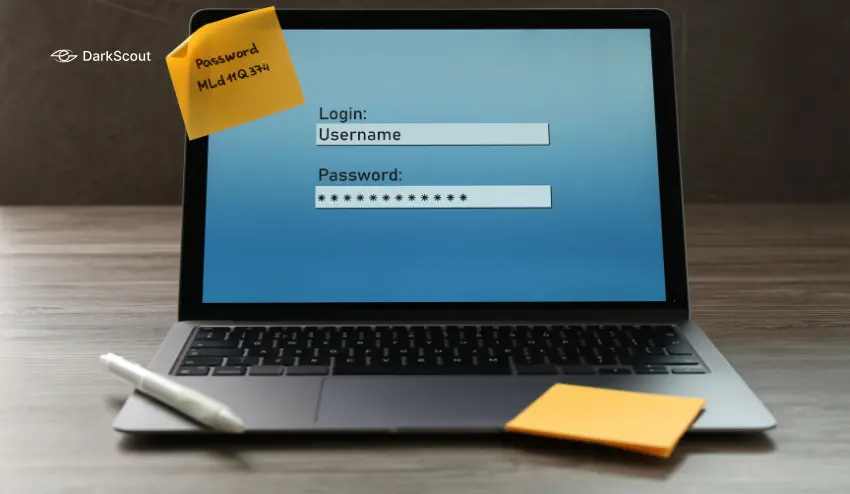
Weak passwords may be the most embarrassing of all the typical vulnerabilities of the website. You would be surprised to know that there are still numerous sites that use the username of the administrator as admin and the password of 123.
What it is: Keys to your entire site are your admin login. Dilute credentials allow hackers to easily gain access by brute-force (guessing thousands of passwords until one is successful).
Why it is popular with hackers: Automated bots are attempting common username/password combinations 24/7. admin/admin, admin/password, administrator/123456 – they are being tried on each site, 24/7.
How to identify it: When your user name is either admin or administrator, then you are in danger. Your password is most likely to be weak in case it is short, easy to remember, and simple.
The fix: Change your admin username to something unique. Create a strong password using DarkScout’s password generator. Enable two-factor authentication. Limit login attempts to prevent brute-force attacks.
5. Insecure Cookie Configuration
One of the typical vulnerable websites that go unnoticed is cookie security. Sessions and login details are stored in cookies. Unless they are configured in a secure way, hackers may steal them and compromise user sessions.
What it is: Cookies that are not provided with the appropriate security flags (Secure, HttpOnly, SameSite) can be intercepted or accessed by malicious scripts.
Why hackers Love it: By stealing a session cookie, hackers can have immediate access to an account of a logged-in user without the password. They may achieve it by means of man-in-the-middle attacks or XSS vulnerabilities.
How to identify it: You must use browser developer tools to examine your cookies and verify the presence of security flags. The majority of the population does not even look at this.
The workaround: Make your web server or application to configure appropriate cookie flags. Ensure that session cookies have the Secure flag (only HTTPS), HttpOnly flag (not readable by JavaScript) and SameSite flag (stops CSRF attacks).
6. SQL Injection Vulnerabilities
SQL injection is one of the most dangerous common vulnerabilities of websites even though it is not a new concept. This is a technical but very widespread, particularly in older websites or home-built web applications.
What it is: SQL injection occurs when your web site receives user input (such as a search box or a login form) and fails to sanitize the input before forwarding it to the database. Hackers are able to inject malicious SQL instructions that steal, alter or destroy your whole database.
Why it is so popular with hackers: It provides them with direct access to your database. They are able to leave user passwords, credit cards, all of it. They are also able to alter and delete information, formulate administrator accounts, or steal your whole site.
How to identify it: You may be vulnerable in case your site has any form, search feature, or any other form of user input. This is a complicated and dangerous manual test (you might break your own database).
The solution: Prepared statements or parameterized queries in your code. Always do not concatenate user input with SQL queries. On WordPress or any other CMS, everything should be updated, most of the platforms can do this automatically these days.
7. Cross-Site Scripting (XSS)
XSS vulnerabilities allow hackers to inject malicious JavaScript into your web pages which will run in the browsers of your visitors. It has always been mentioned in the list of the most common website vulnerabilities each year.
What it is: The user-generated content (comments, reviews, forum posts) is not sanitized before being displayed on your site. A comment posted by a hacker has malicious JavaScript. The script is executed in the browser of other users when they view that page, and it may steal cookies, redirect them to phishing websites, or act on their behalf.
Why hackers adore it: It is a method of attacking your users using your site. They are able to steal session cookies, record keystrokes, inject bogus login forms, etc.
Where to find it: In case your site allows any form of user input that is displayed to others (comments, profiles, reviews), then you should look at how it is processed. This is sanitized by default in most modern CMSs, and in custom code or old plugins, it frequently is not.
The solution: Cleanse up user input and then show it. Escape special characters. Limit the scripts that can be used with Content Security Policy headers. Make sure that your CMS and plugins are up to date.
8. Exposed Sensitive Files and Directories
Sometimes the vulnerability isn’t in your code. It’s in your file structure. This rounds out our list of common website vulnerabilities that every The weakness is not always in your code. It’s in your file structure. This completes the list of popular vulnerabilities of web sites that every site owner must look into.
What it is: Sensitive files such as configuration files, database backups or even an administration panel can be accessed directly in the web browser due to directory listing being configured or lack of proper protection.
The reason hackers like it: Hackers can find files such as wp-config.php, .env, database backups, or even directories with the admins simply by making educated guesses about common files and paths. Such files are usually database credentials, API keys, and other sensitive data.
How to identify it: Attempt to access popular sensitive URLs on your own site:
- yourdomain.com/wp-config.php
- yourdomain.com/.env
- yourdomain.com/admin
- yourdomain.com/phpmyadmin
You are exposed to any of these load or display directory listings.
The solution: Turn off directory listing on your web server configuration. Secure confidential files using appropriate permissions. It is a good idea to move config files out of your web root. Deny access to the administration panels unless it is a particular IP address.
How to Find These Common Website Vulnerabilities Fast
Now that you understand the most common website vulnerabilities, the question is how to actually find them on your own site.
Reading this list is one thing. Actually checking your site for all these common website vulnerabilities is another.
You could manually test each one, checking SSL certificates, inspecting HTTP headers, reviewing cookie configurations, testing for SQL injection, and auditing your file permissions. That would take hours and requires technical knowledge most site owners don’t have.
Or you could just scan your site and get a full security report in 60 seconds.

Use DarkScout’s free website scanner
It runs 120+ security tests instantly, checking for common website vulnerabilities including:
- SSL/TLS configuration and certificate strength
- Security headers (CSP, X-Frame-Options, HSTS, etc.)
- Cookie security flags
- Known vulnerabilities
- Server configuration issues
You get a security grade (A through F) and a detailed breakdown of what’s wrong and how to fix it. No signup, no credit card, just scan and see.
Already suspect your site might be compromised? If you’re seeing warning signs like redirects, strange pop-ups, or Google security alerts, don’t wait. Check out our guide on what to do if your website has been hacked for immediate action steps to contain the damage and clean your site.
Conclusion
Most websites have vulnerabilities. The question isn’t whether yours does, it’s how many, how serious, and how fast you can find and fix them before hackers do.
The eight common website vulnerabilities I just walked through account for the vast majority of successful website attacks. Weak SSL, missing headers, outdated software, weak passwords, insecure cookies, SQL injection, XSS, and exposed files.
Understanding these common website vulnerabilities is critical, but understanding alone isn’t enough. You need to actually check your site.
You could spend hours manually checking each vulnerability. Or you could scan your site right now and get a complete security report in 60 seconds.