Cloud native security is one of those terms that sounds fancy but really just means securing modern cloud applications that are built differently than the old stuff.
Here’s what’s actually going on. Companies used to build applications that ran on physical servers or virtual machines that stayed up for months or years. Cloud native applications are different. They’re built with containers, run on orchestration platforms like Kubernetes, scale up and down automatically, and change constantly. Sometimes they only exist for a few minutes before disappearing.
Traditional security tools were built for the old world, where things were stable and predictable. They don’t work for cloud native environments where everything’s temporary, distributed, and moving fast. Cloud native security is about protecting these modern applications without slowing down the teams building them.
Let me break down what cloud native security actually means, why it’s different, and how to do it without driving your developers crazy.
What Makes Cloud Native Security Different?
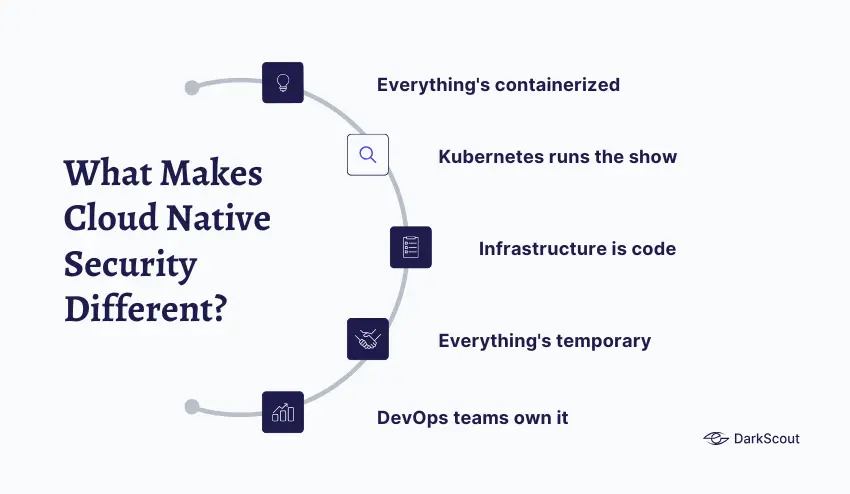
Cloud native security isn’t just regular cloud security with a new name. It’s fundamentally different because of how cloud native applications work.
- Everything’s containerized. Instead of applications running on servers, they run in containers. Containers are like lightweight packages that include everything the app needs to run. You might have hundreds or thousands of containers running at once, and they’re constantly being created and destroyed. Cloud native security has to work at container speed and scale.
- Kubernetes runs the show. Most cloud native applications run on Kubernetes, which is basically the operating system for containers. It decides where containers run, how they talk to each other, and how they scale. Cloud native security has to understand Kubernetes configurations, policies, and all the ways things can go wrong.
- Infrastructure is code. In cloud native environments, everything, from servers to networks to security policies, is defined in code. You don’t click through a GUI to set things up. You write YAML files that describe what you want, and Kubernetes makes it happen. Cloud native security has to check that code before it runs and monitor what happens after.
- Everything’s temporary. Traditional security assumed things stayed put. You’d secure a server, and it would stay secured. In cloud native environments, containers spin up and down in seconds. By the time you detect a problem, the container might already be gone. Cloud native security needs to work in real-time.
- DevOps teams own it. Developers and operations teams (DevOps) build and deploy cloud native applications fast. Like, multiple times per day fast. Cloud native security has to integrate into their workflows without creating bottlenecks. If security slows things down too much, teams just work around it.
This is why you can’t just bolt traditional security tools onto cloud native environments and call it done. You need a completely different approach.
The Core Components of Cloud Native Security
Cloud native security isn’t one thing. It’s multiple layers working together. Here’s what actually matters.
Container Security
Containers are the foundation of cloud native applications. Securing them means several things.
- Image scanning. Before containers run, you need to scan the container images for vulnerabilities. These images often contain open source libraries with known security holes. Scanning catches those before containers go into production.
- Registry security. Container images get stored in registries (like Docker Hub or your own private registry). Those registries need access controls so only authorized people can push or pull images. You also need to scan images in the registry regularly because new vulnerabilities get discovered all the time.
- Runtime security. When containers are in operation, you must look at what they are actually doing. Is a container establishing network connections that it is not supposed to? Is it reading files that it does not require? Even when the container image appeared clean, the malicious behavior was detected by runtime security.
This is connected with the larger cloud workload protection solutions that encompass containers, VMs, and serverless functions.
This ties into broader cloud workload protection strategies that cover containers, VMs, and serverless functions.
Kubernetes Security
Kubernetes is powerful but complex. Lots of ways to misconfigure it and create security holes. Cloud native security for Kubernetes includes:
- Configuration scanning. Test Kubernetes configurations against errors such as excessively permissive roles, exposed dashboards, lack of network policies, or root containers. Get these in the pipeline before they get into production.
- RBAC (Role-Based Access Control). Authorize access to your Kubernetes clusters. Developers may be required to deploy apps, but they should not be able to remove whole namespaces. Least privilege is also applicable in this case.
- Network policies. Define which containers can talk to which other containers. By default, everything can talk to everything in Kubernetes. Network policies create segmentation, so a compromised container can’t just attack everything else.
- Secrets management. Do not use passwords, API keys, and credentials in your container images or configuration files. Apply Kubernetes secrets or external secret managers, and ensure that secrets are encrypted and access-controlled.
CI/CD Pipeline Security
Cloud native applications get built and deployed through automated pipelines (CI/CD). Cloud native security needs to be part of that pipeline.
- Shift left security. Find security issues early in development, not after deployment. Scan code for vulnerabilities, check infrastructure-as-code for misconfigurations, and validate container images, all before anything runs in production.
- Pipeline access control. Your CI/CD pipeline has access to everything: source code, secrets, and production environments. Make sure only authorized people and systems can trigger deployments. Use strong passwords and multi-factor authentication for all pipeline access.
- Artifact signing. Cryptographically sign container images and other artifacts so you know they haven’t been tampered with between build and deployment.
API Security
Cloud native applications are built as microservices that talk to each other through APIs. Lots of APIs. Cloud native security for APIs means:
- Authentication and authorization. Every API call needs to verify who’s calling and whether they’re allowed to do what they’re asking.
- Rate limiting. Prevent abuse and denial of service attacks by limiting how many requests any client can make.
- API monitoring. Track API usage patterns to detect attacks, data exfiltration attempts, and compromised credentials being used.
Similar to common website vulnerabilities, API security holes often come from basic misconfigurations that are easy to fix if you know to look for them.
Identity and Access Management
Cloud native security requires strong identity controls across the entire stack.
- Service mesh. Such tools as Istio establish encrypted communication between microservices and perform the process of authentication automatically. Each service identifies itself and then communicates with other services.
- Workload identity. Instead of using static credentials, give each workload its own identity that’s automatically rotated. If credentials get compromised, they’re only valid for a short time.
- Just-in-time access. Grant elevated permissions only when needed and only for as long as needed, then automatically revoke them.
If you’re running cloud native apps alongside traditional infrastructure, you’ll also need to think about hybrid cloud security to manage identity consistently across both.
Common Cloud Native Security Threats
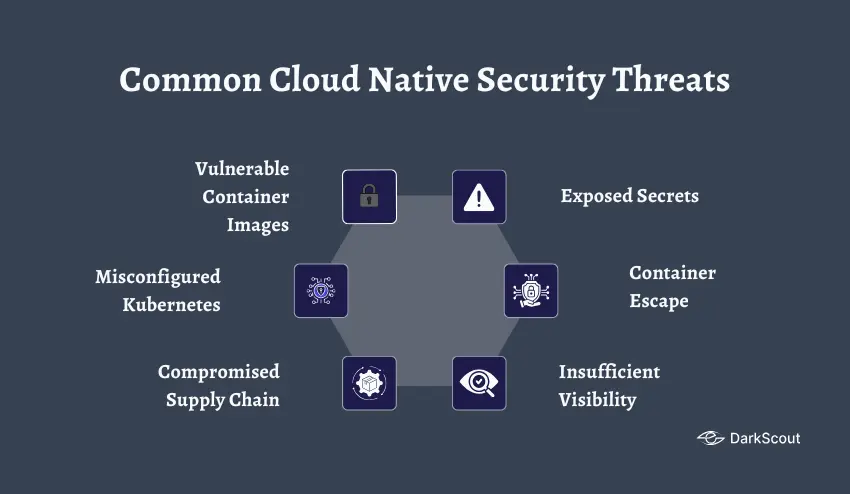
Understanding cloud native security means knowing what can go wrong. Here’s what actually gets cloud native environments compromised.
Vulnerable Container Images
Developers often build containers using base images from public registries. Those images might contain vulnerabilities, outdated libraries, known exploits, malware. If you don’t scan images before running them, you’re deploying vulnerabilities directly into production.
Misconfigured Kubernetes
Kubernetes is complex. Really complex. Misconfigurations are everywhere. Exposed dashboards, overly permissive roles, missing network policies, containers running with root privileges, and secrets stored in plain text. These mistakes create easy entry points for attackers.
Compromised Supply Chain
Cloud native applications depend on tons of open source code, third-party images, and external services. Compromise one dependency and you’ve potentially compromised everyone using it. Supply chain attacks are getting more sophisticated.
Exposed Secrets
API keys, passwords, and tokens are hardcoded in container images or config files. Stored in unencrypted Kubernetes secrets. Leaked in logs or error messages. Once attackers get these secrets, they can impersonate legitimate services.
Check if any of your credentials are already out there with DarkScout’s email breach checker. Finding exposed secrets before attackers use them is critical.
Container Escape
If an attacker compromises a container, they might try to break out of it and attack the host system or other containers. Container escape vulnerabilities exist and are being exploited. Cloud native security needs runtime protection to detect and block these attempts.
Insufficient Visibility
Cloud native environments are dynamic. Containers come and go. Services scale up and down. If you don’t have visibility into what’s running and how it’s behaving, you can’t detect attacks. Traditional monitoring tools built for static infrastructure don’t work here.
Best Practices in Cloud Native Security
To achieve cloud native application security, it is necessary to adhere to best practices. Here’s what actually works.
Scan everything early. Precheck vulnerabilities, scan container images, validate infrastructure-as-code configs — and nothing deploys. It is much cheaper to find issues in development than in production.
- Grant minimal privilege universally. Containers, services, users – no one has a greater access than is necessary. Use RBAC in Kubernetes. Allow workloads a few permissions. Periodically audit access to what.
- Segment your environment. Isolate workloads using Kubernetes namespaces and network policies. The development should be totally independent of production. Unless it is necessary, different applications should not be able to communicate with one another.
- Encrypt everything. Data in transit, data at rest, secrets, and backups. Encrypt microservice to microservice automatically using service mesh. Never leave anything unencrypted.
- Automate security policies. In cloud native, manual security does not scale. Enforce security requirements using policy-as-code. When something is against policy, it should not be deployed.
- Monitor continuously. Conventional security surveillance presupposed that everything remained the same. Cloud native security needs dynamic environments to be monitored in real time. Monitor abnormal behavior, unauthorized access, and policy violations.
- Keep everything updated. Containers, base images, Kubernetes itself, dependencies — they all require frequent updates. Weaknesses are always discovered. It is imperative to keep up with the times.
- Practice zero trust. Believe nothing without reason. All requests are authenticated and authorized irrespective of the point of origin. Get to know more about zero trust architecture and its application to cloud native.
To gain a bigger picture of cloud environment security, visit our cloud security and cloud security monitoring guides.
Bottom Line
Cloud native security isn’t traditional security applied to new technology. It’s a fundamentally different approach for fundamentally different applications.
Companies that get it right build security into their development process from the start. They scan early and often. They automate policy enforcement. They give teams the tools they need without creating bottlenecks. They monitor continuously.
Companies that get breached? They try to use traditional security tools for cloud native environments, create so much friction that developers bypass security, or don’t monitor runtime behavior at all.
Don’t make those mistakes. Cloud native security requires understanding how modern applications work and adapting your security approach to match.