Let’s be honest. Creating strong passwords sucks. You’re told to use 15+ characters with uppercase, lowercase, numbers, symbols, no dictionary words, nothing personal, and make it completely random. Oh, and use a different one for every account.
Then what happens? You forget it five minutes later. You end up resetting it every time you log in, or you fall back to using the same weak password everywhere because at least you can remember that one.
Here’s the good news. You don’t have to choose between security and memory. There are ways to create a strong password that’s actually memorable. I’m going to show you exactly how to create a strong password, step by step.
What Actually Makes a Password Strong?
Before we talk about making them memorable, let’s get clear on what “strong” actually means.
A strong password has four things:
Length. At least 12 characters, ideally 15 or more. Length matters more than complexity. A 16-character password made of random words is stronger than an 8-character password with symbols.
Unpredictability. No dictionary words on their own. No personal info like your name, birthday, pet’s name, or company. No patterns like “qwerty” or “123456.”
Uniqueness. Every account gets its own password. If one site gets breached and you reused that password, every account with that same password is now compromised.
Mix of characters. Uppercase, lowercase, numbers, and symbols all mixed together. This increases the number of possible combinations exponentially, making brute-force attacks nearly impossible.
Now here’s the trick. You can hit all four of these requirements and still create something you’ll actually remember.
How to Create a Strong Password?
Method 1: Use a Passphrase (The Easiest Way)
This is hands down the best method for most people. Instead of trying to remember a random string like k9#Lp!2qW, you create a passphrase made of multiple random words strung together.
Here’s an example: correct-horse-battery-staple
Or with more variation: Purple.Elephant.Dances.OnMars
Why this works:
It’s long. Four random words give you 20+ characters easily.
It’s memorable. Your brain is way better at remembering a weird visual image (a purple elephant dancing on Mars) than remembering P3!eD0m.
It’s strong. With millions of possible word combinations, the randomness is just as secure as a random character string.
How to create your own passphrase:
- Pick 4-5 completely random words that have nothing to do with each other
- Throw in a number or symbol between them
- Capitalize random letters (not just the first letter of each word)
Example: Tornado42!Coffee$Mountain-River
That’s 36 characters, impossible to guess, and way easier to remember than a random jumble.
Generate a memorable passphrase instantly with DarkScout’s password generator — just click the “Memorable” option and it creates one for you in seconds.
Method 2: Use a Sentence Trick
Think of a sentence that’s meaningful to you, then turn it into a password using the first letter of each word plus some numbers and symbols.
Here’s how it works:
Sentence: “I adopted my dog Bella in 2019 from the shelter on 5th street”
Password: IamdBi2019fts5s!
That’s 15 characters, includes uppercase, lowercase, numbers, and a symbol. And you’ll remember it because the sentence means something to you, even though the password itself looks completely random to anyone else.
How to make it stronger:
- Add extra symbols:
IamdBi2019!fts#5s - Swap letters for numbers:
I@mdB!2019fts5s - Throw in random capitalization:
i@MdBi2019!FtS5s
The sentence is your memory anchor. The password is the code only you can decode.
Method 3: Create a Personal Pattern (Use With Caution)
This method involves creating a base password pattern, then customizing it slightly for each account. I’m putting this here because people do it, but I’m also going to warn you — it’s risky if you don’t do it right.
Here’s how it works:
Base pattern: Tiger#2024
Then you add the first three letters of the website name:
- Facebook:
TigerFac#2024 - Amazon:
TigerAma#2024 - Gmail:
TigerGma#2024
Why this is risky: If a hacker gets one of your passwords from a breach, they can figure out your pattern and guess the rest.
If you’re going to use this method, make it more complex:
- Use different positions for the site identifier (beginning, middle, end)
- Mix in random symbols differently for each one
- Change the base pattern itself periodically
Honestly? I’d skip this method and just use a password manager or passphrases instead. The risk isn’t worth it.
Method 4: Just Use a Password Generator
Look, if you want the absolute strongest password and you don’t want to think about it, just use a password generator and store it in a password manager.
DarkScout’s free password generator creates completely random, secure passwords instantly. You pick the length, choose whether to include numbers and symbols, and it builds one for you.
Then save it in a password manager like Bitwarden, 1Password, or even your browser’s built-in manager. You only have to remember one master password to unlock the manager. Everything else is stored securely.
This is what security experts actually do. It’s the gold standard.
Strong Password Examples
Here are some real examples of strong passwords using the methods above:
Passphrase examples:
Giraffe!Climbs^Mountain$2024Ocean.Tornado.Piano-Garden77Coffee#Bicycle!Mars@2026
Sentence trick examples:
Mfvw2Nyc!i1998(My first vacation was to New York City in 1998)Iltp@7am&gw!(I love to run at 7am and go to work)
Generated random examples:
kR9$mL2pQx#7vNHn4!Zq8@Wp2$Vt
Notice they’re all 12+ characters, mix character types, and don’t use obvious patterns or personal info.
Common Password Mistakes to Avoid
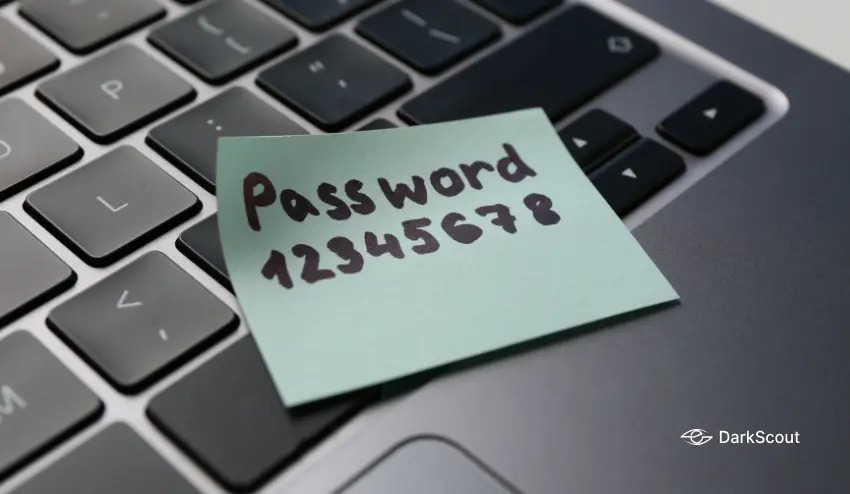
Even when people try to create strong passwords, they make these mistakes:
Using personal information. Your name, birthday, pet’s name, or street address are the first things hackers try. Don’t use them, even with numbers or symbols added.
Reusing passwords. This is the biggest one. One breach exposes every account where you used that password. Every account needs its own unique password.
Making tiny changes to old passwords. Changing Password1 to Password2 doesn’t make it secure. Hackers know this trick.
Using common substitutions. Replacing “a” with “@” or “o” with “0” is something everyone does. Hackers account for this in their attacks.
Making it too short. Anything under 12 characters can be cracked relatively quickly with modern tools. Length is your friend.
What to Do Right Now
If you’re using weak passwords on important accounts, here’s what to do immediately:
Identify your most critical accounts. Start with email, banking, and anything connected to money or personal data.
Create new strong passwords for each one. Use the passphrase method or generate them with DarkScout’s password generator.
Turn on two-factor authentication everywhere. Even if someone gets your password, 2FA stops them cold. Use an authenticator app, not SMS if possible.
Get a password manager. Stop trying to remember 50 different passwords. Let the manager do it for you.
Check if your current passwords have been breached. Use DarkScout’s email breach checker to see if your credentials are already circulating on the dark web.