Here’s the debate that comes up every time someone needs to create a new password: should you use a random password generator to create something like kR9$mL2pQx#7vN, or should you make a memorable password like correct-horse-battery-staple?
Both sides have strong opinions. Security experts love random passwords because they’re mathematically unbreakable. Normal humans hate them because who can remember kR9$mL2pQx#7vN five minutes after creating it? Meanwhile, memorable passwords feel easier to use, but some people worry they’re not secure enough.
Let me settle this once and for all. I’m going to break down what a random password generator actually does, how memorable passwords work, which one is actually stronger (the answer might surprise you), and which one you should use in different situations.
What Is a Random Password Generator?
A random password generator is a tool that creates completely random passwords using letters, numbers, and symbols. You tell it how long you want the password and what to include, and it spits out something like T8#mK2pLx!9qN that looks like your cat walked across the keyboard.
The randomness is the point. Humans are terrible at being random. When you try to make up a “random” password yourself, you use patterns, words you know, dates that mean something to you. A random password generator doesn’t have those biases. It pulls from the entire possible character set with no patterns at all.
How strong are random passwords?
Extremely strong. A truly random 12-character password with uppercase, lowercase, numbers, and symbols has about 72^12 possible combinations. That’s 19,408,409,961,765,342,806,016 possibilities. Even with powerful computers trying billions of guesses per second, that takes longer than the heat death of the universe to crack through brute force.
The problem with random passwords?
Nobody can remember them. You create kR9$mL2pQx#7vN for your banking app, and three days later when you need to log in, you have absolutely no idea what it was. So you either write it down (bad), reuse it everywhere (worse), or reset it every time (annoying).
This is why most people who use random password generators also use password managers. The generator creates the password, the manager stores it, and you only need to remember one master password to unlock everything else.
What Are Memorable Passwords?
Memorable passwords (also called passphrases) are passwords made from multiple random words strung together. Instead of kR9$mL2pQx#7vN, you get something like correct-horse-battery-staple or Purple-Elephant-Dances-Mars.
The idea came from a famous XKCD comic that pointed out a weird truth: four random words are both easier to remember and mathematically stronger than the “clever” passwords most people create (like Tr0ub4dor&3).
How strong are memorable passwords?
Very strong, if done right. A passphrase made of four truly random common words has about 44 bits of entropy (roughly equivalent to an 8-character random password). Five random words gets you to 55 bits (equivalent to a 10-character random password). Six words? Even stronger.
The key word there is random. The words have to be chosen randomly from a large word list, not words that are related or meaningful to you. Purple-Elephant-Dances-Mars is strong. MyDogBella2024 is not.
Why memorable passwords work?
Your brain is way better at remembering stories and images than random strings. When you see Purple-Elephant-Dances-Mars, your brain creates a mental image of a purple elephant dancing on Mars. That’s memorable. You’ll remember it days or weeks later without writing it down.
Random Password Generator vs Memorable Passwords: The Security Showdown
Let’s compare them head-to-head on actual security.
Brute Force Resistance
Random password generator wins… barely.
A 12-character random password has slightly more entropy than a 4-word passphrase. But a 5-word passphrase beats a 12-character random password. A 6-word passphrase is even stronger.
The difference isn’t huge. Both are strong enough that brute-force attacks take astronomically long. In practice, neither is getting cracked through raw computing power.
Dictionary Attack Resistance
Random password generator wins clearly.
Dictionary attacks try common words, phrases, and patterns. Random passwords don’t contain dictionary words, so they’re immune. Memorable passwords are made of dictionary words, so in theory they’re vulnerable.
But here’s the thing: a memorable password made of four truly random words from a 7,000-word list has 7,000^4 possible combinations. That’s 2.4 quadrillion possibilities. Even if an attacker knows you’re using a passphrase, they still have to try trillions of word combinations.
The weak memorable passwords are ones like ilovemydog or letmein2024 where the words relate to each other or follow predictable patterns. Truly random word combinations are still incredibly strong.
Real-World Attack Resistance
Tie.
In the real world, most password compromises don’t happen through brute force or dictionary attacks. They happen through:
- Phishing (you give them your password)
- Data breaches (the service you use gets hacked)
- Malware (keyloggers steal what you type)
- Password reuse (you use the same password everywhere)
Neither random passwords nor memorable passwords protect against these attacks better than the other. What protects against these is using unique passwords for every account, enabling two-factor authentication, and not falling for phishing.
Random Password Generator vs Memorable Passwords: Usability Showdown
Security doesn’t matter if the password is so annoying that you give up and use Password123.
Memorability
Memorable passwords win completely.
This one’s obvious. Purple-Elephant-Dances-Mars is way easier to remember than kR9$mL2pQx#7vN. You can memorize a memorable password after seeing it a few times. A random password? Good luck.
Typing Speed
Memorable passwords win.
Try typing kR9$mL2pQx#7vN on your phone. Now try typing Purple-Elephant-Dances-Mars. The memorable password is faster and has fewer mistakes because you’re typing real words.
Password Manager Compatibility
Random password generator wins.
If you’re using a password manager (which you should be), random passwords work great. The manager stores them, autofills them, and you never have to type or remember them.
Memorable passwords work with password managers too, but there’s less benefit since you’re not relying on memorability anyway.
Reusability
Neither should ever be reused.
But if we’re being honest about human behavior, memorable passwords are more tempting to reuse because you can actually remember them. Random passwords from a generator force you to use unique passwords everywhere because there’s no way you’re remembering more than one.
When to Use a Random Password Generator
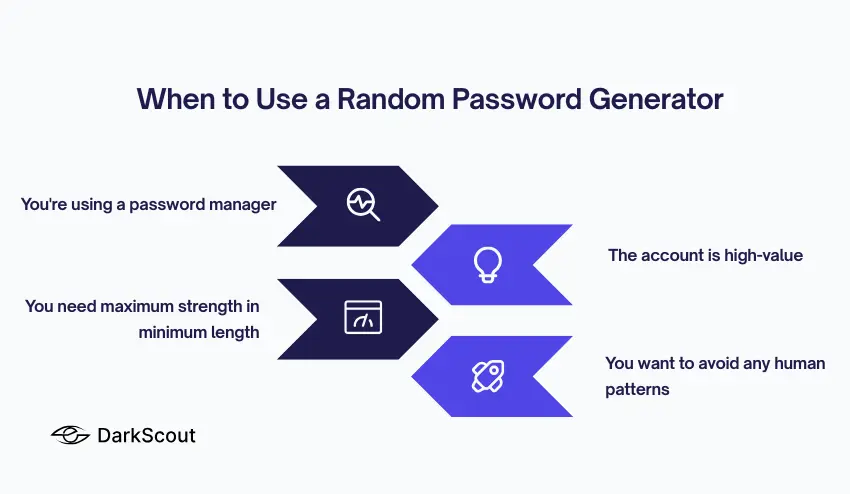
Use a random password generator when:
You’re using a password manager. If you’re storing passwords in 1Password, Bitwarden, LastPass, or similar, use random passwords for everything. Generate 15+ character random passwords with all character types. Maximum security, zero memorability needed.
The account is high-value. Banking, email, work accounts, cloud platforms — anything that could cause serious damage if compromised should get a random password. Don’t compromise on security for convenience here.
You need maximum strength in minimum length. Some old systems limit password length to 12 or 14 characters. A random password packs more security into fewer characters than a memorable password.
You want to avoid any human patterns. Random password generators eliminate all human bias and patterns. If you’re worried about sophisticated attacks, this matters.
Use DarkScout’s random password generator to create truly random passwords instantly. Just select the “Random” option, choose your length and character types, and generate.
When to Use Memorable Passwords
Use memorable passwords when:
You can’t use a password manager. Some situations don’t allow password managers — shared accounts, work systems with restrictions, devices you don’t control. Memorable passwords let you stay secure without writing anything down.
You need to type it frequently. If you’re entering this password multiple times per day on different devices, a memorable password is way less frustrating than a random one.
You’re creating your master password. Your password manager itself needs a master password. This is the one password you absolutely must remember. Make it a long memorable passphrase — at least 5-6 random words.
You want better security than what you have now without the friction. If someone’s currently using Summer2024! for everything, a memorable password is a huge upgrade that they’ll actually use. Perfect shouldn’t be the enemy of good.
Use DarkScout’s memorable password generator to create random word passphrases. Just select the “Memorable” option and it generates random word combinations that are both strong and easy to remember.
The Best of Both Worlds
Here’s what security experts actually do:
Use a random password generator for everything, stored in a password manager. Your bank, email, social media, work accounts, cloud services, everything gets a unique 15+ character random password. The password manager handles storage and autofill.
Use one memorable password as your master password. Your password manager gets unlocked with a 6-word memorable passphrase. This is the only password you actually memorize.
This gives you maximum security (random passwords everywhere) with maximum usability (you only remember one password).
How to Create Strong Passwords of Either Type
If you’re going the random route:
- Use at least 12 characters, ideally 15+
- Include uppercase, lowercase, numbers, and symbols
- Don’t use the same password twice
- Store them in a password manager
- Use a random password generator instead of trying to create “random” passwords yourself
If you’re going the memorable route:
- Use at least 4 random words, ideally 5-6
- Words must be truly random, not related or meaningful
- Add numbers or symbols between words for extra strength
- Don’t reuse passphrases across accounts
- Use a memorable password generator to ensure randomness
Whatever you choose, make sure your passwords haven’t already been compromised. Check if your email has been breached to see if any of your current passwords are circulating on the dark web.
Common Password Mistakes (Both Types)
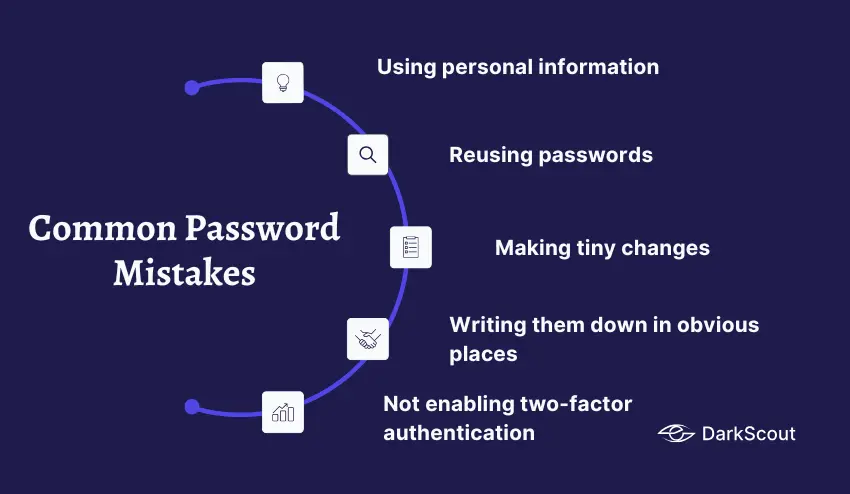
Using personal information. Your name, birthday, pet’s name, and favorite team, attackers try all of these first. This applies whether you’re making random or memorable passwords.
Reusing passwords. One data breach exposes every account where you used that password. Every account needs its own unique password.
Making tiny changes. Changing Password1 to Password2 doesn’t make it secure. Neither does changing correct-horse-battery to correct-horse-stapler.
Writing them down in obvious places. Sticky notes on your monitor, files named “passwords.txt” on your desktop — these defeat the entire purpose.
Not enabling two-factor authentication. Even the strongest password can be stolen. 2FA adds a second layer that stops attackers even when they have your password.
Check out our guide on how to create a strong password for more detailed tips.
Bottom Line
Random password generator vs memorable passwords isn’t really a competition. They’re tools for different situations.
Use a random password generator for maximum security when you have a password manager. Use memorable passwords when you need to actually remember the password yourself.
Most people should use both: random passwords for everything, stored in a password manager that’s unlocked with one strong memorable master password.
The worst choice is neither. Weak passwords like Password123, Summer2024!, or Letmein are the real enemy. Either option — random or memorable, is infinitely better than the weak passwords most people actually use.