Getting your website hacked isn’t usually some sophisticated nation-state attack. It’s not a zero-day exploit or advanced persistent threat.
It’s a common website security mistake. You forgot to update WordPress for six months. Using “admin” as your username and “password123” as your password. Not having SSL installed in 2026 because you figured “eh, my site doesn’t handle payments.”
Most websites get hacked because of completely avoidable website security mistakes. The kind of stuff that takes 10 minutes to fix, but most site owners never even check.
Here are the biggest website security mistakes that get sites hacked every single day, and exactly how to avoid them.
Understanding Website Security Mistakes
Before we dive into the specific website security mistakes, let’s be clear about what we’re dealing with. These aren’t rare edge cases or theoretical vulnerabilities. These are the exact mistakes hackers scan for and exploit millions of times per day.
The website security mistakes below are ranked by how often they lead to successful breaches. Fix these, and you’re ahead of 90% of websites online.
1. Not Having SSL (Or Having It Misconfigured)
This is the big one. If your site doesn’t have that little padlock in the address bar, you’re basically handing hackers an invitation.
The mistake: Running your site on http:// instead of https://. Or having SSL installed but configured so poorly it might as well not be there, expired certificates, weak encryption protocols, mixed content warnings all over the place.
Why it gets you hacked: Without SSL, everything between your website and your visitors travels in plain text. Passwords, credit card numbers, login sessions, all of it. Anyone on the same Wi-Fi network can intercept it. And Google actively flags non-HTTPS sites as “Not Secure” in the browser, which tanks your traffic and trust.
But even if you have SSL, misconfigurations create vulnerabilities. Using outdated TLS 1.0 instead of TLS 1.2 or 1.3? Hackers can exploit that. Certificate expired three months ago. Browsers will block your site entirely.
How to fix it: Get an SSL certificate (most hosts offer them free through Let’s Encrypt now). Install it properly. Force all traffic to HTTPS. Update to TLS 1.2 or higher. Set your certificate to auto-renew so it never expires.
2. Ignoring Software Updates
This is one of the most common website security mistakes, and how the majority of WordPress sites get hacked. Not through some genius hacker finding a custom vulnerability. Through running a three-year-old version of a plugin with a known exploit that’s been patched for months.
The mistake: Seeing those red update notifications in your WordPress dashboard (or whatever CMS you use) and thinking, “I’ll do it later.” Then never doing it. Or worse, disabling automatic updates because you’re worried about breaking something.
Why it gets you hacked: Every software update includes security patches. When WordPress releases version 6.5, it’s not just new features — it’s fixing vulnerabilities discovered in 6.4. When you don’t update, those vulnerabilities just sit there publicly documented and waiting to be exploited.
Hackers use automated scanners that crawl millions of sites looking for outdated software versions. When they find one, they run the exploit. It’s that simple.
How to fix it: Update everything. WordPress core, plugins, themes, PHP version on your server. Do it now. Set up automatic updates for minor releases. Remove any plugins or themes you’re not actively using — every extra piece of code is another potential entry point.
3. Using Weak Admin Credentials
Among all website security mistakes, weak passwords might be the most embarrassing. If your admin username is “admin” and your password is anything remotely guessable, you’re going to get brute-forced eventually. If your admin username is “admin” and your password is anything remotely guessable, you’re going to get brute-forced eventually.
The mistake: Using default usernames like “admin” or “administrator.” Using passwords like “yourcompanyname123” or “Welcome2024!” Using the same password across multiple sites. Never change your password. Not enabling two-factor authentication.
Why it gets you hacked: Bots run 24/7 trying common username/password combinations on every WordPress site they can find. “admin/admin,” “admin/password,” “administrator/123456”, these get tried millions of times per day. If your credentials are weak, it’s only a matter of time before they get in.
And once they’re in? They install backdoors, inject malware, use your server to send spam, steal your database, and redirect your traffic to scam sites. The damage is huge.
How to fix it: Change your username to something unique (not “admin”). Create a strong password, at least 15 characters, mix of uppercase, lowercase, numbers, symbols. Use DarkScout’s password generator if you need help. Enable two-factor authentication. Limit login attempts to prevent brute-force attacks.
4. Missing Security Headers
Most website owners have never even heard of security headers. But they’re one of the easiest and most effective ways to block entire categories of attacks.
The mistake: Not configuring HTTP security headers on your web server. Headers like Content-Security-Policy, X-Frame-Options, Strict-Transport-Security, and X-Content-Type-Options. Your site just doesn’t send them, and browsers assume you don’t care about security.
Why it gets you hacked: Without proper headers, your site is vulnerable to:
- Clickjacking — attackers embed your site in an invisible iframe and trick users into clicking malicious content
- Cross-site scripting (XSS) — malicious scripts run on your pages
- MIME type attacks — browsers execute files they shouldn’t
- Man-in-the-middle attacks — connections get downgraded from HTTPS to HTTP
These aren’t theoretical. They happen constantly.
How to fix it: Add security headers to your web server configuration. If you’re on WordPress, use a security plugin like Really Simple SSL or Wordfence. If you’re on a custom setup, configure them in your .htaccess file or server config. It takes five minutes and blocks entire attack vectors.
5. Leaving Directory Listing Enabled
This is the one that is insidious yet perilous. It simply enables anybody to navigate through the files of your site, as in a file explorer.
The error: Failure to turn off directory listing in your web server configuration. When a person goes to a URL such as yoursite.com/wp-content/uploads/, they are not provided with a 403 error but rather they are given a complete listing of all files in that folder.
Why it gets you hacked: This is used by attackers to locate sensitive files that you had no intention of sharing. Database backup, configuration files, old administration panel, and uploaded documents containing confidential data. They simply surf through your directories searching for anything useful and download it.
Fix: It can be fixed by adding the following line to your .htaccess file: Options -Indexes. Or configure it in your server settings. Check it by going to some directory paths on your site – in case you can see a list of files rather than an error, then it is still on.
6. Not Securing Cookies Properly
Cookies save the session data and the login details. Unless they are set with the appropriate security flags, they can be stolen by attackers and hijack user sessions.
The error: Failing to secure, HTTPOnly, and SameSite your cookies. This is not done automatically by most CMSs and frameworks unless you configure it.
Why it gets you hacked: Without these flags:
- Secure flag missing — cookies can be transmitted over unencrypted HTTP connections, where they’re easily intercepted
- HttpOnly flag missing — JavaScript can access cookies, making XSS attacks way more dangerous
- SameSite flag missing — attackers can trigger cross-site request forgery (CSRF) attacks
Session cookies are stolen, and the attacker has immediate access to the account of a logged-in user without the password.
Fix: Configure your application or CMS to configure the correct cookie flags. In the case of WordPress, it is done by a security plugin. To custom apps, configure these flags in your session settings or server headers.
7. Exposing Sensitive Files to the Web
In some instances, the largest weakness may not be your code. It is in what you left lying about.
The error: The presence of such files as wp-config.php, .env, database backups, or phpinfo.php on the browser. Or leaving administration panels such as /phpmyadmin or /wp-admin unsecured and allowing them to be accessed by the whole internet with no IP restrictions.
Why it hacks your system: Database credentials, API keys, and secret tokens are found in config files. In case a person has access to wp-config.php or .env, he/she has all the keys to your database or external services. Database backups are even worse; they have your whole database downloadable.
Admin panels must never be made public. In case your phpMyAdmin is on yoursite.com/phpmyadmin, hackers will discover it and break into it.
Fix it: Block sensitive files with .htaccess rules or server configuration. Transfer the config files out of your web root where possible. Limit access to the admin panel to particular IP addresses. Temporarily turn off phpinfo.php (you do not need it in production). Erase previous backups in your web directory.
8. Not Monitoring Your Site for Changes
Most site owners only find out they’ve been hacked when Google blacklists them, or customers complain. By then, the damage is done.
The mistake: Never checking if your site’s been compromised. Not monitoring file changes, not reviewing access logs, not scanning for malware. Just assuming everything’s fine until it obviously isn’t.
Why it gets you hacked: Hackers don’t announce themselves. When they break in, they try to stay hidden as long as possible. They inject malware into your footer, add backdoor admin accounts, modify .htaccess to redirect traffic, and insert spam links into old posts. All of this happens silently while your site looks normal to you.
How to fix it: Set up file integrity monitoring to alert you when core files change. Use a security plugin that scans for malware regularly. Check your access logs for suspicious activity. Run regular security scans to catch issues before they become breaches.
9. Thinking “My Site Isn’t Important Enough to Hack”
This is the deadliest of all website security mistakes, and the most common.
The mistake: Assuming hackers only target big companies or high-profile sites. Thinking, “I’m just a small business blog, nobody cares about my site.” This mindset leads to all the other website security mistakes on this list because you stop taking security seriously.
Why it gets you hacked: Hackers do not care whether you are an important person or not. They are concerned about whether you are vulnerable or not. The majority of attacks are automated – bots search millions of websites in search of outdated software, weak passwords, and the lack of security measures. They take advantage of it when they get one. Your site is nothing more than a database number.
Also, hackers do not necessarily seek your information. They would like your server to spam, carry malware, redirect traffic to fraudulent websites, or engage in DDoS attacks. That is worth something on your so-called unimportant site.
How to fix it: Stop assuming you’re safe. Security is something that is important and should be treated as such. Run a security scan right now. Fix the issues. Keep your software updated. Use strong passwords. The basics work.
How to Know If You’re Making These Website Security Mistakes
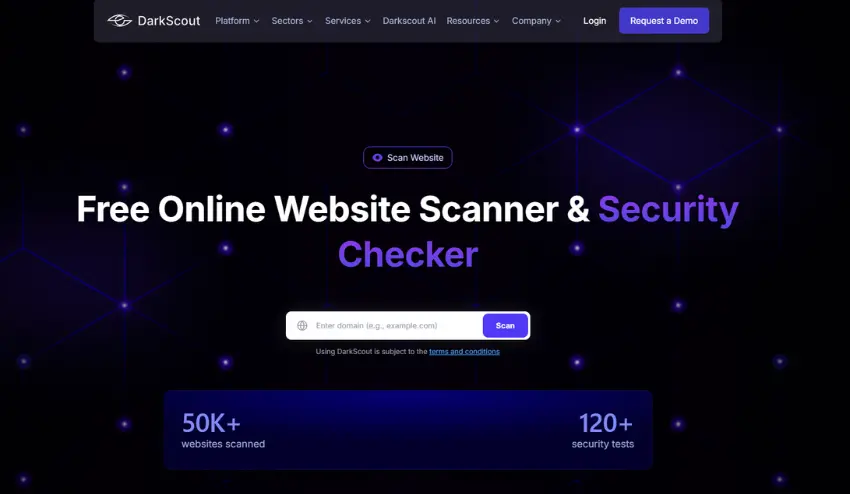
Reading this list of website security mistakes is one thing. Actually knowing if your site has these vulnerabilities is another.
You could manually check each one of these website security mistakes, inspect your SSL certificate, review your server headers, audit your file permissions, test your cookie configuration. That would take hours and require technical knowledge.
Or you could scan your site and find out in 60 seconds.
Use DarkScout’s free website scanner
It runs 120+ security tests instantly, checking for the most common website security mistakes including:
- SSL/TLS configuration and certificate strength
- Security headers (CSP, X-Frame-Options, HSTS, etc.)
- Cookie security flags
- Server configuration issues
- Common vulnerabilities
You get a security grade (A through F) and a detailed breakdown of exactly what’s wrong. No signup, no credit card, just scan and see.
Bottom Line
Most websites get hacked not because of sophisticated attacks, but because of basic website security mistakes that take minutes to fix.
No SSL. Outdated software. Weak passwords. Missing security headers. Exposed files. These aren’t edge cases — they’re the most common website security mistakes hackers exploit.
The good news? If you know what to look for, you can fix these website security mistakes before attackers find them.
Stop guessing whether your site is secure. Scan it right now and find out for sure.