In the digital era, web security is more crucial than it has ever been. The attackers will always scan and search hidden directories, files, and endpoints. A URL fuzzer comes in at that point. This tool assists the security professionals, developers, and testers in identifying the unknown sections of a website which might be prone to attacks.
A URL fuzzer does not merely show what is apparent, it will explore paths that are forgotten, misconfigured or deliberately hidden. By being aware of these paths, you can patch vulnerabilities in advance of their exploitation.
This guide will provide some crucial advice on how to use the tool, so you can enhance the security of your web applications, simplify the testing process, and secure your assets online. By the time you are done, you will know how to operate a URL fuzzer in a safe, efficient and responsible manner.
What is a URL Fuzzer?
A URL fuzzer is a program that is used to locate hidden directories, files, and endpoints on a web server. It, in contrast to a regular crawler, tries thousands of potential URLs, and can therefore find resources that are not publicly linked.
URL fuzzers are a critical part of security testing, penetration testing, and bug bounty hunting. They assist in locating vulnerabilities in the structure of a site, including unsecured administrator panels, obsolete scripts, backup files, or concealed APIs.
It is necessary to clear up the difference between a URL fuzzer and a web scanner. Although scanners look into known vulnerabilities, a Fuzzer tool looks at trying to find hidden paths that may be exploited. A combination of the two methods provides a complete picture of the security of a site.
The effective use of it enables business and security professionals to take action in securing their web applications before their attackers can locate vulnerabilities.
You May Also Like: Cyber Security Examples and Practices to Stop Data Breaches
The Reasons to Word Why You Should Use a URL Fuzzer
A URL fuzzer is not only a technical tool but also a proactive security measure. This is why you need to incorporate it into your security workflow:
1. Find Unknown Vulnerabilities
A large number of websites have directories, files or endpoints that are not publicly linked. Unless these paths are secured, they can be used by the attackers. A URL fuzzer reveals such paths so that you can lock them before they can cause a risk.
2. Increase Penetration Testing
A URL fuzzer is a necessity to security testers. It augments other tests in that it shows areas that a manual review or scanner may miss out on. This renders penetration testing more comprehensive and precise.
3. Enhance Web Application Security
Periodic use will make sure that your web applications are not vulnerable to attack. By locating unsecured or neglected resources, you can enhance your security status and mitigate the possibility of breaches.
4. Promote Compliance and Risk Mitigation
For organizations that comply with the requirements of PCI-DSS, HIPAA, or ISO 27001, it is important to discover hidden web resources. A URL fuzzer is a great faith gesture to provide secure online environments.
With the knowledge of why you need a URL fuzzer, you can now secure, mitigate risk, and be trusted by your users and your clients.
The Main Features of a URL Fuzzer
A URL fuzzer is powerful mostly because of the features it offers, and knowing those features allows you to use the tool correctly and in a safe manner:
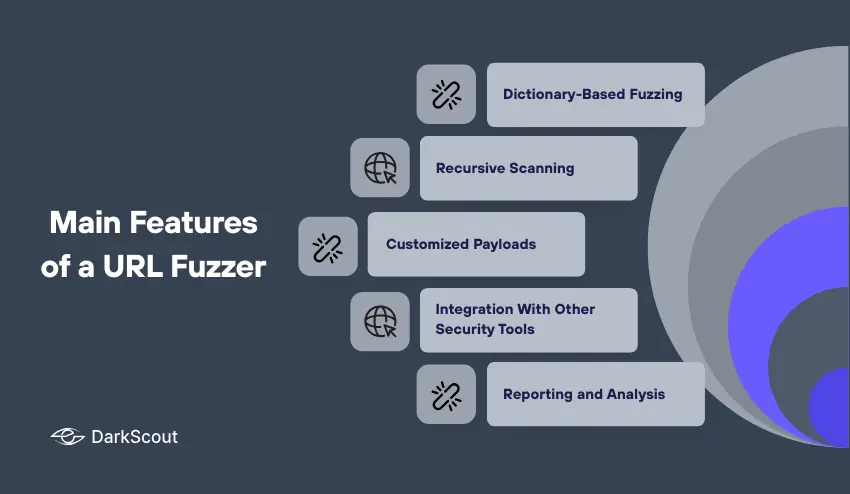
1. Dictionary-Based Fuzzing
Most fuzzers utilize a wordlist or dictionary to guess hidden files and directories. The wordlists may be comprised of common admin panels, backup file filepath, API endpoint names, etc. Custom dictionaries allow you to focus on specific structure, or industry-directed paths.
2. Recursive Scanning
Some URL fuzzer can further fuzz directories that have been discovered during fuzzing, also known as recursive fuzzing. This means that when the fuzzer discovers a hidden folder, it will continue to fuzz everything in that folder, including sub-sub-directories. Recursive scanning increases the chance of discovering a file or resource sitting three levels deep.
3. Customized Payloads
URL fuzzers that are more advanced will give you the ability to create your own custom payloads. The target test could be file extensions, query parameters, or patterns. Customized payloads allow fuzzing to be more focused and purposeful for the specific applications or frameworks.
4. Integration With Other Security Tools
Many URL fuzzers will integrate with scanners, vulnerability assessment tools, or other penetration testing tools. Having multiple tools that give you insight into your security findings allows you to combine them all and provide a better assessment of your website security.
5. Reporting and Analysis
A good URL fuzzer will provide you with detailed reports that will include what URLs were scanned, the status codes returned, and potential at-risk areas. You will at least be able to prioritize which not-so-hidden resources require your attention first.
Knowing these main characteristics, you can fully utilize the power of a URL fuzzer and ensure that your web security test is more organized, effective, and outcome-oriented.
Utilizing a URL Fuzzer Properly
Utilizing a fuzzer tool is not just about firing up the tool. Rather, it takes a little bit of strategy and care to see reliable results without causing issues within the website you are testing. Below are key suggestions on how to properly use a URL fuzzer:
1. Select the Correct Wordlist
A good wordlist is the base of effective fuzzing. Between steps of fuzzing in the living environment, you’d typically want to start with default lists that are supplied with tools or included in their respective premade content. Then you want to adjust the listed wordlist based on what directories are located on the website and include the common directories or endpoints that are on that website, including admin, possible backup files, REST API or other endpoints.
2. Start with a Test Environment
Never fuzz a live website right away without permission. Always use a staging or other test environment to start fuzzing on, so you do not crash a website’s server or cause other disruptions unintentionally. This is especially important for larger production websites.
3. Save Rate Limits
Sending too many requests to a single server can tax that server and any other services it has running, even causing overload that triggers safety or security defenses automatically. You want to configure your URL fuzzer to as reasonable limits as your fuzzer would suggest, so you do not impact the normal flow or operations.
4. HTTP Status Codes Monitor
Note the HTTP responses:
- 200 OK – The resource is found
- Destination check -Check where the redirect has a destination
- Forbidden- Resource available but prohibited
- 404 Not Found -It is likely to not to exist
Being aware of these codes will enable you to concentrate on routes to be addressed.
5. Combine with other Tools
Combine URL fuzzing with vulnerability scanners, network monitoring tools and penetration testing tools. This will also assist you in ensuring that you identify the hidden paths and to evaluate the vulnerabilities in a holistic manner.
6. Prioritize and Review Discoveries
Not every of the identified URLs pose a threat to security. Classify the findings by the possible outcome and priority. Pay attention to more delicate endpoints like administration panels, configuration files and API endpoints, first.
By doing so, you will be able to find hidden resources, bolster security, and enhance your web apps without having to do them.
Common Mistakes When Using a URL Fuzzer
Even seasoned testers can make some mistakes while using a URL fuzzer. Avoiding these mistakes will help ensure meaningful results and problems don’t arise:
1. Fuzzing without Permission
Running a URL fuzzer on a website that you do not have permission to fuzz, is illegal and considered unethical hacking that could lead to severe legal issues. It is important to always test in an authorized environment or gain written permission from the site owner.
2. Hammering the Server
Sending a URL fuzzer with numerous requests at the same time could overload and crash the server. A URL fuzzer will often include options for rate-limiting requests in order to avoid crashing the website or triggering security mechanisms.
3. Not Paying Attention to False Positives
This list could contain many URLs – however, not every URL has to be a threat. Some paths can be completely harmless and just happen to exist on the site. It is important to understand the context of the findings, careful consideration, and focusing on the impact of the potential exploit will help to determine if a URL is of concern.
4. Using Old or Default Wordlists
The default wordlists and old wordlists may represent files and directories that have since been removed. While a URL fuzzer will attempt to fuzz as many targets within its wordlists as possible, it is also intended to present and discover new API endpoints during testing. Getting an updated and new wordlist regularly will help to encompass all website directory and API endpoints that may have been created since the previous wordlist.
5. Not Reviewing the Results Before Next Test
A URL fuzzer can only present data as opposed to presenting an answer. If the sites are not reviewed, categorized, or acted upon then vulnerabilities can be left undiscovered or unknown.
If you practice avoiding these common mistakes it will be easy to use a URL fuzzer and be mindful of compliance to the law, the testing server crashing and result being more meaningful related to security.
Real World Use Cases of a URL Fuzzer
A URL Fuzzer is not just an aspirational tool; there are real-world examples of how organizations have used these tools for security, testing, and a variety of reasons. Here are some examples:
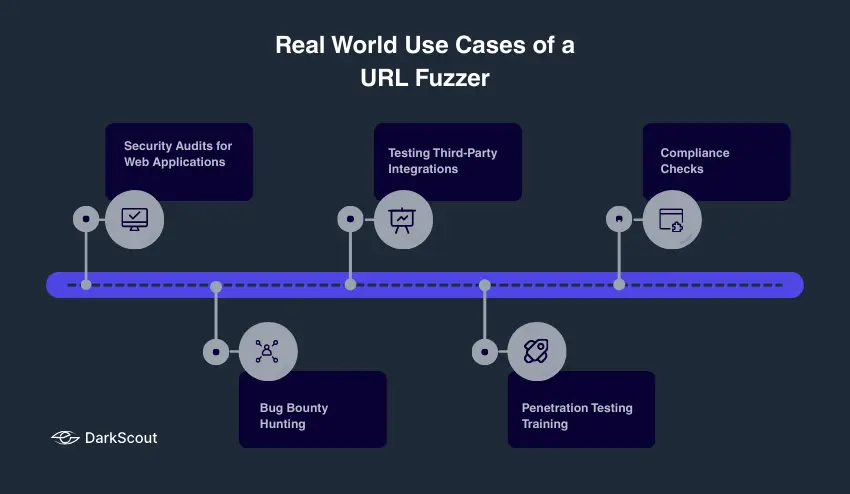
1. Security Audits for Web Applications
Organizations will use URL fuzzers to find hidden endpoints and links before attackers do. A URL fuzzer can help find an unlinked admin panel, a configuration file, or an API endpoint, for instance, so the organization can patch it and improve their security.
2. Bug Bounty Hunting
More ethical hackers will use URL fuzzers to uncover hidden resources that can be exploitable. They can submit these findings to a bug bounty program and earn a payout while helping the organization improve its website.
3. Testing Third-Party Integrations
Many websites embed JavaScript, second-party API’s, JS libraries such as JQuery, or other external scripts, that provide great functionality. A URL fuzzer can help find the intersection of exposed paths that a third-party integration might create for unintended risk.
4. Penetration Testing Training
In this type of exercise, students in security training environments (for instance, on a particular web application) will use a URL fuzzer to simulate an attack that mimics how an attacker might use a fuzzer as part of their exploration of discovering hidden paths. This helps the penetration testing student understand how an attacker will explore hidden paths and unprotected endpoints, and the trainer can provide coaching and insights into their protected approach.
5. Compliance Checks
Organizations that need to comply with standards such as PCI-DSS or ISO 27001, for example, can use URL fuzzers to identify endpoints exposing unprotected paths. Complying with regulatory standards is often an arduous exercise fraught with impending fines and penalties to be paid if compliance does not occur.They can be used as a methodology for helping organizations identify unprotected paths that might detract from regulatory compliance.
In any of these and most scenarios, a URL fuzzer is a great way to provide clarity and actionable intelligence to help an organization secure their web applications, prevent attacks and ultimately ensure their business continuity.
Conclusion
A URL fuzzer is a valuable asset for anyone committed to the preservation of web security. It will assist in identifying a lot of hidden directories, files, and endpoints that a malicious actor can target if exposed. Using it in the right way will facilitate identification of potential vulnerability disclosure by the business or security professionals, and bolstering web security.
It is important to reiterate that using a URL fuzzer is far more than executing a tool. It requires strategic minds to put the right framework in place to get the best out of each usage. Be sure you are pen testing in alpha or controlled environments, use current wordlists, do not exceed rate limits, or if you do make that note, and find risk based on findings. In the future consider fuzzing as a part of other security tools that assist you with web security, and make sure that you document your findings for continuous improvement of security posture.
By reading this blog and following these basic tips to use a URL fuzzer effectively, you can help to defend your website’s security, protect sensitive data, and mitigate against costly breaches. Make fuzzing a regular occurrence to your security and make it a habit to identify URL paths during your vulnerability assessment procedures.