Picture an online retailer with 80 employees. In one week, a customer forwards a screenshot of a social account selling “your” products at half price, and the IT lead learns that a former contractor’s login is being offered in a criminal chat channel. Both problems involve the company’s name and data, and both happen outside its own network. They still need different tools, different teams and different responses. This comparison of brand protection software and dark web monitoring tools walks through seven differences, then shows how to choose and when it makes sense to use both.
Quick answer
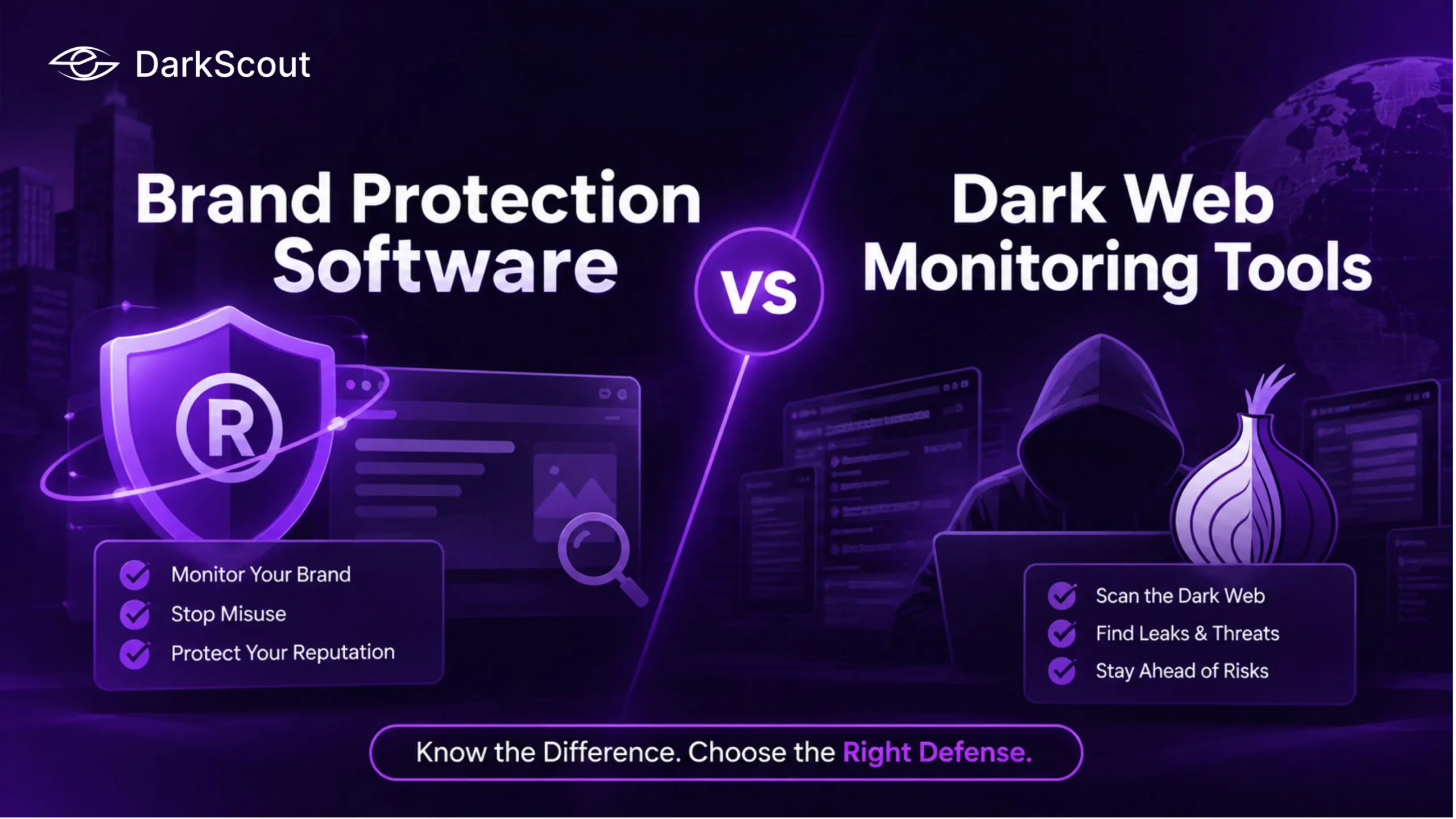
Brand protection software stops outsiders from abusing your brand through brand impersonation, such as counterfeit sellers, fake social accounts, lookalike domains and phishing sites, mostly across the public internet. Dark web monitoring tools search underground forums, markets and channels for leaked credentials, breach data and attacker chatter. Many platforms combine both, so choose by priority: brand and IP enforcement, or credential and data exposure.
Brand protection vs dark web monitoring at a glance
| Difference | Brand protection software | Dark web monitoring tools |
|---|---|---|
| Primary goal | Protect brand identity, revenue, customers and IP from outside abuse | Spot exposed credentials, breach data and early attack chatter |
| Where it looks | Clear web, social media, app stores, marketplaces, domain registries | Dark web forums, paste sites, stealer and bot markets, encrypted channels |
| Threats caught | Counterfeits, fake accounts, lookalike domains, phishing sites, rogue apps | Stolen logins, stealer logs, leaked files, third-party breaches |
| Typical output | Evidence, platform complaints, takedowns | Breach alerts, risk scores, password resets, intelligence feeds |
| Main users | Brand managers, legal counsel, e-commerce, anti-fraud | SOC teams, threat intelligence analysts, IT security |
| Overlap | Impersonation and phishing infrastructure | Brand impersonation mentions in scams and underground channels |
| Cost and effort | Scoped by brands, platforms and takedown volume | Scoped by domains, users and sources |
1. What Do Brand Protection Software and Dark Web Monitoring Tools Protect?
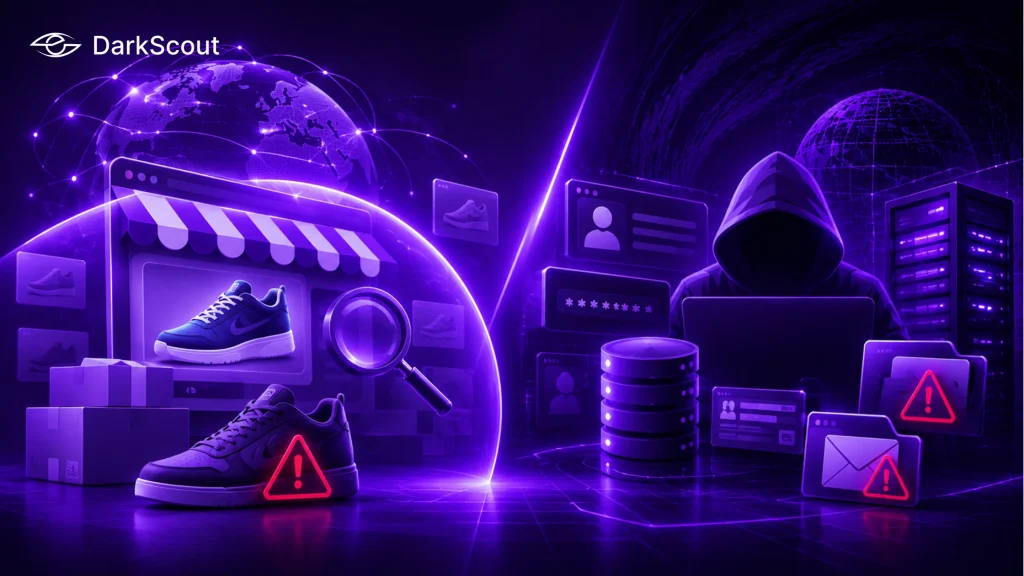
Brand protection software protects your brand identity, your revenue and your customers from outside abuse, while dark web monitoring tools protect the credentials, data and systems that attackers target. One defends how the world sees and uses your name. The other defends what criminals could use to break in.
The first difference is the thing being defended. Counterfeiting is big enough to appear in trade statistics: the OECD and EUIPO estimated that counterfeit goods made up about USD 467 billion of global trade in 2021, according to their 2025 joint study. Brands with strong reputations therefore treat abuse as a revenue and trust problem as well as a legal one, and that framing shapes who buys brand protection software and what they expect from it.
Brand Protection Software
Brand protection software is built to defend the parts of your business that customers, partners and regulators see directly:
- Brand identity and customer trust, which erode quickly when shoppers meet fake stores, fake support accounts or fake apps that carry your name and logo.
- Revenue lost to counterfeit goods and scam storefronts, including sales diverted to cheaper copies and the refunds or chargebacks that follow when buyers receive poor products.
- Trademarks, logos, product images and other intellectual property that third parties copy, register as domain names or reuse in advertisements without permission.
- Customers and partners who might be fooled by brand impersonation, since a convincing fake page can collect payments, personal details or passwords in your name.
Dark Web Monitoring Tools
Dark web monitoring tools are built to defend the data and access that attackers trade behind the scenes:
- Employee and customer logins, including usernames and passwords captured by infostealer malware or exposed in breaches, which can be reused to sign in to real accounts.
- Breach data and leaked internal files, such as customer lists, contracts, source code or credentials posted for sale or shared in underground communities.
- Early signs that an attack is being planned, such as a threat actor asking for access to a company like yours or advertising a method that targets your industry.
- Data exposed through suppliers and partners, because a breach at a vendor can leak your information even when your own systems were never touched.
A fake store using the retailer’s logo costs sales and trust. A leaked administrator login can end in a breach that halts operations. Each loss is real, but they land on different desks, are measured in different ways and call for different fixes. Brand teams count lost sales, complaints and removal times. Security teams count exposed accounts, resets completed and time to contain an incident. Knowing which loss you fear more is the quickest route to the right category of tool.
Key takeaway: Brand protection defends how outsiders use your name, and dark web monitoring defends what attackers hold about you.
2. Where Do Brand Protection Software and Dark Web Monitoring Tools Look for Threats?
Brand protection software looks at the public internet, including websites, social media, app stores, marketplaces and domain registries. Dark web monitoring tools look at hidden places such as underground forums, paste sites, stealer and bot markets and encrypted channels. Coverage is the clearest dividing line, and it explains most of the other differences between the two.
Because the two categories search different places, they collect different kinds of evidence. Public sources give you screenshots, listing pages, registration records and advertisements that can be sent to a platform. Hidden sources give you posts, file samples and sale listings that point to compromised accounts or planned attacks. Neither set of sources can stand in for the other.
Brand Protection Software
Brand protection software searches the places where customers actually go to shop, search and download:
- The clear web, including websites, search results and paid advertisements, where fake stores and phishing pages try to rank or advertise their way in front of your customers.
- Social media platforms, where fake brand accounts, fake customer support profiles and impersonated executives can reach large audiences within hours.
- App stores, where rogue or copycat mobile apps can imitate your app and collect logins, payment details or device permissions.
- Online marketplaces, where counterfeit listings and unauthorized resellers use your product names, photos and trademarks.
- Domain registries, where new lookalike and typo-squatted domain names appear, often before any page is built on them.
Dark Web Monitoring Tools
Dark web monitoring tools search places most customers never see and where access is limited:
- Dark web forums, where threat actors discuss targets, sell access and trade stolen data, often under aliases and invitation-only memberships.
- Paste sites, where leaked credentials, configuration files and snippets of stolen data are posted for short periods.
- Stealer and bot markets, where logs from infostealer malware are sold in bulk, including saved passwords, cookies and session tokens.
- Encrypted and other illicit channels, including messaging groups, where criminals share samples, make offers and recruit helpers.
A counterfeit listing is public by design, because the seller needs shoppers to find it. A stolen login is the opposite: it is traded where access is limited and scrutiny is low. DarkScout describes its Darkweb Monitoring as scanning underground marketplaces, private forums and encrypted networks for mentions of your data or brand, which is the kind of coverage a marketplace crawler does not have. In the same way, a dark web feed will not tell you that a lookalike domain used for brand impersonation was registered yesterday or that a fake app appeared in an app store.
Key takeaway: Brand abuse is found where customers look, and credential theft is found where criminals trade.
3. Which Threats Do Brand Protection Software and Dark Web Monitoring Tools Catch?
Brand protection software catches counterfeit products, fake social accounts, lookalike domains, phishing sites and rogue apps. Dark web monitoring tools catch stolen employee and customer logins, infostealer logs, leaked internal files and third-party breaches. The two threat lists barely overlap, which is why the tools are often mistaken for substitutes when they are not.
Brand Protection Software
Brand protection software typically catches threats that imitate or misuse your brand in public:
- Counterfeit products and fake listings that copy your product names, photos and packaging, often at prices designed to tempt shoppers away from the genuine item.
- Fake social media accounts that carry out brand impersonation by posing as your company, your support team or your executives and message customers directly with offers, refund links or requests for details.
- Lookalike domains that swap letters, add words or change the ending of your domain, and are used for phishing emails, fake stores and invoice fraud.
- Phishing sites that copy your login or checkout pages closely enough that visitors hand over passwords or card numbers without noticing.
- Rogue mobile apps that use your name or icon, request broad permissions and send what they collect to a third party.
Dark Web Monitoring Tools
Dark web monitoring tools typically catch threats that involve data already taken from you or your partners:
- Stolen employee and customer logins offered for sale or shared in dumps, which attackers can try against your systems, email and cloud services.
- Infostealer logs that bundle saved passwords, browser cookies and session tokens from an infected device, sometimes allowing access without a password.
- Leaked internal files such as spreadsheets, source code, contracts or customer records posted after a breach or an extortion attempt.
- Third-party breaches that expose your data or credentials because a supplier, contractor or software vendor was compromised.
- Attacker chatter that names your company, your industry or your technology and hints that someone is preparing to target you.
Credential exposure matters because stolen logins remain a leading way in. Verizon’s 2025 DBIR found compromised credentials were an initial access vector in 22% of the breaches it reviewed, as Verizon’s own research summary notes. Early warning that a password has been exposed gives a security team time to reset it before someone uses it.
Phishing sits in the middle of both categories. Brand impersonation is the clearest example: a page that copies your login screen is a brand problem because customers are deceived, and the password a victim types into it becomes a dark web problem if it is later sold. DarkScout’s Email Security Intelligence approaches the same issue from the email side, covering lookalike domains and phishing, which helps teams see the attack from both directions.
Key takeaway: Brand tools catch the fake face of your company, and dark web tools catch the real data that leaked from it.
4. What Happens After Detection: Brand Protection Takedowns or Dark Web Monitoring Alerts?
After detection, brand protection software typically gathers evidence and works toward removal through platform complaints and takedowns, while dark web monitoring tools typically send alerts, risk scores and intelligence that your security team acts on. Detection is only the start in both cases, and the real value depends on what happens next.
Takedown speed depends on the abuse process at the host, registrar or platform involved, so results vary by case. A major social platform may remove a fake account within hours when the evidence is clear, while an unresponsive hosting provider can take far longer. Alerts from dark web monitoring run on a different clock: the faster a leaked password is reset, the smaller the window an attacker has to use it.
Brand Protection Software
Brand protection software typically produces outputs that support removal and legal action against brand impersonation:
- Evidence gathering, such as screenshots, timestamps, page copies and ownership records, so a complaint is complete the first time it is filed.
- Complaints filed with platforms, registrars and hosting providers, using each one’s reporting form and the legal basis that fits trademark, copyright or fraud rules.
- Automated or managed takedowns, where the vendor submits and follows up on requests for you instead of leaving the work to your legal or brand team.
- Progress tracking until the content is removed, including re-checks that catch the same seller or site returning under a new name.
Dark Web Monitoring Tools
Dark web monitoring tools typically produce outputs that help security teams respond quickly:
- Breach alerts that tell you which accounts, domains or files appeared and where, with enough context to judge how serious the exposure is.
- Risk scoring that ranks findings, so a fresh administrator login for sale is handled before an old password from a long-known breach.
- Password resets or reset guidance, ideally linked to your identity tools so affected accounts can be secured within the hour.
- Threat intelligence feeds that add context about the actors, markets and techniques involved, which analysts use to plan wider defenses.
Read the word “takedown” carefully in any vendor’s materials. Some tools only alert you and leave your legal or brand team to file complaints, while others run removal as a managed service. DarkScout’s Brand Protection module describes monitoring for unauthorized use of brand assets, mentions in scams and reputational risks, and does not describe managed takedowns, so ask every vendor exactly what happens after detection, including who files the request, how quickly, and what proof of removal you receive.
Key takeaway: Brand protection ends in removal, and dark web monitoring ends in a response by your security team.
5. Who Uses Brand Protection Software and Who Uses Dark Web Monitoring Tools?
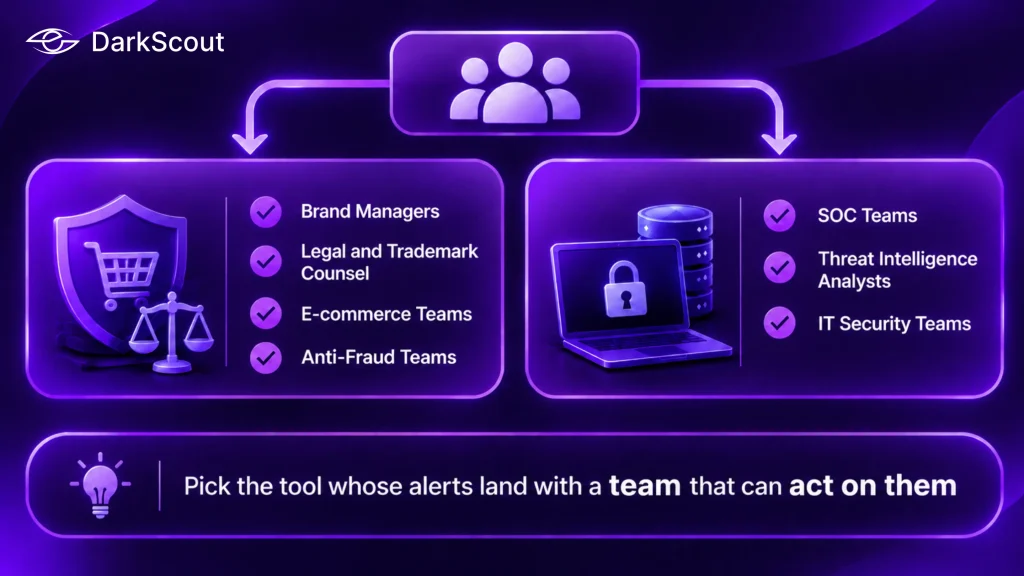
Brand protection software is usually owned by brand managers, legal and trademark counsel, e-commerce teams and anti-fraud teams. Dark web monitoring tools are usually owned by SOC teams, threat intelligence analysts and IT security teams. The people who receive the alerts decide whether a tool is actually used.
Brand Protection Software
Brand protection software is usually owned by teams whose work is about reputation, rights and revenue:
- Brand managers, who track how the company name appears across channels and need to know quickly when fake accounts or listings damage customer trust.
- Legal and trademark counsel, who review evidence, decide when to escalate and may file formal notices under trademark, copyright or consumer protection rules.
- E-commerce teams, who see the effect of counterfeit sellers and unauthorized resellers on sales, pricing and product reviews.
- Anti-fraud teams, who handle customer reports of scams and brand impersonation and need quick ways to take down fake pages before more people are caught.
Dark Web Monitoring Tools
Dark web monitoring tools are usually owned by teams whose work is about detection and response:
- SOC teams, who triage alerts every day and can connect an exposed login to sign-in logs, endpoint activity and account controls.
- Threat intelligence analysts, who study actors and markets and use dark web intelligence findings to understand who is targeting the company and how.
- IT security teams, who reset passwords, enforce multi-factor authentication and close access paths when an exposure is confirmed.
In a 25-person company with one IT generalist, both jobs may land on the same person, so the useful question becomes which problem costs more and who can act on the alert. A legal team cannot reset passwords, and a SOC does not file trademark complaints. In larger organizations the opposite risk appears: alerts reach the wrong team, sit in a shared inbox and are never handled. Before you buy, name the person who will receive each type of alert and confirm that they have the authority and the time to act.
Key takeaway: Pick the tool whose alerts land with a team that can act on them.
6. Where Do Brand Protection Software and Dark Web Monitoring Tools Overlap?
Brand protection software and dark web monitoring tools overlap around brand impersonation, phishing infrastructure and leaked data that mentions your brand. Many modern platforms blend both capabilities, which is where buying gets confusing, because a feature listed on a product page may only alert you instead of removing the problem.
Brand Protection Software
Brand protection software sometimes adds capabilities that touch the dark web side:
- Detection of brand impersonation through fake executive and employee profiles, which can be used to approach customers, recruit victims or run payment fraud.
- Alerts about leaked data that mention your brand, which give legal and security teams an early view of exposure that may later need a response.
Dark Web Monitoring Tools
Dark web monitoring tools sometimes add capabilities that touch the brand side:
- Brand impersonation mentions in scams and underground channels, where criminals discuss, sell or recruit around fake versions of your company.
- Chatter about phishing kits and lookalike domains aimed at your company, which can warn you before a campaign reaches customers.
- Notices when customers or staff are named in a scam or extortion attempt, which helps the team respond before the story spreads.
Look for overlap in the specifics. If you want dark web alerts tied to brand impersonation or phishing infrastructure, confirm which of those capabilities come with action and which only come with an alert. A feature listed on a product page is not the same as a workflow that removes the problem. Ask for a demonstration with a real example, such as a lookalike domain, and watch who is told, what evidence is produced and how removal is requested.
Key takeaway: Overlap is useful only when you confirm which capabilities act and which only alert.
7. How Do Brand Protection Software and Dark Web Monitoring Tools Compare on Cost and Effort?
Cost and effort depend on scope for both categories. Brand protection software is usually scoped by the number of brands, platforms and takedowns, while dark web monitoring tools are usually scoped by domains, users and sources. Pricing differs by vendor, so compare the effort your team must put in as well as the subscription fee.
Brand Protection Software
With brand protection software, cost and effort usually depend on:
- Managed takedown service or self-serve tooling, since a managed service costs more but moves filing, follow-up and escalation off your team.
- The number of brands, regions and platforms covered, because each additional trademark, language or marketplace widens the search and raises the volume of findings.
- Takedown volume, which can spike during product launches, sales seasons or a scam campaign and may change what a plan covers.
- Legal review time on your side, since someone still has to approve complaints, handle disputes and decide when to escalate.
Dark Web Monitoring Tools
With dark web monitoring tools, cost and effort usually depend on:
- Self-serve alerts or analyst-led reporting, where the second option adds expert context and usually costs more than a stream of raw notifications.
- The number of domains and users monitored, because larger companies have more accounts, vendors and email addresses to match against stolen data.
- Depth and breadth of sources, including whether the tool covers closed forums, stealer markets and encrypted channels or only public dumps.
- Staff time to triage each alert, since every finding needs someone to check it, reset access and record what happened.
Budget often matters less than workload. A managed takedown service can save a small legal team many hours, while a self-serve alert feed suits a security team that already triages tickets. Ask each vendor for pricing directly, since published rate cards are uncommon, and ask for a clear list of what is included, what costs extra and how many people you will need to run it.
Triage time is where tools differ most in daily use. Platforms that summarize findings in plain language, such as DarkScout AI, explain what was found, why it matters and what to do next, which shortens the work for small teams that cannot read every raw alert.
Key takeaway: Compare total effort, not only the subscription price, because takedown work and alert triage both need someone’s time.
Can One Brand Impersonation Incident Need Both Brand Protection and Dark Web Monitoring?
Yes. A single brand impersonation campaign often starts as a brand problem and ends as a credential problem, so it can need both brand protection software and dark web monitoring tools. Consider how it unfolds at the 80-person retailer from the opening.
- A scammer registers a lookalike domain, copies the checkout page and runs social ads that send shoppers to it.
- Brand protection software spots the domain and the ads, gathers evidence and starts takedown requests, which handles the public side of the brand impersonation.
- Meanwhile, shoppers type card details and passwords into the fake page, and some of that data is later offered in a criminal channel.
- A few of the same passwords unlock customer accounts on the real site, and dark web monitoring tools are the ones positioned to see the listing, so the security team can force resets before accounts are drained.
The lesson is that brand impersonation rarely stays a brand problem. It becomes a credential problem once victims hand over data, and it becomes a brand problem again when customers blame the company for the loss. Teams that connect the two sets of alerts respond faster than teams that run them as separate projects, because the evidence from one often explains the findings in the other.
Key takeaway: One impersonation campaign can start as a brand problem and end as a credential problem, so connect the alerts from both.
When Should You Choose Brand Protection Software, Dark Web Monitoring Tools, or Both?
Choose brand protection software when public brand abuse is your main loss, choose dark web monitoring tools when leaked credentials and breach data are your main risk, and look for both when impersonation and credential theft overlap in your business. Before you buy anything, you can run a free check on the credential side with DarkScout’s Exposed Password Checker, then search your brand name on marketplaces and app stores to see what impersonators are doing. The results usually show which problem is bigger.
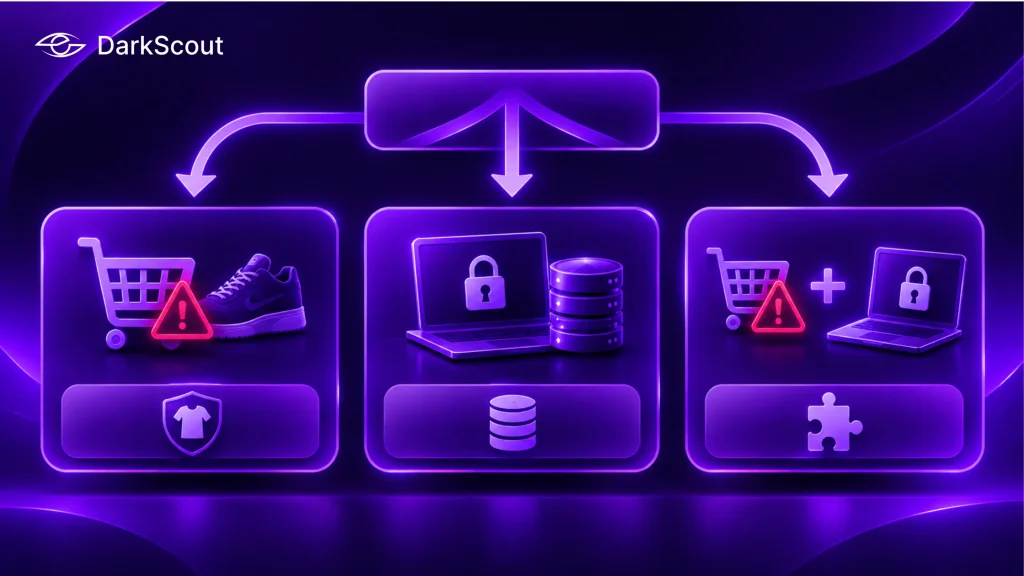
- Choose brand protection software if you face counterfeit listings, fake brand accounts, brand impersonation, domain squatting or customer-facing phishing, and you need formal takedown workflows with evidence, complaints and tracked removal.
- Choose dark web monitoring tools if your priority is catching leaked employee or customer credentials, infostealer logs, or early signs of a data breach or vendor compromise, so your security team can reset access quickly.
- Look for overlap if you want dark web alerts tied to brand impersonation or phishing infrastructure, and verify whether the tool handles takedowns or only sends alerts before you rely on it.
Three questions narrow the shortlist quickly:
- What is your primary goal: takedowns and counterfeit removal, or leaked credential and breach detection? The answer points you to the category that fixes your costliest problem first.
- Who will act on alerts, such as a SOC, a legal or brand team, or one person, and how large is the organization? An alert that reaches no one with the authority to act has no value.
- What are your preferences on budget, managed takedowns versus self-serve alerts, and third-party vendor monitoring? These decide how much work the tool takes off your team and how much it leaves.
Key takeaway: Start from the loss that would hurt most, then check that the tool you pick acts on it.
Which Is Right for You: Brand Protection Software or Dark Web Monitoring Tools?
Brand protection software and dark web monitoring tools answer different questions. One asks who is misusing your name in public. The other asks what criminals already hold about your people and systems. The seven differences above, along with the way brand impersonation can touch both tools, come down to that split in goal, coverage, threats, output, ownership, overlap and effort.
Most organizations end up needing both over time, but few need both on day one. Begin with the exposure that would cost you more, confirm the vendor acts on what it finds, and add the second capability when the first is running smoothly.
Whichever route you take, test each tool against a real case from your own business, such as a lookalike domain used for brand impersonation or an exposed staff login, and judge it by what happens after detection. A vendor that can show who is told, what evidence is gathered and how the problem is closed is worth more than one with a longer feature list.