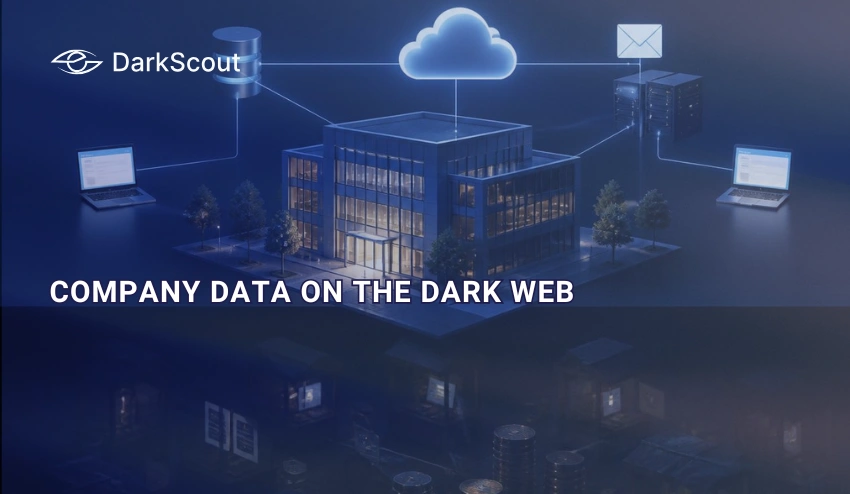
Somewhere on a dark web forum right now, a listing is quietly circulating with your company’s name attached to it.
That is not a scare tactic. Kaspersky’s Digital Footprint Intelligence team tracked mentions of 700 companies and found that one in three had been referenced in dark web posts tied to stolen data or network access. Most of those companies had no idea.
The average organization takes 241 days to identify and contain a breach, according to IBM’s 2025 Cost of a Data Breach Report. Data sold on the dark web moves in a fraction of that time. By the time most companies find out, the exposure has already been priced, packaged, and sold.
This guide breaks down what it actually means when company data ends up on the dark web, the specific categories of data attackers are after, where that data actually shows up, and the part most guides skip: what you genuinely cannot do once it is out there, and what actually works instead.
What It Means When Company Data Is on the Dark Web
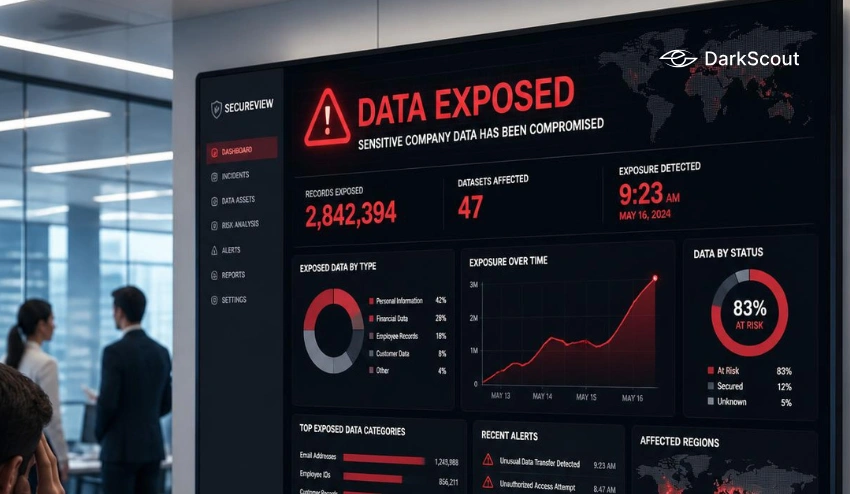
Company data on the dark web means some piece of your organization’s information, credentials, customer records, internal documents, or network access is being discussed, traded, or sold on forums, marketplaces, or channels that sit outside the reach of standard search engines. It does not always mean a breach has happened yet.
Sometimes it means one already has. A ransomware group posting a sample of your files on a leak site is confirmation that attackers already had access, moved through your systems, and pulled data out. Other times it means something earlier in the chain, like an employee’s credentials appearing in a stealer log for sale, which is a warning sign rather than proof of a completed attack.
The distinction matters because it changes the urgency and the response. Data appearing on a ransomware leak site means the attack already happened. Credentials appearing in a stealer log mean you may still have a window to act before it does.
How Company Data Actually Gets There
Your company’s data is not typically on the dark web as a result of some single, spectacular incident. It is almost always due to one particular failure that escalates into an enormous problem.
1. Phishing and social engineering
An employee clicks a malicious link or enters credentials into a fake login page. The attacker now has valid access without needing to break through any technical defenses at all. Our guide on business email compromise walks through how this specific tactic escalates into a full account takeover.
2. Infostealer malware
Malware silently harvests saved passwords, session cookies, and browser data from an infected device, then packages everything into a stealer log that gets sold to other criminals. A single infected employee laptop can expose credentials to dozens of company systems at once. Our explainer on what a stealer log actually contains covers exactly what gets harvested and why it is so dangerous.
3. Third-party and vendor breaches
A payroll processor, cloud provider, or marketing platform gets breached, and any of your company’s data they were holding goes with it. This is one of the fastest-growing sources of exposure, since your security posture has no bearing on whether your vendor gets hit. Our guide to third-party cyber risk covers how to manage exposure you do not directly control.
4. Misconfiguration and human error
A publicly exposed cloud storage bucket, a database left without authentication, or a misconfigured API can hand attackers a direct path to sensitive data without any malware or phishing involved at all.
5. Insider access
Not every leak is malicious. A careless configuration change or a departing employee taking data with them can end up circulating in the same underground channels as a criminal breach.
Where This Data Actually Shows Up
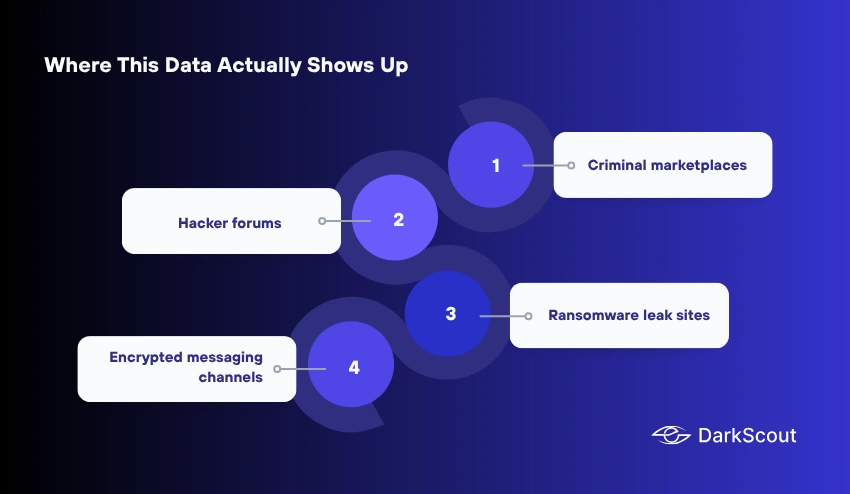
Dark web is a broad term. The actual venues where company data circulates fall into a few distinct categories, each with different visibility and risk implications.
1. Criminal marketplaces
Structured platforms where stolen data, access, and tools are bought and sold, often with buyer reviews and seller reputation systems that mirror legitimate e-commerce. Our guide to darknet marketplaces explains how these platforms actually operate.
2. Hacker forums
Discussion boards, some open and some invite-only, where data gets advertised, discussed, and occasionally leaked for free to build a seller’s reputation before a bigger paid release.
3. Ransomware leak sites
Dedicated Tor sites maintained by ransomware groups such as LockBit, ALPHV, Cl0p, and Qilin, used to pressure victims into paying by publishing samples of stolen data with a countdown to full release. Appearing here confirms an attack already succeeded. Our deep dive on dark web ransomware covers how these extortion sites operate in detail.
4. Encrypted messaging channels
Telegram and similar platforms have become a major venue for fast, low-friction sales of stolen data and access, often operating alongside or instead of traditional forums.
Signs Your Company Data May Already Be Exposed
Most companies do not find out through their own monitoring. These warning signs are worth taking seriously before a customer, regulator, or journalist tells you first.
- Unusual login attempts or successful logins from unfamiliar locations on corporate accounts
- Customers reporting phishing emails that reference accurate internal details, like project names or employee titles
- A spike in credential stuffing attempts against customer-facing login pages
- Unexpected password reset requests across multiple employee accounts in a short window
- A sudden increase in fraudulent transactions tied to customer accounts
- Direct contact from a threat actor, which usually means a ransomware negotiation demand has already started
What to Do If You Find Your Company’s Data
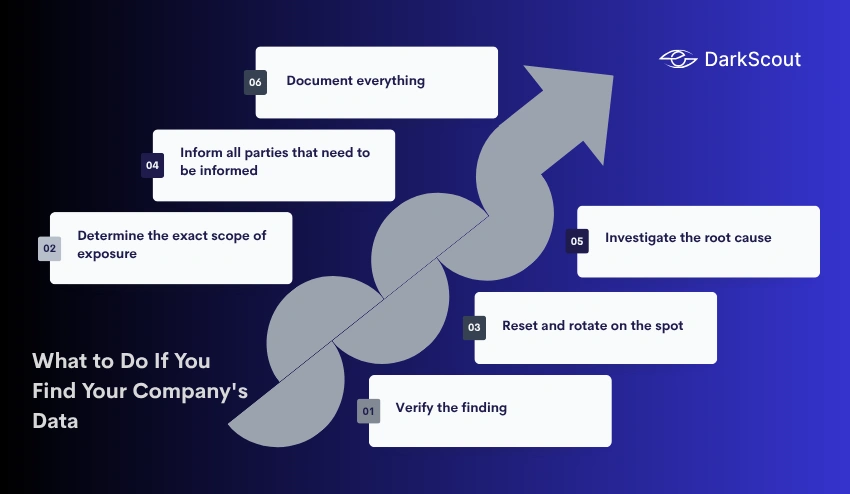
Speed matters more than anything else once exposure is confirmed. This is the order that limits damage the most effectively.
1. Verify the finding
Information found on dark web listings isn’t always legitimate. In many cases, it’s false or outdated, coming from a previous data breach. Instead of rolling out the red carpet for a response, take time to verify the data.
Cross-reference against your own internal records, check the timestamp on the dark web listing, and research the seller for any evidence of their history with legitimate data breaches, recycling, or making up data.
You won’t want to waste precious incident response resources on a fake that won’t be present when a legitimate breach does occur.
2. Determine the exact scope of exposure
Credentials, PII, financial data, and source code each have unique containment measures. Don’t roll out your broom without understanding what you’re sweeping up. Pull together everyone with visibility into the affected systems, IT, legal, and the business unit that owns the data, and map out exactly which accounts, records, or files are involved before choosing a containment path. Scoping too narrowly at this stage is the most common reason containment efforts miss a second exposed system entirely.
3. Reset and rotate on the spot
Force password resets and end any active sessions on affected accounts. A password reset alone won’t cut it if session tokens are included, since a valid session can let an attacker bypass the login screen entirely. Rotate API keys and service credentials tied to the same systems, not just employee passwords, and revoke any active tokens rather than assuming a reset alone closes the door.
4. Inform all parties that need to be informed
It might be a legal obligation, as it is for a large chunk of discovered data, but it’s also the right thing to do. That can mean regulators, affected customers, employees, cyber insurance providers, and, in some cases, law enforcement, depending on what was exposed and where your company operates. Our data breach response plan covers notification obligations and timelines in more depth.
5. Investigate the root cause
Simply addressing the effect but not looking for how the data became exposed in the first place will mean it happens all over again. Follow the exposure trail back to its source (e.g., an employee who has been phished, a compromised computer, an improperly configured system, a vendor with compromised access, etc.) and secure that point instead of just patching up the surface wound.
6. Document everything
The cyber insurance company and any regulators will require an accurate and complete timeline of events and response actions. You need to record: when you discovered the incident; what actions were taken; who you informed and when; and the eventual root cause analysis. This will be more than just for the insurance/regulators. This is what you’ll learn to refine and improve your response for the future.
What You Cannot Do Once Data Is Posted
Honest limitations matter here because plenty of vendors imply this problem is fully reversible. It is not.
- You cannot remove data from the dark web once it has been posted. There is no equivalent of a takedown request that criminal forums or marketplaces will honor, and no legitimate service can guarantee deletion.
- You cannot fully control how widely it spreads. A single listing often gets copied and reposted across multiple forums to reach more buyers, which means containment is about limiting damage, not erasing the exposure.
- You cannot always confirm who has already purchased or downloaded the data before you found the listing. Detection speed is what actually determines the outcome, not cleanup after the fact.
This is exactly why detection speed matters more than any post-incident cleanup effort. The faster you know, the more of the damage is still preventable rather than already done.
How to Check If Your Company’s Data Is Exposed
A one-time check answers the question for right now. It will not catch tomorrow’s leak.
Continuous dark web monitoring tracks forums, marketplaces, ransomware leak sites, and stealer log activity for mentions of your company’s domain, employee credentials, and brand name, alerting you when something new surfaces instead of waiting for a manual search. Our overview of how dark web monitoring works explains the mechanics behind this kind of continuous coverage.
DarkScout’s dark web monitoring service runs exactly this kind of ongoing surveillance across marketplaces, forums, and stealer log sources, so exposure gets flagged as it happens rather than months later. For a fast first check, our email exposure scanner shows whether specific company addresses already appear in known breach and stealer log data.
Preventing Future Exposure
Prevention will not get your risk to zero, but it closes most of the common entry points that lead to a dark web listing in the first place.
- Enforce multi-factor authentication everywhere, especially on email, VPN, and admin accounts, since credentials alone should never be enough to grant access.
- Monitor for compromised passwords continuously rather than reacting only after a breach notification arrives. Our guide on what a compromised password actually means covers how exposure happens even without a direct hack.
- Ensure third-party vendors you trust to handle sensitive information have been vetted properly in terms of their own security protocols. At the end of the day, if they’re compromised, you’re compromised too.
- Educate your staff on phishing and social engineering attempts. Human error is and will continue to be the point of access in most compromised situations.
- Implement dark web monitoring on a continuous basis so you’re alerted within hours of exposure rather than within the 241 days that is the current industry average.
Conclusion
Company data ending up on the dark web is rarely a single dramatic event. It is usually the downstream result of one phishing email, one infected laptop, or one vendor’s breach, quietly working its way through criminal channels long before anyone inside the company notices.
The uncomfortable truth is that you cannot undo exposure once it happens. What you can control is how fast you find out. The gap between a company that catches a leaked credential within hours and one that finds out from a customer or a regulator six months later is almost always the difference between a contained incident and a full-blown breach.
If you have not checked recently, DarkScout’s dark web monitoring service gives your team continuous visibility into forums, marketplaces, and leak sites, so exposure gets caught while there is still time to act on it.