When was the last time you checked what doors were wide open going into your network? Most businesses do not even realize it, but every server, router, and application exposes network ports. If a hacker finds just one unlocked, that is all they need to get in.
A port scanner is the tool that shows you those doors before anyone else does. A port scanner scans an IP address, displaying the TCP and UDP ports, and showing you which ports are open, blocked, or misconfigured. If you are serious about your network security, it is not an option, it is step one.
In this guide, you will learn exactly how a port scanner works, why it is important, the methods of scanning, and the best tools to use in 2026. I will also share tips from my experience on how to not just scan, but use the results to minimize your attack surface and protect your target systems.
What is a Port Scanner?
A port scanner is a program that interrogates a target system by requesting its TCP ports or UDP ports. It aims at determining whether the port is open, closed, or blocked by a firewall.
When a port scanner is given an IP address, it tests the services that are on that system. An example would be port 80, which would typically indicate a web server, and port 53 would typically indicate a DNS server. Understanding what kind of ports are open will inform you a lot about the configuration of a system.
Simply put, a port scanner is a security guard who knocks on all the doors in a building to see which doors open, which are locked, and which ones are blocked by security policies. This is referred to as port scanning.
Because of its effectiveness, a port scanner is used by both defenders and attackers. The difference lies in the intent.
How Does a Port Scanner Work?
Port scanning is a systematic process, and every step tells something about the target system.
1. Target System Identification
The first step you take is to input an IP address or a domain into the port scanner. This informs the tool on the system you would like to analyze. The target may be a single server, a company network or your home router.
2. Search the Ports
Then the scanner transmits packets to various TCP and UDP ports. TCP ports need three-way handshaking, and therefore, a scanner can readily verify the service status.
UDP ports are trickier, since they do not respond unless the correct form of data is sent to them, thus more difficult to test but nonetheless important.
3. Firewall Rules Check
In case there is a firewall protecting the network connection, not all ports will respond. They are not shown to be open or closed but rather filtered. This implies that the service may be present but concealed by firewall rules or intrusion prevention systems.
4. Report the Status
The scanner then arranges the results. Ports are typically divided into three categories:
- Open- the port is open to connections.
- Closed – the port is available but no one is listening.
- Filtered- the port is blocked or screened by a firewall.
These steps result in the mapping of the services on a system by a port scanner. This visibility is important to network security, as it tells you precisely what can be seen by an attacker as they scan your network.
Why Use Port Scanners?
Port scanner is not only a hacker tool. It is a tool that IT specialists use every day. Here’s why:
- Minimize the Attack Surface
Each open port is a potential entry point of attackers. A port scanner assists you in locking unwanted doors.
- Troubleshooting
In case of a service failure, network port scanning can indicate whether the cause is blocked firewall rule or a disabled service.
- Audits and Compliance
Port scanning is done by businesses in order to be sure that they are up to the network security standards and regulatory requirements.
- Penetration Testing
Port scanners are used by security teams and ethical hackers to emulate attacks and identify vulnerabilities before criminals can exploit them.
By using a port scanner, you gain visibility into your systems. Visibility leads to better decisions about protecting your environment.
Types of Port Scans Explained
The selection of the appropriate scan is important as every technique has various degrees of detail, speed, and stealth. Knowledge of these methods provides you with more control over your target system and will optimize network security evaluations.
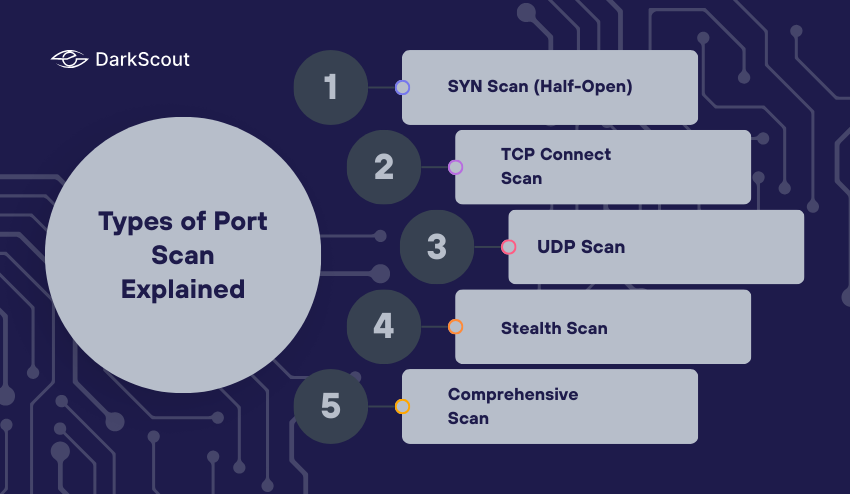
1. SYN Scan (Half-Open)
A SYN scan is also known as a half-open scan because it initiates a TCP connection by sending the initial SYN packet to a port but never finishes the handshake. In case the port acknowledges with SYN-ACK, the scanner will mark it as open and then close the connection.
Why it’s useful:
- Quicker than a full connect scan
- Less likely to cause logs or alerts in a firewall or intrusion detection system.
Example: SYN scans are frequently used by ethical hackers to silently scan open ports on a server without alerting them.
2. TCP Connect Scan
Unlike SYN scan, a TCP Connect scan does a full three-way handshake. The scanner opens a connection with the TCP port and closes it.
Why it’s useful:
- Consistent results as it interacts completely with the service.
- Can be done even when SYN scanning is blocked by firewalls
Trade-off:
- More detectable by security systems.
- Slow compared to a SYN scan, particularly on networks with large numbers of ports.
3. UDP Scan
UDP scans are performed on UDP ports which are different from TCP ports. UDP is connectionless so many UDP ports will not respond unless the correct data is transmitted to them.
Why is it useful:
It can help identify services such as DNS servers, streaming applications, or VoIP.
It can reveal unconfigured or insecure UDP services that are commonly attacked.
Challenge:
UDP scans are usually slower and may provide incomplete results because there may be non-responses.
4. Stealth Scan
Stealth scans are performed so they cannot be logged by firewalls or IDS systems. They alter packet flags, or scan ports in a certain order to try to stay “under the radar”.
Why it is useful:
It can help testers determine whether ports are open without creating alerts.
Stealth scans are common in ethical hacking or penetration testing.
Security teams use stealth scans to simulate the thought process of an attacker on the network so as to fortify their defenses.
5. Comprehensive Scan
A complete scan will usually be a combination of a number of techniques – SYN, TCP Connect, UDP and even stealth scans to give a complete picture of the ports and services of a network.
Why it’s useful:
- Enables additional insight into all available services on target machine.
- Very useful on large enterprise networks where compliance or security demands the most comprehensive checks.
Consideration:
- Time consuming
- More probable to cause alerts in networks being monitored
Knowledge of both, kinds of ports and the methods through which they can be scanned will enable you to tailor your assessment techniques to your requirements. Whichever it is, speed, stealth, or depth, the appropriate choice of a port scan strategy will produce the desired results with a minimum of risk.
Best Port Scanner Tools for 2026
1. DarkScout
DarkScout is an effective tool that is more than a port scanner. Its Port Scanner Pro program enables users to scan target systems to identify open ports and detect vulnerabilities and map the attack surface. It also has other features such as subdomain discovery and web application vulnerability scanning and thus it is a comprehensive solution to cybersecurity assessment.
Recommended to: IT admins, security professionals, and companies seeking a full-fledged scanning tool.
2. Nmap Port Scanner
The gold standard of port scanning tools. Open-source, configurable, and able to perform advanced scans such as SYN, UDP, and operating system detection.
Suited to: Security professionals and penetration testers that require fine control.
3. Advanced Port Scanner
A lightweight and fast Windows tool. It enumerates network connections with the information on the open ports and running services.
Best suited to: IT admins that require fast results.
4. Internet Port Scanners
Online programs that scan particular ports in your IP address. No installation is necessary
Best used by: Non-technical users and quick checks.
5. IP Scanners
Wider ranged scanning tools that find devices and ports on networks. Very useful in office mapping of target systems.
Suitable to: Network administrators who have to deal with large environments.
6. Port Checker
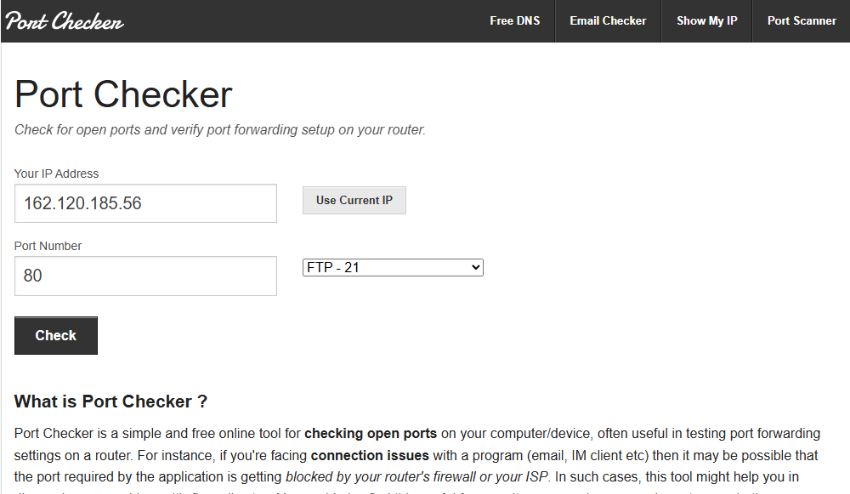
A simple tool to test single ports. Light and easy to operate, and best to use in quick troubleshooting.
Suitable to: Rapid diagnosis of single ports.
With DarkScout and one or two other tools in this list, you can perform a full port scanning strategy by both doing deep network scans and quick targeted checks.
How to Choose the Right Port Scanner
No single port scanner is suitable in all cases. These are factors to consider in your decision:
- Depth of Scan: Do you want to scan TCP and UDP at a deeper level or scan to detect open ports only?
- Speed: Certain tools are speed oriented, others are accuracy oriented.
- Integrations: Sophisticated tools are compatible with SIEM and vulnerability scanners.
- Easy to use: Nmap port scanner is command-line oriented, which provides greater control but needs experience. Beginners find it easy to use GUI software such as Advanced Port Scanner.
Example Scenarios:
- Online port scanners can be simple to use by small businesses.
- Businesses ought to use Nmap port scans into security processes.
The proper selection is based on your position and the scale of your environment.
Port Scanning Risks and Limitations
Although port scanning tools are very efficient in learning about network security, they are associated with some risks and constraints that each user is supposed to know.
Security Risks:
In the same way that you are able to scan your systems with a port scanner, attackers can scan your network and identify vulnerable points. When not monitored, such scans allow cybercriminals to have a clear picture of open TCP and UDP ports, which elevates the chances of attacks. It is necessary to monitor it constantly and have appropriate firewall rules to remain secure.
Legal Concerns:
Port scanning may also violate the law when done on systems that you do not own or to which you have not been authorized to scan. Unauthorized scanning is illegal in most places. Never scan without consent or without authority to scan your own target systems, as this may get you into legal trouble.
False Results:
Scanning can be interfered with by firewalls and intrusion detection systems. A port may seem to be closed or filtered though it is open, causing false positive or negative. Being aware of this shortcoming will help you not to misunderstand the results and miss essential services.
Limited Scope:
A port scanner provides information on open, closed or filter ports only. It does not show the existence of a vulnerability of the service that is operating on a port. To have a full security assessment, port scanning must be paired with vulnerability scanners that are able to identify vulnerabilities in applications or services.
Through this knowledge of the risks and limitations, it is possible to utilize the abilities of port scanning tools in an ethical and safe way that will help you to secure your network without the dangers of falling prey to the pit falls.
Tips for Safer Port Scanning
Here are professional level tips to safely and effectively use port scanners, based on experience:
- Scan Only Your own Network
Never port scan against a system or equipment that you do not own.
- Combine with Firewall Logs
Always check your firewall rules and logs in conjunction with your port scans.
- Combine with Vulnerability Scanners
A port scan will show the ports that are open; a vulnerability scanner will tell whether what is open is exploitable.
- Automate Your Scanning for ongoing security
A network configuration changes considerably, simply running regular port scans lowers the risk that you miss aspects of your network security posture.
- Document Your Findings
Keep track of every target that you scan; these include open TCP and UDP ports.
If you follow these steps, you, in essence, integrate your port scan and port scanning tools into a proactive defense.
Conclusion
A port scanner is an important tool to learn about your network and to secure it. It detects open TCP and UDP ports, assists in minimizing your attack surface and assists with network security.
Use such tools as DarkScout, Nmap, or Advanced Port Scanner carefully, scan only the permitted systems, and combine the results with vulnerability scanners, to ensure the best protection.
Port scanning mastery will enable you to have control of your target systems and also keep any threats at bay.