You probably check your email dozens of times a day.
It’s where your invoices live. Your contracts. Your passwords. Your conversations with clients, colleagues, and your bank.
And yet most people treat their inbox like it’s somehow protected by default.
It’s not.
According to Check Point’s 2025 State of Cybersecurity Report, 68% of all cyberattacks start with a malicious email. Not a sophisticated hack. Not some Hollywood-style breach. Just an email.
This guide breaks down exactly what email security is, why it matters, what the real threats look like, and what you can actually do about it.
What Is Email Security?
Email security is the practice of protecting your email accounts, inbox, and communications from unauthorised access, fraud, and cyberattacks.
It’s not one single tool. It’s a combination of technology, settings, and habits that work together to keep your information safe.
Security and privacy were not built into email when it was first invented, and despite email’s importance as a communication tool, these are still not built into email by default.
That’s the core problem. Email was designed to send messages, not to be secure. Everything protecting your inbox has been added on top of a system that was never built with threats in mind.
Why Your Inbox Is a Target
Attackers go where the opportunity is. And email is the richest opportunity on the internet.
Think about what lives in your inbox. Login details. Payment confirmations. HR documents. Legal contracts. Client data. In many cases, access to your email is access to everything.
An estimated 3.4 billion phishing emails are sent every day. That’s not a typo. Billions, every single day.
Business Email Compromise alone caused $2.77 billion in losses in 2024. And that’s only the reported figure. Many incidents never get reported at all.
This isn’t just a problem for large corporations. Small businesses, freelancers, and individuals are targeted constantly, often because they’re less protected and easier to exploit.
The Biggest Email Threats You Need to Know
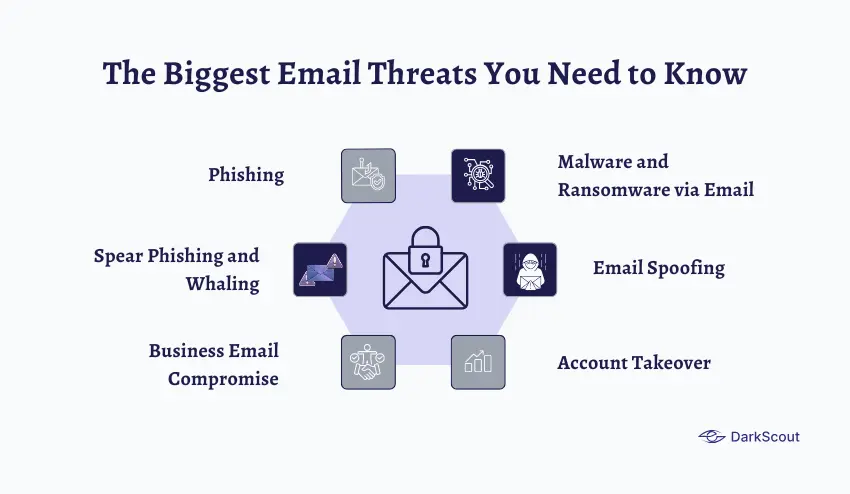
1. Phishing
Phishing is when someone sends you a fake email designed to look real.
It might look like a message from your bank, a delivery notification, a PayPal alert, or even an email from your own company’s IT team. The goal is always the same: to get you to click a link, hand over your credentials, or download something malicious.
According to Deloitte, 91% of all cyberattacks begin with a phishing email.
The dangerous part isn’t the obvious spam. It’s the convincing ones, the emails that use your name, reference real events, and look indistinguishable from the real thing.
2. Spear Phishing and Whaling
Regular phishing casts a wide net. Spear phishing is targeted.
The attacker researches you specifically, your name, your role, your colleagues, your recent projects, and crafts an email designed just for you. It’s far harder to detect.
Whaling takes it further, targeting high-level executives with meticulously crafted messages to manipulate them into giving up sensitive information or authorising transfers.
3. Business Email Compromise (BEC)
This one causes more financial damage than almost anything else in cybercrime.
BEC is when an attacker impersonates a trusted person, your CEO, your CFO, a vendor, or a lawyer, and convinces someone to transfer money or share sensitive data.
The average BEC wire transfer request was $24,586 at the start of 2025. And BEC attacks increased 15% in 2025 compared to the previous year.
What makes BEC so effective is that it doesn’t rely on malware or links. It relies on trust. One convincing email from what looks like your CEO asking for an urgent payment is often all it takes.
4. Malware and Ransomware via Email
Ransomware attacks rose 126% year-over-year at the start of 2025, reaching a record high.
A huge portion of those attacks started with an email attachment. A PDF, a Word document, a zip file. Someone opened it, and within minutes, their files were encrypted, and a ransom demand appeared on screen.
One bad attachment can lock down an entire network. Files get encrypted, access disappears, and a payment demand shows up on screen — and paying rarely fixes it.
5. Email Spoofing
Spoofing is when an attacker sends an email that appears to come from a legitimate domain, such as your company, your bank, a government agency.
They don’t need access to your email account to do this. They just craft the “From” address to look legitimate. Without proper authentication protocols in place, most email systems won’t catch it.
6. Account Takeover
This is when a criminal gains full access to your actual email account.
Once they’re in, they can read everything, impersonate you, reset passwords on other accounts, and send emails from your address that your contacts will trust completely.
Credential theft incidents surged by around 160% in 2025 compared to earlier periods. And most of those stolen credentials came from phishing attacks or data breaches, which is why monitoring what’s been exposed matters as much as protecting what hasn’t.
How AI Is Making Email Threats Worse
This is worth its own section as it is transforming everything.
With the introduction of generative AI tools, there have been some indicators of 1,265 percent more phishing emails.
With AI, attackers can create phishing emails that are grammatically correct, personalised, and context-sensitive. The ancient principle of seeking spelling errors is no longer true.
Phishing campaigns that are driven by AI generate context-sensitive messages that are personalised and resemble authentic ones, thus becoming harder to detect.
By mid-2025, it is estimated that 40 percent of BEC phishing emails will be AI-generated. Such emails do not simply appear true. They sound quite appropriate to the writing of whoever they are imitating.
The standard of what a suspicious email is supposed to look like has changed altogether.
How Email Security Actually Works
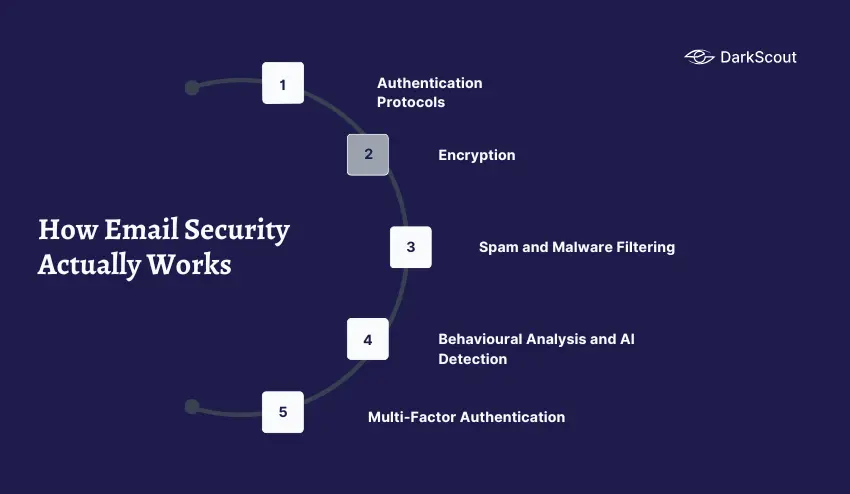
Protecting your email isn’t one thing. It’s several layers working together.
1. Authentication Protocols: SPF, DKIM, and DMARC
These three protocols work together to verify that emails claiming to come from your domain are actually from you.
SPF prevents unauthorized senders from using your domain, DKIM verifies the integrity and authenticity of the email, and DMARC provides a policy framework for handling failed authentication.
Together, they stop criminals from impersonating your email address to attack your customers, partners, or staff. Most organisations still don’t have all three properly configured.
2. Encryption
Encryption scrambles the content of your emails so that only the intended recipient can read them.
Most messages today use Transport Layer Security (TLS) to encrypt the connection between email servers, protecting data in transit. But TLS only secures the path, not the message itself. For sensitive content, methods like S/MIME or OpenPGP offer end-to-end encryption.
3. Spam and Malware Filtering
Filters analyse incoming emails for known threats, malicious links, dangerous attachments, and suspicious sender addresses before they ever reach your inbox.
But filters aren’t perfect. Phishing emails bypass standard security filters in nearly 47% of observed cases. That’s why filters are one layer of defence, not the only one.
4. Behavioural Analysis and AI Detection
Modern email security tools go beyond filters. They learn what normal looks like for your organisation, your typical senders, your usual communication patterns, and flag anything that deviates.
AI-driven detection tools use anomaly detection, machine learning analytics, and Natural Language Processing to catch sophisticated impersonation attempts that would sail past traditional filters.
5. Multi-Factor Authentication (MFA)
Even if a criminal steals your password, MFA means they still can’t get into your account without a second verification, your phone, an authenticator app, or a hardware key.
It’s one of the simplest and most effective protections available. And it’s still not enabled by enough people.
Email Security Best Practices
You don’t need a large IT team to significantly improve your email security. Here’s what actually makes a difference.
1. Enable multi-factor authentication on every account. This single step stops the vast majority of account takeover attempts dead in their tracks.
2. Never click links in unexpected emails. Go directly to the website instead. Type the address yourself or use a bookmark.
3. Verify unusual requests through a different channel. If your CEO emails asking for an urgent transfer, call them. Verify through a channel that isn’t email before acting.
4. Use strong, unique passwords for your email account. Your email is the master key to everything. Treat it like one.
5. Set up SPF, DKIM, and DMARC on your domain. If you run a business, this is non-negotiable. Without these, anyone can send emails pretending to be you.
6. Train your team regularly. Organisations that implement security awareness training saw phishing susceptibility fall by over 40% in 90 days, and up to an 86% reduction within a year. Training works.
7. Check whether your email has been exposed in a breach. Stolen credentials are bought and sold constantly. Knowing your email is compromised early gives you the window to act before someone uses it against you.
Where DarkScout Fits In
Most email security tools protect your inbox from the outside.
DarkScout’s Email Security Intelligence goes further, monitoring for threats that originate beyond your inbox entirely. That means detecting compromised credentials before they’re used, identifying spoofed domains targeting your brand, catching phishing operations aimed at your customers, and flagging account behaviour that suggests a takeover is already underway.
It’s the intelligence layer that sits underneath your email security, watching for threats before they reach your inbox at all.
You can also use DarkScout’s free email scan to check right now whether your email address has already been exposed in a breach.
The Bottom Line
Email is the most attacked surface in cybersecurity. And most people are relying on default settings that were never designed to stop modern threats.
The good news is that improving your email security doesn’t require a big budget or a technical team. It requires the right tools, the right habits, and — critically — the awareness to know what you’re up against.
Because the attackers are counting on you not knowing.