Public cloud security is one of those things everyone assumes someone else is handling. Your cloud provider’s got it covered, right? They’re Amazon, Microsoft, Google; surely they’ve locked everything down.
Not exactly. Here’s the thing about public cloud security: it’s a shared responsibility. Your provider secures the infrastructure, the physical servers, the network, and the hypervisors. But you’re responsible for everything you put in the cloud. Your data, your applications, your configurations, your access controls. All of that is on you.
And most organizations get it wrong. Not because they’re careless, but because public cloud security works differently than traditional on-premise security. The old playbook doesn’t apply. You can’t just throw up a firewall and call it done.
Let me walk you through what you actually need to know about public cloud security, the risks, the best practices, and how to avoid the mistakes that get companies breached.
What Is Public Cloud Security?
Public cloud security is how you protect your data, applications, and infrastructure when they’re hosted on shared cloud platforms like AWS, Microsoft Azure, or Google Cloud Platform. Unlike private clouds (dedicated to one organization) or on-premise systems (you own the hardware), public clouds are multi-tenant environments where your resources sit alongside thousands of other customers.
The security challenge is straightforward. You’re trusting a third party with your most sensitive data, but you’re still accountable if something goes wrong. A breach doesn’t happen because AWS got hacked; it happens because you misconfigured an S3 bucket or left database credentials in your code.
Public cloud security means understanding where your provider’s responsibility ends, and yours begins. That line is called the shared responsibility model, and it’s where most security failures happen.
For a deeper dive into securing cloud environments, check out our guide on what is cloud security and cloud security monitoring.
The Shared Responsibility Model
This is the foundation of public cloud security. If you don’t understand this, everything else falls apart.
What your cloud provider secures:
- Physical data centers and hardware
- Network infrastructure
- Virtualization layer (hypervisors)
- The underlying cloud platform itself
What you’re responsible for:
- Your data (encryption, access controls, backups)
- Your applications and code
- Identity and access management (who can access what)
- Network configurations (security groups, firewall rules)
- Operating system patches and updates
- Compliance and data residency
The exact split varies slightly between AWS, Azure, and Google Cloud, but the principle is the same. They secure the cloud. You secure what’s in the cloud.
Most public cloud security breaches happen because organizations assume their provider handles more than they actually do. You launch an EC2 instance, forget to patch it, and six months later, it’s compromised. That’s not AWS’s fault — that’s yours.
The Biggest Public Cloud Security Risks
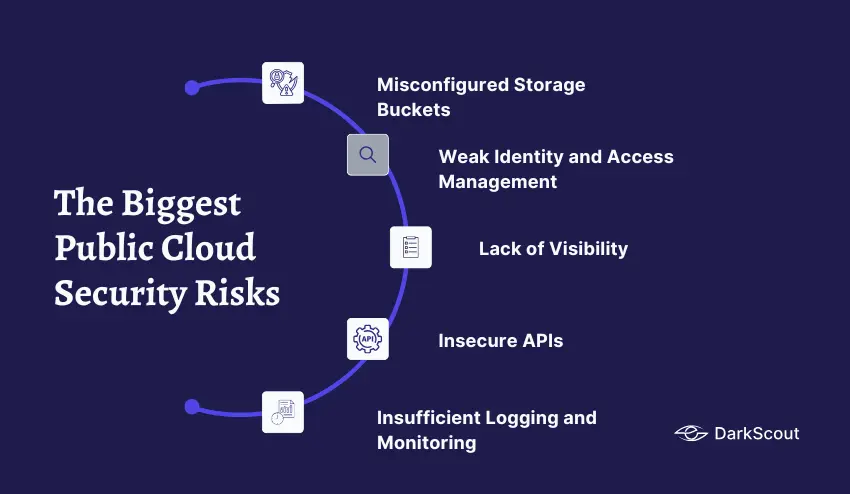
Public cloud security threats are different from what you faced in traditional IT environments. Here are the ones that actually get companies breached.
1. Misconfigured Storage Buckets
This is the number one cause of public cloud data breaches. S3 buckets in AWS, Blob storage in Azure, Cloud Storage in Google Cloud — all of them default to private, but one wrong permission setting makes them publicly accessible.
Companies accidentally expose customer databases, backup files, internal documents, and source code because someone checked the wrong box during setup. And attackers scan for these constantly. Automated tools crawl the internet looking for misconfigured buckets, and when they find one, they download everything before you even notice.
This is similar to common website security mistakes where one configuration error creates massive exposure.
Want to check if your website has security vulnerabilities? Run a free security scan to identify exposed assets and configuration issues.
2. Weak Identity and Access Management
In traditional IT, you controlled physical access to servers. In the cloud, access is entirely digital, which means identity and access management (IAM) is your perimeter. If IAM is weak, attackers walk right in.
Common public cloud security failures here include overly permissive roles (giving everyone admin access “just in case”), not requiring multi-factor authentication, leaving default credentials unchanged, and never auditing who has access to what.
Weak passwords are one of the easiest entry points. Use DarkScout’s password generator to create strong, unique passwords for every admin account and service.
And if you’re concerned your credentials may already be exposed, check if your email has been breached to see if your cloud admin accounts are circulating on the dark web.
3. Lack of Visibility
You can’t secure what you can’t see. In the cloud, resources spin up and down constantly. Developers launch test environments that become forgotten production systems. Shadow IT runs services nobody knows about. By the time you realize a vulnerability exists, it’s been exploited for months.
Public cloud security requires continuous visibility into what’s running, who’s accessing it, and what configurations are in place. Without it, you’re blind.
4. Insecure APIs
Everything in the cloud is managed through APIs. You create resources, configure settings, and grant access all through API calls. If those APIs aren’t properly secured, attackers can use them to take over your entire environment.
Weak API keys, exposed credentials in code repositories, and unencrypted API traffic are all common public cloud security failures that lead to breaches. This is similar to the common website vulnerabilities that hackers exploit daily.
5. Insufficient Logging and Monitoring
Breaches aren’t usually discovered immediately. The average time to detect a breach is still measured in weeks or months. In the cloud, that’s even worse because traditional monitoring tools don’t work.
Without proper logging and monitoring, attackers move laterally through your cloud environment undetected. They exfiltrate data, escalate privileges, and establish persistence — all while you have no idea anything’s wrong.
Public Cloud Security Best Practices
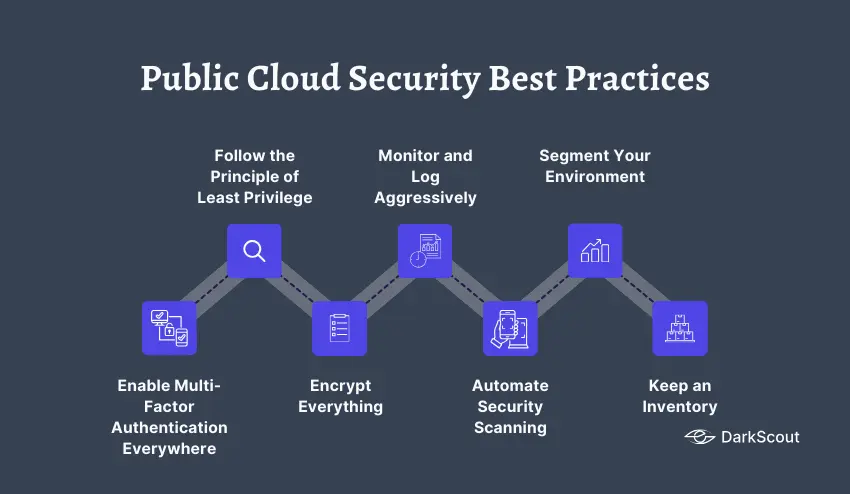
Securing the public cloud isn’t about buying expensive tools. It’s about following basic principles consistently. Here’s what actually works.
Enable Multi-Factor Authentication Everywhere
This is non-negotiable for public cloud security. Every user account, especially admin accounts, needs MFA enabled. Use authenticator apps, not SMS (SIM swapping is too easy).
If an attacker steals a password, MFA stops them cold. This single step prevents the majority of account takeover attempts.
Follow the Principle of Least Privilege
Nobody gets more access than they need to do their job. Not developers, not admins, not automated services. Start with zero permissions and add only what’s necessary.
Review permissions regularly. That contractor who left six months ago? Their access should have been revoked immediately. That service account with admin rights? It probably only needs read access to three specific resources.
Least privilege is fundamental to public cloud security because over-permissioned accounts are the fastest path to lateral movement during a breach.
Encrypt Everything
Data at rest, data in transit, data in backups — all of it gets encrypted. Your cloud provider offers encryption services (AWS KMS, Azure Key Vault, Google Cloud KMS). Use them.
Don’t store encryption keys in the same place as your data. Don’t hardcode them in your application. Use proper key management services and rotate keys regularly.
Monitor and Log Aggressively
Enable CloudTrail in AWS, Activity Logs in Azure, and Cloud Audit Logs in Google Cloud. Capture every API call, every access attempt, every configuration change. Ship those logs to a centralized system where you can analyze them.
Set up alerts for suspicious activity: unusual access patterns, privilege escalations, resource deletions, and failed authentication attempts. The faster you detect anomalies, the faster you can respond.
If your credentials have been exposed, you need to know immediately. Check if your email has been breached to see if your admin accounts are circulating on the dark web.
Automate Security Scanning
Manual security reviews don’t scale in the cloud. You need automated tools scanning continuously for misconfigurations, exposed secrets, overly permissive policies, and compliance violations.
Run these scans on every deployment. If a developer accidentally makes an S3 bucket public, your scanner should catch it before it goes live — not six months later, after attackers have already found it.
Segment Your Environment
Don’t put everything in one flat network. Use VPCs, subnets, and security groups to isolate workloads. Production should be completely separated from development. Customer data should be isolated from internal tools.
If an attacker compromises one part of your environment, segmentation limits how far they can move laterally. It’s not perfect, but it slows them down and gives you time to detect and respond.
Keep an Inventory
You can’t secure what you don’t know exists. Maintain an accurate inventory of every cloud resource: compute instances, storage buckets, databases, serverless functions, everything. Track who created it, when, and what it’s used for.
This is critical for public cloud security because abandoned or forgotten resources are prime targets. That test database someone spun up two years ago and forgot about? It’s probably unpatched and exposed.
How to Check Your Public Cloud Security
Reading best practices is one thing. Actually knowing if you’re following them is another.
You could manually audit your cloud environment — review IAM policies, check storage permissions, verify encryption settings, inspect network configurations. That would take weeks and require deep expertise in your specific cloud platform.
Or you can use automated security tools that scan your environment and tell you exactly what’s wrong.
For public cloud security, most organizations use a combination of:
- Native cloud security tools (AWS Security Hub, Azure Security Center, Google Security Command Center)
- Third-party CSPM platforms (Cloud Security Posture Management)
- Regular penetration testing and security audits
The key is continuous scanning, not point-in-time assessments. Public cloud security isn’t something you check once and forget. Resources change constantly, so your security posture changes with them.
DarkScout’s monitoring service can help by watching the dark web for leaked cloud credentials, exposed API keys, and database dumps that could compromise your cloud environment.
Common Public Cloud Security Mistakes to Avoid
Even organizations that take public cloud security seriously make these mistakes:
- Assuming the cloud is automatically secure. It’s not. Your provider secures the infrastructure. You secure everything else.
- Using default configurations. Defaults are designed for ease of use, not security. Always harden configurations before going to production. Check out our guide on website security mistakes that apply to cloud deployments too.
- Not encrypting data. If your data is stolen but encrypted with proper key management, it’s useless to attackers. If it’s unencrypted, it’s game over.
- Looking for more security mistakes to avoid? Our guides on cyber security examples cover additional vulnerabilities that apply to cloud deployments.
- Ignoring compliance requirements. If you’re in healthcare, finance, or government, you have specific compliance obligations (HIPAA, PCI-DSS, FedRAMP). Your cloud deployment must meet those requirements.
- Treating the cloud like on-premise. The security controls that worked in your data center don’t translate directly. Public cloud security requires a different approach.
- Reusing weak passwords across accounts. One compromised password can expose your entire cloud infrastructure. Learn how to create a strong password that’s actually memorable.
Bottom Line
Public cloud security isn’t something you set up once and forget. It’s continuous work. Resources change, threats evolve, and configurations drift over time.
The organizations that get public cloud security right treat it as a shared responsibility. They understand where their provider’s job ends and theirs begins. They automate scanning and monitoring. They follow least privilege. They encrypt everything. And they stay vigilant.
The organizations that get breached? They assume the cloud is automatically secure and that their provider has it handled.
Don’t make that mistake. Public cloud security is your responsibility, and it starts with understanding what you’re actually protecting.