You typed your password into Have I Been Pwned, got a red warning, and now you are staring at a bigger question than the tool actually answers.
Is one exposed password checker enough? Does it matter which one you use? And if you run a business instead of just checking your own login, is a free single-password lookup even the right tool for the job?
Have I Been Pwned, known as HIBP, is the tool most people reach for first, and for good reason. Troy Hunt built it in 2013, and it has spent over a decade earning trust as the default starting point for breach checking. But a single password lookup and a full exposure monitoring platform solve different problems, and knowing which one you actually need is what this comparison is for.
This guide breaks down how each tool actually works, where HIBP genuinely excels, where it runs into real limits, especially for businesses, and where DarkScout picks up the coverage HIBP was never built to provide.
What Is Have I Been Pwned?
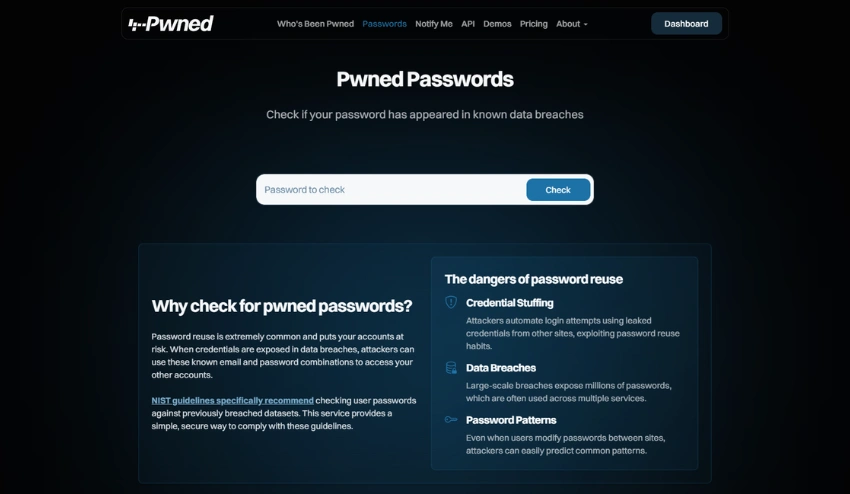
HIBP is a free breach notification service created by Australian security researcher Troy Hunt in December 2013, originally built in response to the Adobe breach that exposed roughly 153 million accounts.
The Pwned Passwords component lets anyone check whether a specific password has previously turned up in a known data breach. As recently as June 2026, HIBP folded in a fresh corpus of 124 million unique passwords pulled from stealer log records, on top of the hundreds of millions already in the database. It is genuinely one of the most respected tools in the breach checking space, and it remains completely free to use on the website.
What Is DarkScout’s Exposed Password Checker?
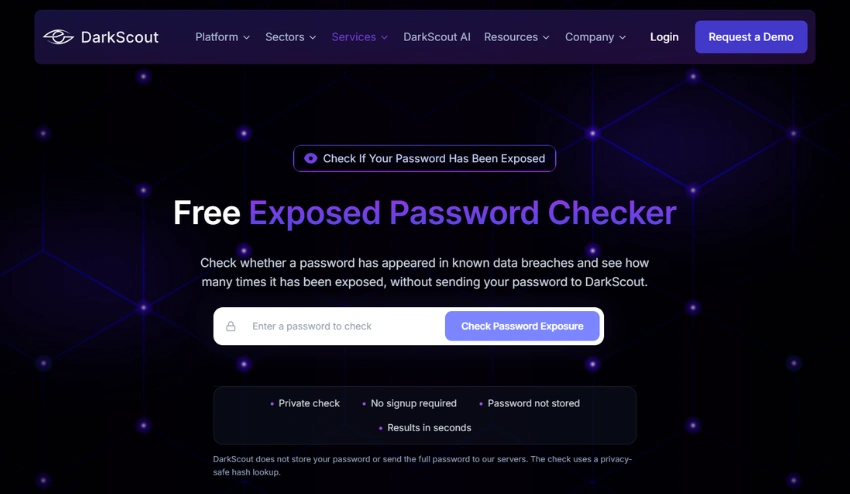
DarkScout’s exposed password checker checks whether a password has appeared in known data breaches and shows how many times it was found exposed, giving you an immediate read on how dangerous that specific password actually is.
It runs as part of DarkScout’s broader dark web monitoring platform, which pulls from over 400 billion dark web records spanning breach dumps, stealer logs, and dark web forum activity, rather than a single standalone database. The check itself is free, requires no signup, and does not store the password you enter.
How Each Tool Actually Works
Both tools solve the same basic problem, confirming whether a password is already known to attackers, but they draw from different scopes of data behind the scenes.
How HIBP checks a password
HIBP uses a method called k-anonymity, contributed by Cloudflare engineer Junade Ali. Your password is hashed locally in your browser using SHA-1, and only the first five characters of that hash get sent to the API. The service returns a list of matching hash suffixes, and the actual comparison happens on your device, so your real password never leaves your browser. It is a genuinely well designed privacy mechanism, and it draws from HIBP’s dedicated Pwned Passwords corpus.
How DarkScout checks a password
DarkScout’s password checker runs the same kind of check, confirming exposure without storing or logging the password you enter, but against a dataset that spans breach dumps, stealer logs, and dark web forum activity together rather than a single standalone breach corpus. That broader source pool is what tends to surface exposure that a database built around one specific data type might miss.
Feature Comparison: HIBP vs DarkScout
| Feature | Have I Been Pwned | DarkScout |
|---|---|---|
| Single password check | Free | Free |
| Breach database size | Hundreds of millions of passwords | 400B+ dark web records |
| Stealer log coverage | Limited | Full coverage |
| Dark web forum monitoring | No | Included |
| Domain-wide credential monitoring | API / paid only | Business plan |
| Real-time alerts | Email only | Real-time + AI |
| Business / team plan | API only | Dedicated plan |
| Plain English remediation | Basic advice | AI-guided steps |
| Password generator built in | No | Included |
This is a snapshot, not the full picture. The sections below explain what each row actually means in practice.
Where HIBP Genuinely Excels
Credit where it is due, since an honest comparison has to start here. HIBP has more than a decade of trust behind it, is recommended by national cybersecurity agencies including the UK’s NCSC and the Australian Cyber Security Centre, and remains completely free for individual checks with no account required.
The k-anonymity mechanism behind Pwned Passwords is a genuinely clever piece of engineering, and it has become the reference implementation that other services, including password managers like 1Password and Bitwarden, build their own breach checking on top of. For a quick, one-off check of a single password, HIBP does exactly what it promises, reliably and for free.
Where HIBP Falls Short, Especially for Businesses
HIBP was designed as a single-lookup tool, and that design choice creates real limits once your needs go beyond checking one password at a time.
No free domain-wide monitoring
The free public site only checks one password or email at a time. There is no way to monitor an entire company domain for free, and the developer API needed for that kind of bulk or domain-wide search sits behind a paid subscription.
Narrower coverage than it appears
HIBP’s Pwned Passwords corpus is built primarily from breach dumps and select stealer log contributions, but it does not actively monitor dark web forums, marketplaces, or the kind of ongoing chatter where credentials get traded before they ever make it into a formal, published breach dataset.
No continuous monitoring on the free tier
HIBP will alert you by email if you subscribe and a new breach involving your address is added, but a specific password only shows what has already been indexed at the moment you check it. It will not tell you the moment a new leak involving your credentials surfaces somewhere else on the dark web.
For an individual checking a personal password once, none of this matters much. For a business trying to protect dozens or hundreds of employee accounts, these gaps become the difference between catching an exposure early and finding out about it from a customer.
What DarkScout Adds on Top
DarkScout was built to close exactly the gaps described above, particularly for teams that need more than a single lookup.
Broader source coverage
DarkScout pulls from breach dumps, stealer logs, and active dark web forum monitoring, rather than relying on a single curated password corpus. That matters because a lot of exposure never makes it into a formal, published breach dataset at all. Credentials often get traded on forums and in marketplace listings first, sometimes for weeks, before they surface anywhere a traditional breach checker would catch them.
Our explainer on what a stealer log actually contains covers why this specific data type has become such a major source of fresh credential exposure, often ahead of any official breach notification.
Domain-wide monitoring, not just one password
Instead of checking one password at a time, DarkScout’s Business plan monitors an entire company domain continuously, flagging any employee or customer credential that appears in a new breach or stealer log the moment it surfaces. For a team of 50 employees, that is the difference between running 50 individual manual checks by hand and having every one of those accounts watched automatically. New hires and new addresses get picked up as they are added, so coverage does not quietly go stale as the team grows.
Actionable next steps, not just a red warning
A red “pwned” result tells you there is a problem. It does not tell you which system that credential unlocks, whether the account has multi-factor authentication enabled, or what to actually do next beyond a generic “change your password” line. DarkScout pairs the finding with AI-guided remediation steps specific to what was exposed, including which breach or stealer log it came from and what data was involved, so the response is not left entirely up to whoever happens to be staring at the result when it comes in.
A built-in password generator
Since checking a password only matters if you are going to replace it with something better, DarkScout’s password generator is built into the same platform, so fixing the problem does not require jumping to a second tool
Finding an exposed password and immediately generating a strong, unique replacement in the same place removes a step that too many people skip when the process gets split across multiple sites.
Which One Should You Actually Use?
The honest answer depends on what you are actually trying to protect.
Use HIBP if you want a fast, one-time check
If you just typed a password into a signup form and want to know instantly whether it has ever leaked, HIBP’s k-anonymity check is fast, private, and reliable. There is no reason to overthink a single personal password check.
Use DarkScout if you want broader coverage or you are protecting a business
If you want a check that draws from dark web forums and stealer logs in addition to standard breach dumps, or if you are responsible for protecting employee and customer credentials across an entire company domain, DarkScout’s exposed password checker is built for that scope. Our guide on what makes a password compromised explains why exposure risk is rarely limited to a single leaked password once one credential is reused anywhere else.
Use both
These tools are not mutually exclusive. Plenty of security-conscious teams run a quick HIBP check as a first pass and use DarkScout for the domain-wide, continuously monitored coverage that a single free lookup was never designed to provide.
How to Check Your Password Right Now
Checking takes seconds and requires no sign-up either way. Here is the fastest path if you want the broader coverage.
Head to DarkScout’s exposed password checker and enter the password you want to verify. The tool checks it against DarkScout’s full dataset of breach dumps, stealer logs, and dark web forum activity and tells you immediately whether it has been exposed and how many times, without storing what you typed.
If the result comes back clean, that is a good sign, but it is not a permanent guarantee. New breaches surface daily, which is exactly why a one-time check and continuous monitoring solve different problems. Our overview of how dark web monitoring works explains what ongoing coverage actually catches that a single scan cannot.
What to Do If Your Password Comes Back Exposed
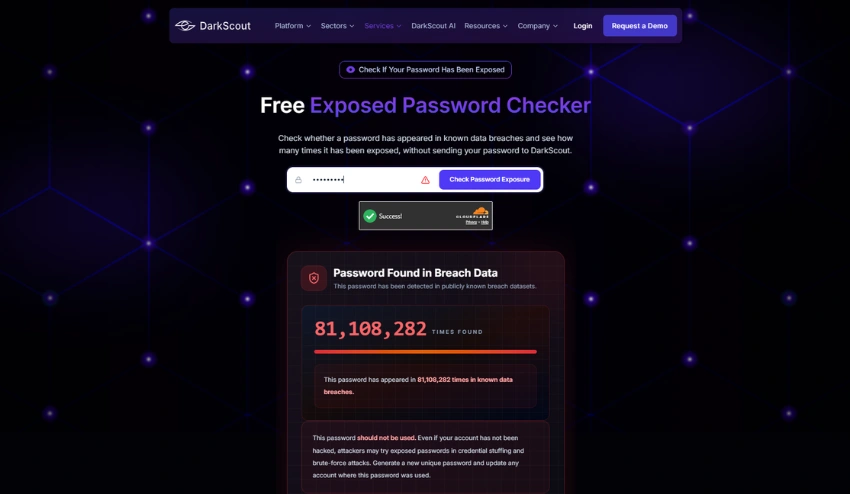
A red result means action, not panic. Work through these steps in order.
- Change that exact password immediately on the account where you use it. Do not tweak it slightly, since attackers test common variations of known leaked passwords too.
- Check whether you have reused it anywhere else. Password reuse is what turns one exposed credential into a much bigger problem through credential stuffing attacks, where automated tools test the same leaked password across dozens of other sites within hours of it surfacing.
- Enable multi-factor authentication on the affected account if it is not already on. Even if the password gets reused elsewhere before you catch it, MFA stops most automated login attempts cold.
- Review recent account activity for anything you do not recognize, such as sent emails you did not write or login alerts from unfamiliar locations.
- Generate a new, unique password rather than reusing an old one from memory. A password manager or a tool like DarkScout’s password generator removes the temptation to fall back on a familiar pattern.
Our complete guide on what to do if your password was found in a data breach walks through the full response in more depth, including session token revocation and what to do if you cannot access the account to make these changes yourself.
Conclusion
HIBP earned its reputation honestly. For a quick, free, well-engineered check of a single password, it remains one of the best tools available, and there is no real reason to avoid using it for that specific job.
But a single password lookup and continuous, business-wide credential monitoring are different tools built for different problems. If you are protecting more than your own personal login, or you want coverage that reaches into dark web forums and stealer logs rather than a single breach corpus, that is where the gap shows up.
Run your password through DarkScout’s exposed password checker right now and see the difference in coverage for yourself. It takes seconds, costs nothing, and shows you exactly where that password stands across a far wider slice of the dark web than a single lookup was ever built to cover.