What Is a Drive-By Download?
A drive-by download is a cyber-attack; it downloads and installs malware to your computer without you realizing it is happening or without your permission. You only need to visit a hacked website, nothing else.
You don’t need to click anything. You don’t need to download a file. You don’t need to do anything wrong. The malware downloads in the background while the page is loading.
“Drive-by” explains the low level of involvement for the victim; in a similar fashion to a drive-by shooting, the user is a passive recipient. To visit a webpage is enough action to trigger the infection. It is a difficult and dangerous cyber threat to detect once it has happened.
In brief: A drive-by download is the automatic download and installation of malware triggered when the user visits a hacked webpage, without needing further action.
How Drive-By Downloads Work
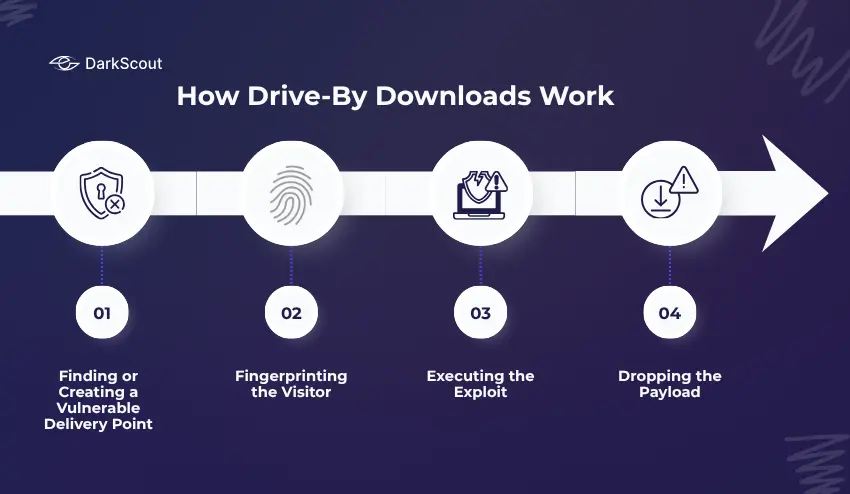
Understanding the mechanics is important. This is not a simple or crude attack. It involves multiple steps, each designed to avoid detection.
Step 1: Finding or Creating a Vulnerable Delivery Point
The attacker needs a way to reach victims at scale. They have two main options.
The first is to compromise a legitimate website. Attackers inject malicious JavaScript or HTML into an already-trusted site, a news outlet, a small business website, or a forum. The site’s visitors, who trust it, are now exposed without any warning.
The second option is to plant malicious ads through advertising networks. This variant, called malvertising, allows the attack to reach users across thousands of websites simultaneously, since the same ad network serves ads to many different publishers. You can read more about this in our guide on how to prevent malvertising.
Step 2: Fingerprinting the Visitor
When you visit an infected page, the malicious code does not immediately attack. First, it silently profiles your device. It checks your operating system, browser version, installed plugins, and screen resolution.
This fingerprinting step is how the attack becomes targeted. The malicious code identifies which specific vulnerabilities exist on your system, then selects the best exploit to use against you. If your system has no exploitable vulnerabilities, the attack may simply do nothing, which is one reason drive-by downloads are hard to study and measure.
Step 3: Executing the Exploit
Once an exploitable vulnerability is identified, it can be used by the exploit kit. An exploit uses the unpatched security vulnerability in a user’s browser or operating system to execute code without warning or without asking the user, prompting a pop-up or download box, etc.
Past targets included Adobe Flash, Java, and PDF readers. Today’s exploit kits focus on exploiting unpatched browser bugs, out-of-date JavaScript engines, and improper browser configurations.
Step 4: Dropping the Payload
The malware is then downloaded and executed in the background. The payload can be a keylogger, ransomware, banking trojan, RAT, or infostealer. The type of payload is dictated by the desired outcome for the attacker.
In recent attacks, the malware has been “fileless”, meaning it is run purely within the memory of the system using legitimate system applications like PowerShell. No files will be written to the disk, so traditional antivirus software cannot detect this.
From the time the webpage is loaded until the malware is executed, this whole process can take only seconds.
Drive-By Download vs. Regular Malware Download
It helps to understand what makes drive-by downloads different from the malware downloads most people are already cautious about.
A regular malware download requires you to take an active step: click a link in a phishing email, download an attachment, or install a fake application. You are tricked into doing something. If you are alert and skeptical, you can often avoid it.
A drive-by download requires nothing from you except visiting a webpage. There is no suspicious link to avoid, no attachment to refuse, no permission dialog to dismiss. The attack happens below the visible surface of the page.
This distinction matters for protection. Being careful about what you click is necessary but not sufficient. You also need technical defences that prevent malicious code from executing even when you visit a page containing it.
Types of Drive-By Download Attacks
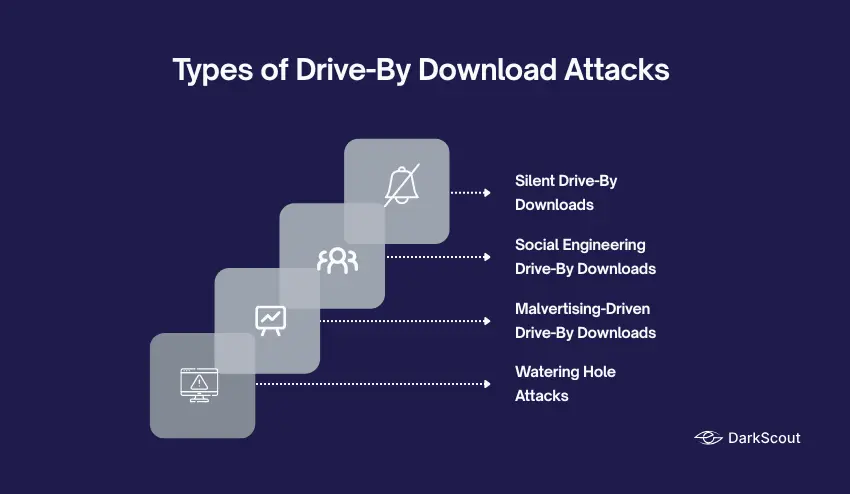
Drive-by downloads come in several forms. Knowing which type you are dealing with changes how you respond.
1. Silent Drive-By Downloads
The purest form of the attack. No interaction is needed at all. The page loads, an exploit runs, and malware installs, all without the user seeing any indication that anything happened. These attacks rely entirely on unpatched vulnerabilities in the victim’s browser or OS.
2. Social Engineering Drive-By Downloads
These require minimal interaction, but they trick users into providing it. The compromised site shows a convincing prompt: a fake browser update notification, a fake CAPTCHA, a fake security warning. The user clicks what they think is a legitimate button, and that click initiates the malicious download.
This category includes the highly active FakeUpdates (SocGholish) campaign, currently one of the most prevalent malware frameworks globally, where users are shown convincing fake browser update screens on legitimate-looking websites.
3. Malvertising-Driven Drive-By Downloads
Malicious ads served through legitimate advertising networks execute drive-by download code when they load on a page. The website owner has no involvement and often has no idea their visitors are being targeted. Read our full guide on malvertising prevention for a detailed breakdown.
4. Watering Hole Attacks
A more targeted variant. Attackers identify websites that specific high-value targets are likely to visit, industry forums, supplier portals, sector-specific news sites, and compromise those sites to target a particular organization or group. The attack “waits” for the right visitors, the same way a predator waits at a watering hole.
Real Drive-By Download Examples from 2025
These are not hypothetical scenarios. Drive-by downloads were among the most active attack vectors throughout 2025.
FakeUpdates / SocGholish: The #1 Malware Globally
The leading Malware in the World was SocGholish, aka FakeUpdates. This malware ranked first for Q4 2024 and for the whole of 2025 according to the annual threat reports published by Center for Internet Security and Red Canary.
The attack works like this: attackers inject JavaScript into legitimate, high-traffic websites. When visitors load the page, they see a convincing overlay claiming their browser needs an urgent update. Users who click on the download a malicious .js or .zip file. Once executed, SocGholish establishes a command-and-control channel, profiles the victim’s system, and delivers follow-on payloads, most commonly infostealers like StealC, remote access tools like AsyncRAT, and in more serious cases, ransomware including RansomHub.
In 2025, SocGholish was linked to targeted espionage operations. In September 2025, Arctic Wolf Labs investigated an attack on a US-based civil engineering firm involved in Ukraine-related projects, where SocGholish was used as the initial access method by affiliates linked to Russia’s GRU military intelligence unit.
Microsoft’s One-Million-Device Campaign
Microsoft Threat Intelligence documented a large-scale drive-by download campaign in 2025 that compromised nearly one million devices globally. The attacker — tracked as Storm-0408 — embedded malicious redirect code within ads on illegal streaming websites. Users who visited those sites had malware silently delivered to their devices without clicking anything, via GitHub-hosted payloads.
The 2016 News Site Campaigns
While older, the 2016 malvertising campaign that affected The New York Times, BBC, and AOL established the template still used today. Exploit kits, including Angler, were delivered via ad networks to visitors of those sites, silently scanning for browser vulnerabilities and installing ransomware. No clicks were required. This pattern of compromising trusted ad networks to reach high-traffic sites at scale remains the dominant drive-by attack model.
What Happens After Your Device Is Infected?
The malware that arrives through a drive-by download is not the end of the attack, it is the beginning.
Drive-by downloads are almost always an initial access mechanism. The malware that installs is typically a loader or dropper, designed to establish a foothold and then pull in additional payloads depending on what the attacker wants.
Common outcomes include:
- Credential theft – Infostealers harvest saved passwords, session cookies, browser autofill data, and crypto wallet credentials. This data is packaged into what are known as stealer logs and sold on dark web markets, often within hours of the infection.
- Account takeover – The stolen credentials are used in credential stuffing attacks, automated attempts to log into other services using the same username and password combinations.
- Ransomware deployment. In more serious incidents, the initial foothold is sold or handed off to ransomware groups. SocGholish infections in 2025 were directly linked to RansomHub ransomware deployments, with attackers waiting to confirm the target was a domain-joined corporate machine before escalating.
- Botnet recruitment. The infected device is added to a botnet, used to conduct DDoS attacks, distribute spam, or serve as a proxy for further attacks.
- Persistent backdoor access. Remote access tools installed via drive-by downloads allow attackers to return to the compromised device at any time, long after the initial infection is forgotten.
Once your credentials or data are in the hands of attackers, they often end up on the dark web, where they are traded and reused by other criminal groups. This is why the damage from a single drive-by infection can extend far beyond the initial compromise.
How to Prevent Drive-By Downloads
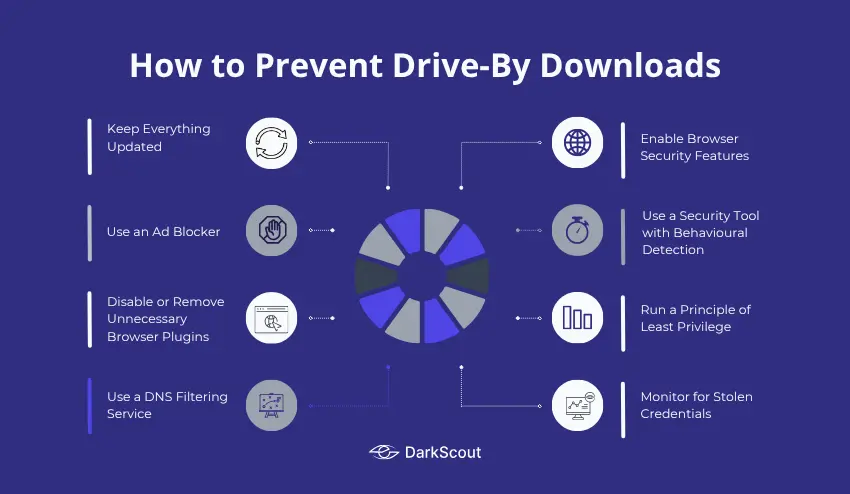
Drive-by downloads are harder to avoid than most malware threats because they do not require you to make an obvious mistake. That means your defences need to be technical, not just behavioral.
1. Keep Everything Updated
This is the single most important defence. Drive-by downloads exploit unpatched vulnerabilities. A vulnerability that has been patched cannot be exploited.
Update your operating system, browser, browser extensions, PDF reader, and any other installed software as soon as updates become available. Enable automatic updates wherever possible. Remove software and plugins you no longer actively use, every unused piece of software with a known vulnerability is a potential entry point.
2. Use an Ad Blocker
Ad blockers prevent ads from loading, including malicious ads that serve drive-by download code. This removes an entire category of delivery mechanism. Use a reputable ad blocker such as uBlock Origin and keep its filter lists current.
3. Disable or Remove Unnecessary Browser Plugins
Java and Adobe Flash are essentially extinct as web technologies, but older machines may still have them installed. Remove them. For any remaining plugins, configure your browser to use click-to-play, requiring your explicit permission before any plugin executes on a page.
4. Use a DNS Filtering Service
DNS filtering blocks your browser from connecting to known malicious domains, including the command-and-control servers that drive-by downloads phone home to, and the redirect chains attackers use to deliver exploit kits. This adds a network-level layer of protection that works regardless of what browser or device you are using.
5. Enable Browser Security Features
Most modern browsers include protection for sites known to distribute malware. Ensure that Safe Browsing is enabled (in Chrome/Firefox) or SmartScreen is turned on (in Edge). Both of these options will alert you if you attempt to access a site that is known to distribute malware, but it is unable to warn you about a recently compromised website.
6. Use a Security Tool with Behavioural Detection
A traditional antivirus that only scans files on disk will miss fileless drive-by downloads. Use a security tool that monitors behaviour in real time, watching for suspicious processes, unexpected network connections, and PowerShell executing from a browser context. Endpoint Detection and Response (EDR) tools provide this for organizations.
7. Run a Principle of Least Privilege
On corporate devices, especially, users should not be running as local administrators. If a drive-by download does execute, limiting user privileges limits the damage; malware cannot install system-level components or spread laterally if it does not have the permissions to do so.
8. Monitor for Stolen Credentials
Even with strong prevention, some infections will succeed. The most important thing you can do after prevention fails is to detect the damage quickly, before attackers use your stolen data.
Run a free email scan now to check whether your credentials are already exposed. For businesses, a website scan reveals your domain’s current exposure across known breach sources.
How to Tell If You’ve Been Hit
Drive-by infections are designed to be invisible. By the time you notice something wrong, the attacker has often already extracted what they came for.
Watch for these warning signs:
- Your browser starts behaving strangely — unexpected redirects, new toolbars or extensions you did not install, homepage changes
- Your device is noticeably slower — malware running in the background consumes CPU and memory
- You see unexpected network activity — large amounts of outbound data when you are not actively doing anything
- Accounts you have not touched start showing login alerts — a sign that stolen credentials are being tested
- You receive unexpected password reset emails — attackers attempting to lock you out of accounts before you notice
- Contacts report strange messages from you — a compromised email or social account sending phishing messages
If you notice any of these signs, assume a compromise and act immediately. Change passwords from a clean, uninfected device. Check your accounts for unauthorized activity. Run a dark web scan to see if your credentials have already surfaced. Then review your devices with a reputable security tool.
For a full response playbook, see our data breach response plan.
Final Thoughts
Drive-by downloads are dangerous precisely because they do not need your help. They exploit the trust you place in legitimate websites and the gaps in software that has not been updated.
The defence is not behavioral alone; you cannot simply “be careful” and avoid every compromised page. You need layers: updated software, ad blockers, DNS filtering, behavioural security tools, and ongoing monitoring of whether your credentials have already been stolen as a result of past infections.
Knowing that your data has been compromised and knowing quickly is often the difference between a contained incident and a full account takeover.