Every device connected to the internet has an IP address. And every IP address has a reputation.
That reputation follows it everywhere. When you send an email, connect to a service, or make a request to a website, the receiving system checks your IP’s track record before deciding whether to let you through. It happens in milliseconds, silently, on every connection.
If your IP has a strong reputation, traffic flows normally. If it has a poor one, your emails land in spam, your requests get blocked, your website gets flagged, and in more serious cases, your IP ends up on global blocklists used by security systems worldwide.
The problem is that most people do not think about IP reputation until something goes wrong. By then, the damage is already done.
This guide explains exactly what an IP reputation score is, what affects it, why it matters well beyond email deliverability, and how to check yours right now.
What Is an IP Reputation Score?
Essentially, an IP reputation score is the score that internet people give your IP address about how they view and trust it based on how your IP has behaved online in the past.
So basically it’s like the credit score of your internet address. Just like you want your history of borrowing and repaying to be good for the bank to loan you a mortgage, you want your IP address to have good history with security networks, email senders, websites, etc so that they’ll trust you when you arrive at their door, if that makes sense?
What we mean by “IP reputation score” is an overall score given to an IP address based on how its behavior has looked across the internet, over the last day or even longer. IP reputation is looked at and used by the internet service provider (ISP), email services, and cybersecurity tools to make judgments on if your IP address is “trustworthy,” if it should be blocked or even just “flagged” by the security systems.
The systems that “track” your IP reputation score exist globally across a number of blacklists, threat intelligence databases, and systems used by firewalls, web security application tools and email filtering. Any activity from your IP address (like sending out an email or creating web traffic) gets fed into this “reputation” of the IP address.
If you have a good score on your IP address, you will be seen as trustworthy and safe. However, if your IP address score is low, then you have likely been involved in some kind of spam, fraud or other malicious online activities and security networks will take note and potentially block traffic coming from your address.
In short: An IP reputation score is like a “trust score” of your internet protocol (IP) address based on past online activities that is used by security networks, ISPs and email senders to filter or block unwanted traffic.
So when we say this about an IP reputation score, it’s really important to realize that no single person or company controls an IP reputation database. All of them do their own research and create their own lists and this means sometimes your IP can be all good with one email provider but flagged by another, so checking different sources is a great idea to gauge your IP address reputation.
How IP Reputation Scores Are Calculated
There is no single universal algorithm. Different reputation services use different signals and weight them differently. But most systems analyze the same core categories of data.
1. Historical Behavior
The factor that’s stood the test of time! An IP address that’s faithfully served clean traffic for years establishes a baseline of trust. Essentially, IP reputation is a measure of the trust earned by an IP over time through consistent, legitimate actions. This historical lens provides a layer of stability. Unlike risk scores that fluctuate with short-term inputs, IP reputation creates a historical ledger that informs how any system treats traffic before it reaches your network.
A fresh IP address is always neutral; trust must be earned. This is why launching an email program with thousands of messages from an IP that has no warming-up history instantly lands you in spam folders.
2. Blacklist Presence
An IP address’s inclusion in any major DNSBL (such as Spamhaus, Barracuda, SpamCop) will directly affect its reputation score. Simply appearing on just one blacklist makes other services view that IP with distrust.
Blacklists are compiled by spam-fighting organizations, ISPs, and security companies. They share data, which means a listing on one often spreads to others. Getting onto a major blacklist is a significant reputation event that can take weeks to fully recover from.
3. Abuse Reports and Spam Complaints
Every time a recipient marks an email as spam, that complaint is recorded against the sending IP. High complaint rates signal to ISPs that the IP is sending unwanted content. Even if your emails are technically legitimate, consistent spam complaints will drag your score down.
Spam complaints are among the most damaging signals. If users frequently mark your emails as spam, ISPs will assume your content is unwanted.
4. Traffic Patterns and Volume
Sudden spikes in traffic volume, irregular sending patterns, or connections at unusual hours are all signals that reputation systems flag. An IP that sends ten emails one week and fifty thousand the next looks suspicious, regardless of content.
Erratic behavior is treated as a red flag because it mirrors the pattern of compromised servers being used for spam bursts or distributed attacks.
5. Association With Known Threats
Fraudlogix IP Risk Score combines global threat intelligence with real-time analysis to deliver instant reputation assessments. The system evaluates whether IPs come from proxies, VPNs, data centers, or residential connections. It identifies bot activity, checks against IP blacklists, detects anonymizers, and analyzes behavioral patterns that indicate fraud or abuse.
If an IP is part of a subnet that contains known bad actors, or if it has been observed in threat intelligence feeds as participating in attacks, its reputation takes a hit even if the specific IP itself has not been directly abusive.
6. IP Type and Infrastructure
IP reputation scores range from 0 to 100 (with higher scores meaning more risk, according to data on abuse history, blacklist entries, use of proxies or bots, and more). Data center IP addresses are generally viewed as more suspect than residential IP addresses, given that they are frequently exploited by bots, scrapers and other malicious tools. Traffic originating from VPN or proxy servers also falls into this category.
What Factors Damage Your IP Reputation?
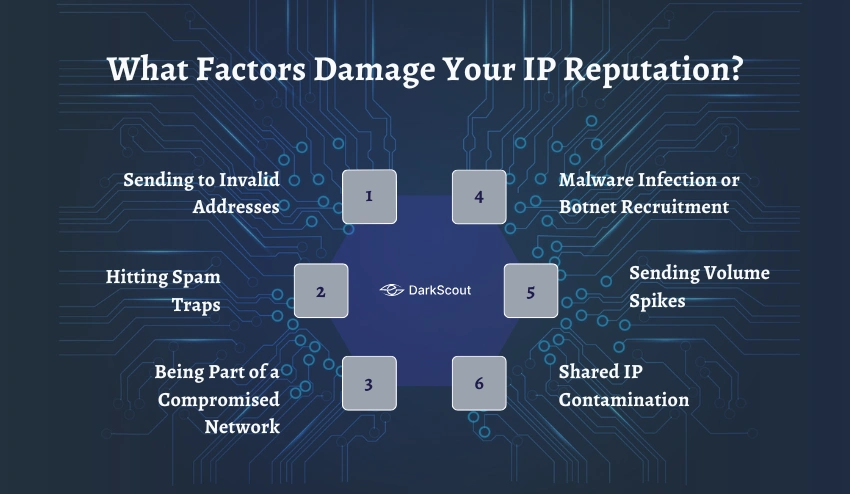
Your IP reputation can degrade for reasons entirely within your control, or for reasons that have nothing to do with anything you did wrong.
1. Sending to Invalid Addresses
A high bounce rate signals to receiving servers that the IP is sending to invalid addresses, a hallmark of spam operations. Mass-sending to non-existent addresses is one of the fastest ways to tank your reputation.
Hard bounces happen when an email address does not exist. High bounce rates tell ISPs you are sending to lists that were not properly maintained, purchased, or scraped, all behaviors associated with spam.
2. Hitting Spam Traps
Spam traps are email addresses that are either brand new and never made public, or old addresses that have been reactivated specifically to catch senders with poor list hygiene. They are never subscribed to anything. If your emails reach them, it means your list acquisition or maintenance process has a serious problem.
Hitting a spam trap is one of the fastest ways to end up on a blocklist.
3. Being Part of a Compromised Network
Unfortunately, sometimes you’re going to get burned for other people’s bad behavior. That is… you could end up being associated with spammers and other folks who have a bad IP reputation, and unfortunately, your IP could take a ding, too. This happens frequently when you’re sharing a server… on a shared hosting server for instance, and you share IP space with some ne’er-do-wells. If they’re engaging in some sort of bad actor activities, you’re going to be caught up in that.
4. Malware Infection or Botnet Recruitment
If a device using your IP address is infected with malware, it may be participating in spam campaigns, distributed denial-of-service attacks, or other malicious activity without your knowledge.
This is a critical security point that most IP reputation guides do not address clearly. Your IP’s reputation can be destroyed by activity you are not aware of, running silently on a device or server in your network. When attackers use infostealers to compromise devices, those devices are frequently recruited into botnets that conduct the exact activity that destroys IP reputation.
5. Sending Volume Spikes
Erratic email behavior, such as sudden spikes in volume, irregular sending patterns, or bursts of identical content, can trigger filters and damage your score.
Even if the content is legitimate, behavior that mirrors what compromised servers do triggers reputation systems.
6. Shared IP Contamination
If you use a shared IP address for email sending, as many smaller businesses do through shared hosting providers, another sender on the same IP can damage your reputation through their behavior. You are judged partly by the company your IP keeps.
👉 Check Your IP Reputation Before It Impacts Your Business
IP Reputation vs Domain Reputation
So many people mix up these two terms, which makes sense. They’re connected, but they represent totally different things. Both are critically important to email deliverability:
IP Reputation: This score is directly tied to the actual numerical address of the server sending your traffic. It tracks the behavior of the server itself.
Domain Reputation: This score relates to your actual brand name – your domain. It tracks the activity associated with your domain on both the web and email platforms, no matter what server actually sent the traffic.
A lot of people fail to understand that they might have a perfect IP address score, but their emails will be blocked if their domain has been used in any sort of spam or phishing activity. That’s why ensuring that your email authentication technologies such as SPF, DKIM, and DMARC work in conjunction to send your domain and IP out as one, cohesive team for trust building is so crucial.
In reality, you’ll want both of them to be “clean.” While you may not be penalized on IP reputation if your domain is the issue, you definitely won’t get by just by having a perfect IP address score, particularly if you are involved in a phishing attack or another malicious email activity. And likewise, you won’t survive the impact on your reputation if you’re using IP addresses that appear on all the most commonly monitored blocklists – all your hard work on DMARC won’t matter.
Additionally, for email security purposes, it’s your domain reputation layer that email spoofing attacks go after. When phishers spoof your domain, they directly damage the reputation of that domain, as opposed to your sending IP address. This makes DMARC implementation and monitoring your domain as vital as managing your IP reputation.
IP Reputation Score Ranges: What the Numbers Mean
Most IP reputation services use a 0 to 100 scale, but different services interpret the numbers differently. Here is a practical guide.
The Standard Risk Scale
Most of them default to the 0-100 scale, with scores over 80 indicating a good reputation. Sender Score scores between 0-70 as questionable and 80-100 as trustworthy. If your server appears on a blacklist then that is a big flashing red light and you need to work toward delisting. Watch your bounce rate and spam complaints as over 0.1% or 5% respectively as indicators of list hygiene or content.
Some services, like IPQualityScore, invert this convention. On their scale, a higher number means higher risk, not higher trust. Always check which direction a tool scores before interpreting results.
By classifying reputation as Low, Medium, High or Extreme, it becomes simple to automate decisions. Reputation of Low further describes a residential IP with no abuse history, while Medium IPs have some suspicions that can be checked with manual review. High will have the most fraud signals, while Extreme likely to fraud by the combination of the highest risk factors: confirmed botnet, listed on an anti-spam blacklist, hosting in a data center, and showing the worst offense e.g. A data center IP with malicious signals.
What Each Level Means Practically
- Clean or Low Risk (80–100 on a trust scale): Emails reach the inbox with minimal issues, traffic goes through without alerts, security systems view connections as legitimate, and your IP isn’t listed on any blacklists.
- Neutral or Medium Risk (60-79): These IPs will maybe just receive a little more scrutiny from ISPs and deliverability can go either way. Keep an eye on them for odd triggers and or patterns.
- Poor/High Risk (40-59): Email delivery will suffer greatly and some providers will probably bounce your mail back. Time to have a look and see what could be damaging your IP reputation.
- Critical or Extreme Risk (Below 40): The IP is almost definitely listed on various blacklists and emails originating from it probably will be rejected as spam or filtered. Most firewalls and intrusion detection systems will reject even connection attempts. Take swift action.
Why IP Reputation Matters for Security, Not Just Email
Most content about IP reputation focuses on email deliverability. That is only half the picture.
IP reputation is a core signal in every layer of modern cybersecurity. Security teams, fraud prevention systems, and network defenders all use IP reputation data to make real-time decisions about incoming traffic.
1. Fraud Prevention and Account Security
Online platforms use IP reputation to decide whether to challenge a login attempt, require additional verification, or block access entirely. A login from a high-risk IP triggers step-up authentication. A login from an extremely high-risk IP may be blocked outright.
Online stores, payment gateways, and advertising networks use IP reputation to distinguish an ordinary user from a potential attacker. One look at the IP rating and the system understands whether it is a real client or a bot.
For businesses, this means that monitoring the IP reputation of your own infrastructure tells you whether your servers are being used in ways that could get you blocked by payment processors or security services.
2. Threat Intelligence and Attack Detection
IP Reputation. Security teams reference IP reputation lists that reflect known bad actors to determine-and therefore react to-a connection from an IP address that has previously engaged in credential stuffing, malware, or even acting as part of a botnet.
Observations collected via the dark web monitoring process are incorporated into threat intelligence platforms to add to existing sources of data, and enhance the level of insight traders. Knowledge provided by the dark web can also help teams to more efficiently the hunt for threats, and become more familiar with threat actor modus operandi.
One of the signals involved in this intelligence cycle is the IP reputation. Any IP address that has been linked to attack campaigns on dark web forums will quickly be added to the reputation libraries shared via threat intelligence networks.
3. Website and Application Security
Web application firewalls, CDNs, and DDoS protection services all use IP reputation as a primary signal for traffic filtering. High-risk IPs are rate-limited, challenged with CAPTCHAs, or blocked outright at the network edge before they ever reach your application.
If your IP reputation is too weak, you will notice email deliverability issues as ISPs block emails from businesses whose IP addresses are compromised. Blocklist listings create public red flags that trigger browser warnings telling potential customers your site is not safe, even if your content is legitimate.
For businesses running their own web infrastructure, a damaged IP reputation means customer-facing browser warnings, degraded service quality, and potential exclusion from CDN networks.
4. The Security and Dark Web Connection
Here is the angle that almost no IP reputation guide covers: a damaged IP reputation can be a symptom of something far more serious than poor email hygiene.
When an IP address appears in threat intelligence feeds as participating in attacks, it often means one of two things. Either the IP belongs to a known attacker, or the IP belongs to a legitimate organization whose infrastructure has been compromised without their knowledge.
Devices infected by infostealer malware are frequently recruited into botnets. Those botnets then conduct spam campaigns, credential stuffing attacks, and distributed denial-of-service attacks, all of which destroy the IP reputation of the infected device’s address.
If your IP reputation has dropped suddenly and you have not changed your email practices, that is a signal worth investigating seriously. It may indicate that a device on your network has been compromised and is being used by attackers without your knowledge.
This is also why checking your IP reputation is relevant in the context of dark web monitoring. Stolen credentials and compromised infrastructure data circulate on dark web markets alongside IP intelligence. An IP that appears in dark web threat feeds as associated with compromised infrastructure is a significant security signal.
👉 Explore GetDarkScout
How Your IP Can Get a Bad Score Without You Knowing
This is the part most guides skip. You can do everything right and still end up with a damaged IP reputation.
1. Your Hosting Provider Has Bad Neighbors
Shared hosting means shared IP addresses. If another site on your server is spamming, your IP shares the blame with them. You have no control over who else is on your server, and you may not even know it is happening.
2. Your IP Was Previously Used by Someone Else
IP addresses get reassigned. When an ISP or hosting provider reallocates an IP that previously belonged to a spammer or abusive actor, the new owner inherits that history.
It is common for users that have recently taken over a new IP with a tarnished reputation to clean up past issues. Most services will delist IP addresses within 24 hours of a delist request, which can lower your IP reputation score across popular online services.
This is particularly relevant for organizations moving to new hosting infrastructure. Always check the reputation of any new IP addresses before beginning to send email from them.
3. A Device on Your Network Is Compromised
As covered above, malware-infected devices can conduct abusive activity using your IP address without any visible sign that anything is wrong. The first indication something is wrong might be a sudden drop in your IP reputation score or email deliverability.
4. You Were Caught in an Automated Scan
Some IP reputation systems flag addresses that make unusual numbers of connection requests, even if none of them were malicious. Automated monitoring tools, security scanners, and development testing environments can all generate traffic patterns that look suspicious to reputation systems.
How to Check Your IP Reputation Score
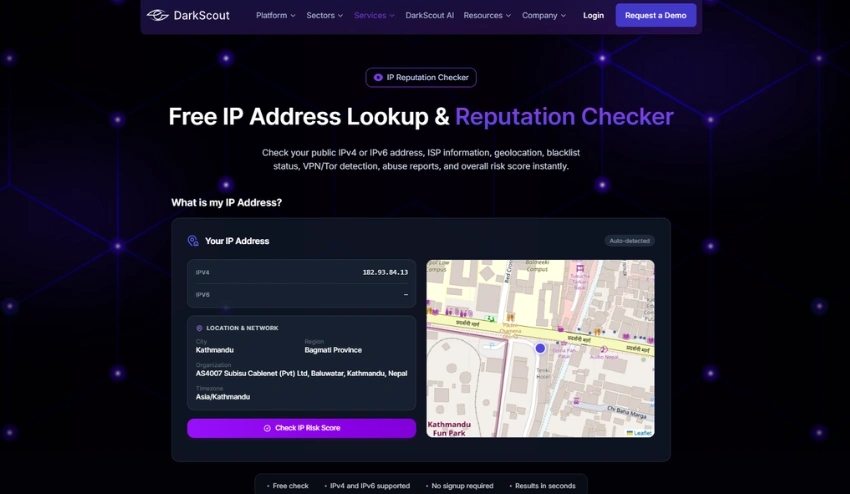
The fastest way to understand your current standing is to check multiple sources, since no single database covers everything.
DarkScout’s IP Reputation Checker gives you an immediate read on your IP’s reputation status across security-focused intelligence sources. It is the fastest starting point for understanding whether your IP has been flagged in threat intelligence databases.
Beyond DarkScout, several specialized tools provide additional layers of coverage:
Spamhaus is the most authoritative blacklist in the world. It is used by ISPs, email providers, and enterprise security systems globally. Being listed on Spamhaus is serious and requires a formal delisting request.
MXToolbox checks your IP against dozens of blacklists simultaneously, giving you a broad view of your blocklist status in a single query.
Google Postmaster Tools provides reputation data specifically for Gmail, which is essential if email deliverability is your primary concern.
Talos Intelligence (Cisco) provides reputation data used widely in enterprise security systems and network defense tools.
Checking your IP across multiple sources gives you the most complete picture. A clean result on one tool and a flagged result on another tells you exactly which systems are treating your traffic with suspicion, and gives you a starting point for remediation.
How to Fix a Damaged IP Reputation
You can recover, it just might take a little longer and require a little more effort. There is no easy way around it.
Identify the Root Cause First
The symptom can’t be fixed without fixing the cause. Learn what led to the decline in your IP reputation before taking action.
Check your email sending logs for volume spikes. Review your server’s outbound connections for unusual traffic. Scan connected devices for malware. If a device on your network was compromised and added to a botnet, removing the malware is step one. Everything else comes after.
If you suspect a security incident, follow a structured data breach response process to investigate and contain the issue before attempting reputation recovery.
Request Delisting from Blacklists
Once the issue is resolved, send delisting requests to all the blacklists that your IP is listed on. All of the main blacklists have a formal procedure in place: Spamhaus, Barracuda, and SpamCop all have their own delisting websites.
Most services will delist IP addresses within 24 hours of a delist request, which can lower your IP reputation score across popular online services. Continue monitoring after you have removed the IP to avoid repeat entries hurting your chances of future delisting.
Keep a record of the remediation actions taken when requesting a delisting. Blacklists respond better to requests where the source can show they have taken action to rectify the problem.
Clean Your Email Lists
Remove invalid addresses, hard bounces, and inactive subscribers. Keep bounce rates below 3%. Remove anyone who has marked your emails as spam. A clean list is the foundation of a recoverable email reputation.
Warm Up Sending Volume Gradually
If you are starting fresh with a new IP or recovering from a serious reputation event, rebuild gradually.
When sending email from a new IP, a proper warm-up process is essential. Sending high volume immediately will trigger spam filters. Start with small batches and gradually increase volume over two to four weeks to build a positive sending reputation.
Implement Proper Authentication
Make sure SPF, DKIM, and DMARC are properly configured for your domain. Proper authentication does not directly change your IP reputation score, but it prevents your IP from being used in spoofed campaigns by others, and it signals to ISPs that you are operating as a legitimate sender.
For a full breakdown of how these protocols work and how to set them up, our guide on email spoofing prevention covers each one in detail.
Monitor Continuously
Recovery is not a one-time event. Your IP reputation needs ongoing attention.
Establish periodic tests with DarkScout’s IP Reputation Checker together with your other monitoring services. Get familiarized with your normal baseline score so you can spot drops easily and early on. Early response means less damage and faster recovery.
👉 Check Your IP Reputation Free
👉 Explore GetDarkScout