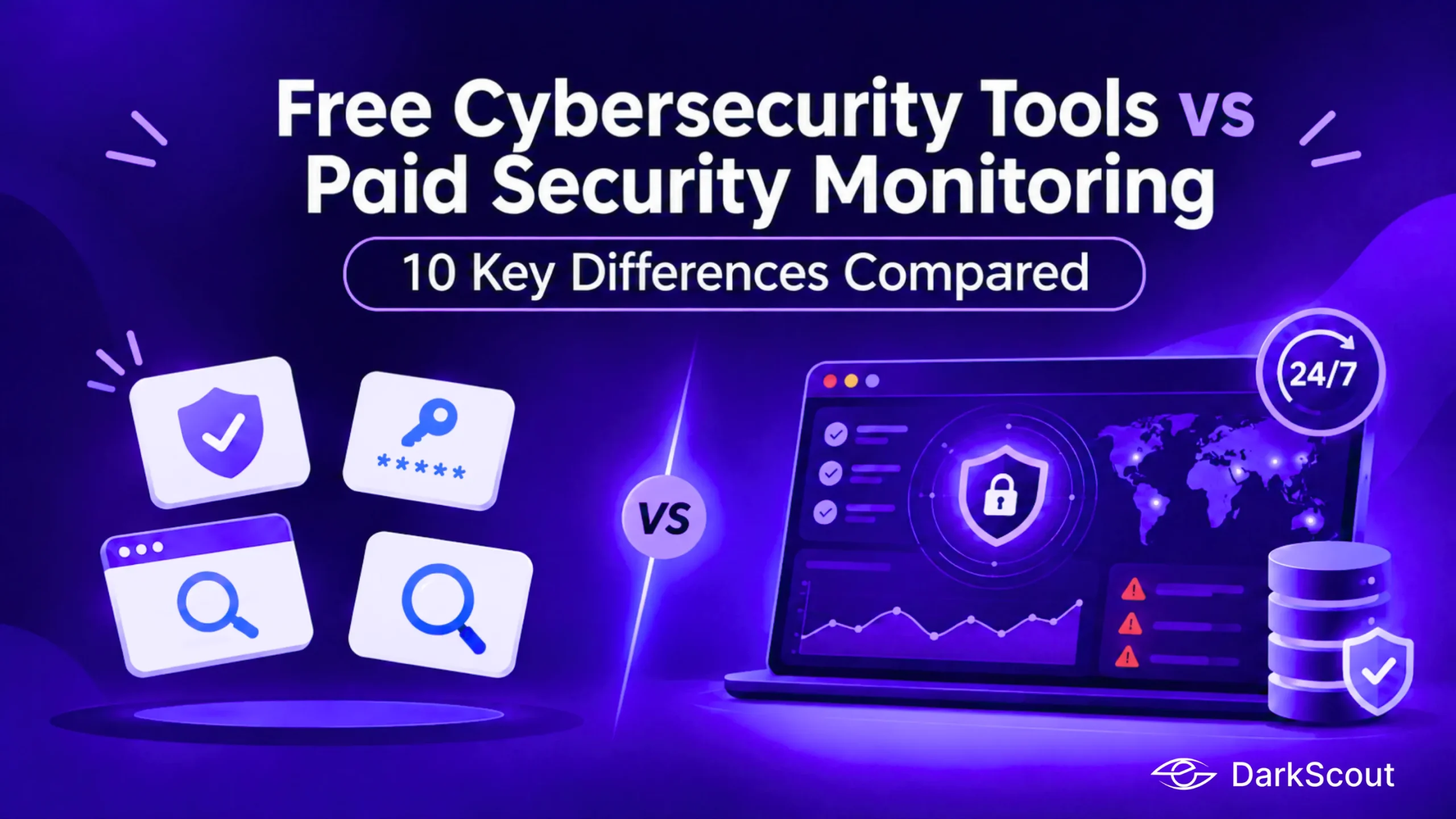
Picture a 40-person software company where nobody owns security full time. Once a quarter the IT lead pastes the company domain into a free breach checker, sees a few old results, and moves on. Six weeks later a support agent’s password is collected by an infostealer on her home laptop, and no free checker has it yet. That gap is what this comparison of free cybersecurity tools and paid security monitoring is about. Free tools are good at some jobs and paid platforms are built for others, so the useful question is which job you need done. The ten topics below compare them one at a time, with a short guide to combining both at the end.
In short
- Free cybersecurity tools are strong for one-off checks: a breached password, an expiring certificate, a quick scan of a site you own.
- Paid security monitoring platforms earn their cost where work repeats: continuous watching, alerts that reach the right person, and findings ranked by risk.
- The widest gaps are dark web coverage, alert handling, and the staff time needed to stitch free tools together.
- Most teams do best with both: free tools for spot checks and a platform for whatever has to run every day.
Leaked Credential and Breach Checking
Credential checks are where free cybersecurity tools are strongest, which makes them the fairest place to start. Have I Been Pwned is the best-known example. Its Pwned Passwords API needs no authorisation, while searching breaches by email address through the API requires a paid subscription key, as the API documentation explains.
Free Cybersecurity Tools
Free credential checkers do well at a few things:
- Telling you whether a specific password or email address appears in known public breaches
- Giving individuals a quick answer in seconds, often with no account, as DarkScout’s Exposed Password Checker does for passwords
- Supporting password checks in your own sign-up flow, since Pwned Passwords can be queried without a key
Paid Security Monitoring
Paid security monitoring adds what a one-time lookup cannot:
- Continuous monitoring of a whole domain rather than one address at a time
- Alerts when a new exposure appears, so nobody has to remember to check
- Coverage of breached data sources and exposed logins, correlated with active threat campaigns, which is how DarkScout describes Credential Watch & Breach Detection
- Links to identity systems such as Okta, so an exposed account can be matched to who actually has access
Back at the 40-person company, the quarterly lookup showed old breaches, which is what it is designed to show. A security monitoring platform is built for the other situation, where an exposure is new and the clock is running. A platform does not make the free checkers obsolete, though. A password check on your sign-up page still costs nothing and still helps. DarkScout also publishes a side-by-side comparison with Have I Been Pwned if you want the vendor’s own view.
Key takeaway: Use free cybersecurity tools for point-in-time lookups, and pay when you need monitoring that runs without anyone remembering to look.
Dark Web Coverage
Dark web coverage is the widest gap between the two, because most free sources show data that has already been dumped in public. Closed forums, private channels and marketplaces sit behind access controls, and watching them takes ongoing collection work. Free cybersecurity tools tend to cover public breach lists, paste sites and publicly posted ransomware victim listings.
Free Cybersecurity Tools
What free cybersecurity tools give you:
- Searchable public breach databases
- Community-maintained trackers of victims named on ransomware leak sites
- Manual searching, which is slow and carries real risk if staff browse criminal sites from company devices
Paid Security Monitoring
What paid dark web monitoring adds:
- Analysis of underground marketplaces, private forums and encrypted networks, which is how DarkScout describes its Darkweb Monitoring
- Continuous monitoring across dark web forums, Telegram and ransomware leaks, according to DarkScout’s Why DarkScout page
- Matching of what is found against your domains, brand and staff, so you see mentions of you instead of raw dumps
Browsing criminal sites yourself is not a sound free alternative. It exposes people and devices to risk and rarely produces anything you can act on. Picture a 120-person accounting firm that never appears on a public breach list. A staff login could still be advertised in a closed channel weeks before anything goes public, and a free tool cannot warn you about a listing it has no access to. A monitoring platform exists to watch those places for you.
Key takeaway: Free sources show what is already public, while paid monitoring watches the places you cannot reach yourself.
Attack Surface and External Asset Discovery
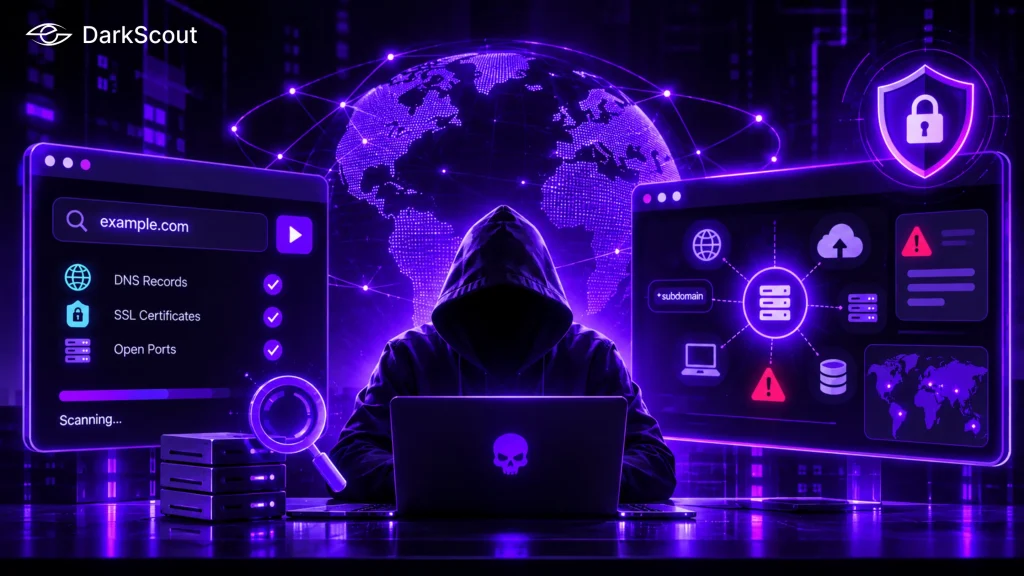
Your attack surface is everything on the internet that belongs to you, including the things you have forgotten, such as old subdomains and test servers. The free route uses DNS lookups, certificate transparency logs, search engines for internet-connected devices and open-source port scanners. Run scans only against systems you own or have written permission to test.
Free Cybersecurity Tools
Free cybersecurity tools handle these jobs well:
- One-off checks of a domain’s DNS records, certificates and open ports
- Open-source scanners that you schedule, run and maintain yourself
- Searches that show what an outsider can see today
Paid Security Monitoring
Paid security monitoring platforms add:
- Continuous discovery of internet-facing assets, misconfigurations and shadow infrastructure, which is the job DarkScout gives to its Attack Surface Mapper
- Correlation of those assets with threat actor activity and exploitation trends
- A living inventory that updates as new assets appear
Imagine a marketing team that launches a campaign microsite on a forgotten hosting account and leaves it running, with default admin pages, after the campaign ends. A free scan of the main domain will not list it because nobody told the scanner it exists. Discovery is the part that paid platforms do and free tools leave to you.
Key takeaway: Free tools show what you point them at, while a platform finds what you forgot you owned.
Website and Vulnerability Scanning
Free scanners can be excellent here. ZAP, formerly OWASP ZAP, is a free and open-source web application scanner, and its project page on GitHub calls it the most widely used web app scanner. It crawls a site and runs active tests against the pages it finds, so use it only on sites you own or are authorised to test.
Free Cybersecurity Tools
Free cybersecurity tools cover:
- Hands-on web application testing with ZAP, which can also run as a daemon inside automated pipelines
- Quick online checks of site configuration and certificates, such as DarkScout’s Website Security Scanner and SSL Certificate Checker
- Open-source scanners that developers can add to build pipelines
Paid Security Monitoring
A paid security monitoring platform contributes different strengths:
- Scheduled scanning across every known asset, not only the ones you point a tool at
- Findings tied to owners and tickets, so a result becomes a task, such as the automatic Jira tickets DarkScout lists for critical findings
- Vendor support when a result looks wrong
A developer who runs ZAP before each release and catches a missing security header is using free tools exactly as intended. The same company still needs something to notice when the certificate on a domain the developer never tests is close to expiry. The SSL certificate checker reports expiry dates for one site at a time, and a platform watches them all.
Key takeaway: Free cybersecurity tools are excellent testers, and a security monitoring platform is better at remembering to test.
Email Security, Phishing and Spoofing Detection
Email is where many incidents begin, and the two approaches look at different layers. Free tools mostly inspect how your domain is set up. Paid security monitoring platforms can inspect the messages that actually arrive.
Free Cybersecurity Tools
Free cybersecurity tools for email include:
- Lookups of SPF, DKIM and DMARC records for a domain
- Spam and phishing filtering built into your mailbox provider
- Free breach checks for individual email addresses, such as the Email Breach Checker DarkScout offers with no password required
Paid Security Monitoring
Paid platforms add:
- Analysis of domain configuration, spoofing attempts, malware campaigns, phishing operations and compromised inboxes, as described for DarkScout’s Email Security Intelligence
- Inbox connection through secure OAuth to detect phishing, malicious links and spoofed senders, which DarkScout’s Live Email Security does for Gmail, Outlook and Zoho without sharing your password
- Findings that can be sent to the channels your team already watches
A finance clerk receives a message that appears to come from the CEO, with a link to a payment page. A DMARC record lookup tells you how your domain is configured, and it says nothing about that specific message. Detection inside the inbox is the layer a free lookup does not provide.
Key takeaway: Free lookups check how your domain is set up, while paid detection checks the messages that actually arrive.
Alerting, Integrations and Workflow
Free cybersecurity tools usually give you an answer when you ask. A paid security monitoring platform tells you when something changes. That difference matters most outside office hours, when nobody is running a manual check.
Free Cybersecurity Tools
With free cybersecurity tools you typically get:
- Manual checks on whatever schedule you set and keep
- Notification emails from some services for an address you register
- Scripts that call free APIs and post results to chat, which you build and maintain
Paid Security Monitoring
With paid security monitoring you can expect:
- Real-time exposure alerts sent to Slack channels or Microsoft Teams
- Automatic Jira tickets for critical findings
- Connections to Okta and Google Workspace that tie exposures to accounts and domains
- An API, as with the DarkScout API, to feed findings into tools you already use
At 2 a.m. nobody reads a spreadsheet. A critical finding that lands in the on-call Slack channel gets seen, while one that waits for the next quarterly check does not. The hidden cost of the free approach is the glue code: someone has to write it, and someone has to fix it when an API changes.
Key takeaway: Free tools answer when you ask, and a paid platform speaks up when something changes.
Prioritization and Remediation
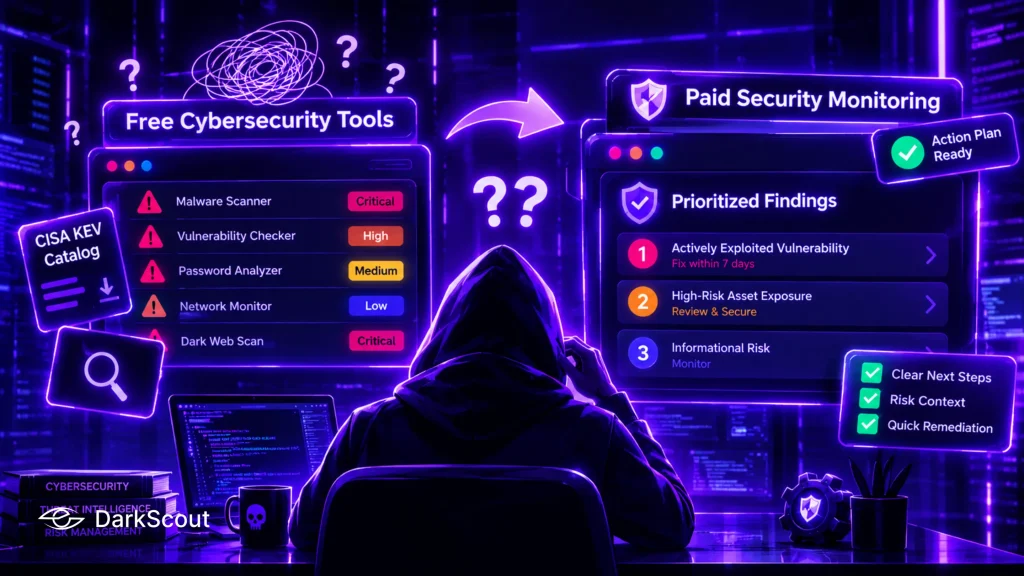
Findings without ranking turn into noise. Free sources produce long lists, and some of them are very good. CISA’s Known Exploited Vulnerabilities catalog is free, downloadable as CSV or JSON, and CISA says organizations should use it as an input to vulnerability prioritization.
Free Cybersecurity Tools
What free tools offer for prioritization:
- The KEV catalog, which shows which vulnerabilities attackers have already used
- Severity scores from scanners, which rate a flaw in general rather than in your environment
- Your own judgment and a spreadsheet
Paid Security Monitoring
What a paid security monitoring platform adds:
- Plain-language summaries of what was found, why it matters and what to do next, which is the role of DarkScout AI across credentials, breach findings, dark web mentions, risky assets and attack surface issues
- Prioritization that uses risk context and historical context
- Remediation steps a small team can follow quickly
A team with 60 open findings and one part-time administrator needs the three that matter this week. A raw list hands the administrator sixty tabs to open. A ranked list with clear next steps hands them an afternoon of work.
Key takeaway: Free cybersecurity tools tell you what exists, and paid security monitoring tells you what to fix first.
Threat Intelligence and Context
Free threat intelligence is plentiful. Government advisories, vendor write-ups and the open MITRE ATT&CK framework give any team a solid base. The cost is the reading, because nobody filters it for your industry.
Free Cybersecurity Tools
Free cybersecurity tools typically provide:
- Government advisories and the CISA KEV catalog
- Vendor research posts and community-shared indicators
- MITRE ATT&CK for describing attacker behavior in a common language
Paid Security Monitoring
Paid security monitoring platforms typically add:
- Surface web indicators and darknet chatter combined into trends and new campaigns, which DarkScout describes for its Dark Web Intelligence
- Warnings tied to your industry, which DarkScout frames as predictive risk modeling
- Someone else doing the correlation before it reaches you
Consider a security lead at a dental group reading a generic advisory about a campaign aimed at manufacturers. The lead has to work out whether any of it applies. Sector-aware intelligence shortens that reading, which matters when the same person also manages the help desk.
Key takeaway: Free feeds give you volume, while paid intelligence gives you relevance to your industry.
Compliance, Reporting and Audit Evidence
Auditors and customers ask for proof that your controls run over time. A screenshot of a free scan shows one day. A record of continuous monitoring shows a pattern. No tool makes you compliant by itself, but some produce better evidence than others.
Free Cybersecurity Tools
Free cybersecurity tools tend to give you:
- Point-in-time exports and screenshots from individual tools
- Open-source reporting that you assemble into documents yourself
- Free frameworks and checklists from standards bodies
Paid Security Monitoring
Paid security monitoring platforms tend to give you:
- Ongoing monitoring that shows when something was found and when it was handled
- One place to pull evidence instead of five tools
- Dark web compliance monitoring, which DarkScout says assists with meeting standards by watching dark web sources
A 90-person fintech preparing a customer security questionnaire is asked how often it checks for leaked staff credentials. “We ran a free checker in March” is an honest answer and an uncomfortable one. Continuous monitoring changes the answer to a frequency.
Key takeaway: A free scan shows one day, while continuous monitoring shows a pattern.
Cost, Time and Ownership
Free does not mean zero cost. The licence fee is gone, but staff time, integration work and the risk of a tool changing remain. Google, for example, told users that all data from its dark web report would be deleted on February 16, 2026, as its support page explains. A free service can change or end on terms you do not control.
Free Cybersecurity Tools
What free cybersecurity tools really cost:
- Staff time to run each tool, read its output and reconcile it with the others
- Maintenance of scripts and integrations when formats or APIs change
- Coverage gaps that nobody is assigned to notice
- Exposure to a service changing its terms or closing
Paid Security Monitoring
What paid security monitoring platforms cost:
- A subscription, with pricing that you should confirm directly with each vendor; DarkScout lists its options on the DarkScout Plans page
- Onboarding time to connect your domains, inboxes and chat tools
- A dependence on the vendor’s data and roadmap
If an IT lead spends two hours a week collecting results from five free tools, that is just over 100 hours a year. At the salary of the person doing the work, the free approach has a price, even if no invoice arrives. Whether that price beats a subscription depends on how much of the work repeats and how costly a missed alert would be for your business.
Key takeaway: Free tools cost time instead of money, so the right mix depends on how much of your work repeats.
How to Choose Between Free Cybersecurity Tools and a Security Monitoring Platform
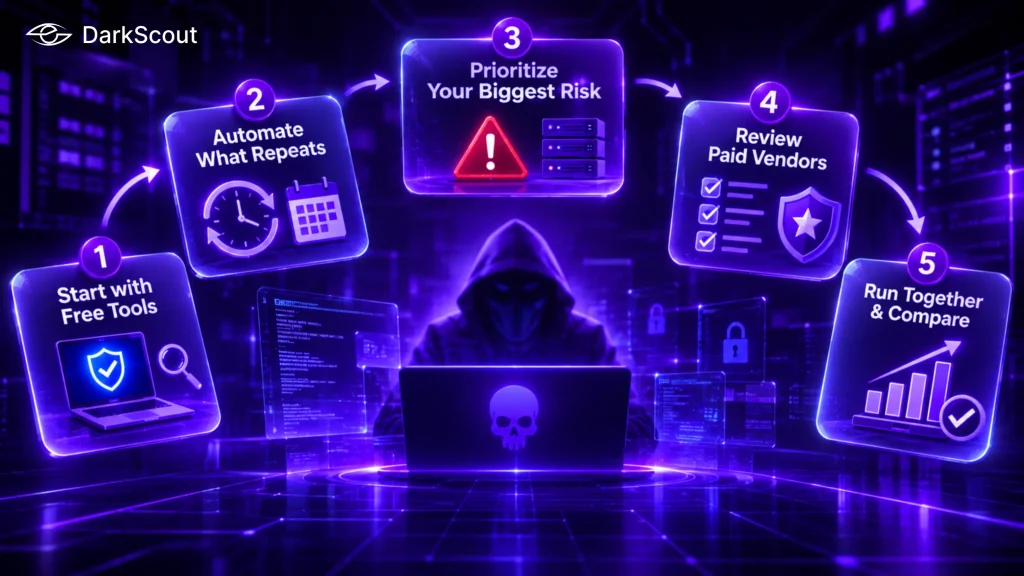
You do not have to pick a side. The sequence below works for small teams and scales up for larger ones.
- Start with free tools today: check your email addresses, test passwords against known breaches, scan your site and check your certificates.
- Write down which checks you repeat. Repeated work is the best candidate for automation.
- Identify the exposure that would hurt most, such as customer logins, staff accounts or a public website, and weight your coverage toward it.
- Ask each paid vendor which sources it covers, how alerts reach you, how findings are ranked and what the contract includes.
- Run one platform alongside your free routine for a few weeks and compare what each one caught.
Key takeaway: Start free, automate what repeats, and add a platform where a missed alert would cost you most.
Free Tools, Paid Platforms, and Where to Start
Free cybersecurity tools are worth using every week. They answer specific questions quickly, cost nothing to try, and teach your team what exposure looks like. Their limits show up in the same places across all ten topics: they do not watch continuously, they rarely cover closed dark web sources, and they leave prioritization, alerting and evidence to the people running them.
Paid security monitoring platforms earn their place where the work repeats and the stakes are high. Whether a platform is worth it for your business depends on how many accounts, domains and assets you have to watch and how quickly you need to hear about a problem. If you want to see how a security monitoring platform handles leaked credentials, email threats and external assets, DarkScout lets you start with its free tools and then decide how much more you need.