The surface of your site may be all right, but security gaps lurk quietly and can cause your business a great deal of trouble. Even minor vulnerabilities may be used by hackers to steal information, plant malware, or attack your reputation.
Website scanner is a software that automatically scans your website to see its vulnerabilities, presence of malware, outdated software, and other flaws. A scanner can enable you to identify problems prior to the attackers and protect customer information and business continuity.
In this guide, we will define what web vulnerabilities are; why a website scanner is crucial, the best scanners of 2026, and how best to maintain your site secure.
What is a Website Scanner?
A website scanner is a program that examines a website to check on security, performance and configuration problems. It can detect depending on the type:
- SQL injection or XSS security vulnerabilities
- Malware infections
- SEO problems and bad links
- Delays in page loading or mobile-friendly issues
Website Scanners are quite useful to any business. They minimize the risk of data leaks, enhance user experience, and contribute to the compliance with laws, such as GDPR, PCI-DSS, and HIPAA.
What Are Web Vulnerabilities?
Web vulnerabilities can be defined as security flaws in the code, structure or configuration of a website that can be used by cybercriminals to gain unauthorized access, and steal information or disrupt services. Such vulnerabilities are usually unknown to the developers or business owners hence websites are an easy target of attacks. The best way to safeguard your online presence is to be aware of the most common vulnerabilities.
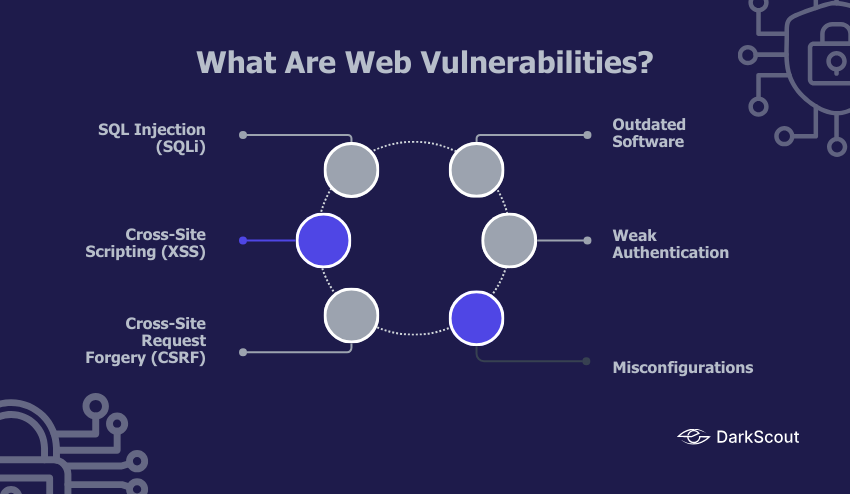
1. SQL Injection (SQLi):
Malicious users exploit improperly written database queries to retrieve, alter, or destroy valuable data. This may leak customer information, financial data or even the hackers may gain full control of the site.
2. Cross-Site Scripting (XSS):
Web pages are injected with malicious scripts that run in the browser of a visitor. XSS may be utilized to steal cookies, session hijacking, or redirect users to fake websites without their consent.
3. Cross-Site Request Forgery (CSRF):
This trick tricks users into doing things they did not intend to do, such as altering account information, making purchases, or granting access, by taking advantage of active login sessions.
4. Outdated Software:
Installing an outdated or unpatched CMS (such as WordPress, Joomla or Drupal), a plugin, or a framework makes your site vulnerable. The hackers usually scan the outdated versions to find the known vulnerabilities and get easy access.
5. Weak Authentication:
Weak password rules, lack of multi-factor authentication (MFA), or default usernames and passwords mean that attackers can easily gain access by brute-forcing or credential-stuffing attacks.
6. Misconfigurations:
The simplest of errors, such as an open administrative panel, a poor SSL/TLS configuration, unused open ports, or failure to change default system settings, may give hackers an easy point of entry.
Even minor weaknesses may turn into severe security problems, leading to a loss of money, reputation, or even legal problems. This is the reason why active scanning with a trusted website scanner is required, in order to identify weaknesses and correct them prior to the attackers identifying them.
Why Website Scanners Are Important
A website scanner is not only a security tool but your initial line of defense against online threats. In the modern digital environment, hackers are always trying to figure out a way to break into a site and even a minor breach can have severe repercussions. Scanning on a regular basis will keep your site secure, compliant, and reliable.
- Early Threat Detection – A scanner detects vulnerabilities such as outdated plugins, misconfigurations, or weak authentication, before they are exploited by attackers. Being proactive will enable you to correct problems before they can cause expensive data breaches.
- Protect Customer Data – Sensitive information, such as login details and payment details are usually stored in websites. A scanner will aid in protecting these assets by sealing possible entry points of hackers, making the chances of identity theft or financial fraud less possible.
- SEO Protection – Hacked websites are flagged off or even blacklisted by Google and other search engines. Rankings can drop overnight in case your site is compromised. Scans on a regular basis will safeguard your SEO work as they will ensure your site is secure, clean and search engine friendly.
- Maintain Brand Reputation – Customer trust is destroyed in a moment by security incidents. When you scan your site on a regular basis, you demonstrate to the visitor that you value their security, and this builds brand credibility and loyalty.
- Compliance Support – A lot of industries (finance, healthcare, or e-commerce) have to adhere to the regulation like GDPR, HIPAA, or PCI DSS. Scanners on the websites enable you to be compliant since they identify gaps and give you audit reports.
Regular scanning ensures your website stays secure, functional, and trustworthy.
Top 7 Website Scanners for 2026
1. DarkScout
DarkScout is not only a website scanner, but a vulnerability scanner with darknet intelligence. It tracks dark websites, stolen credentials, and threat actor activity in order to alert you when your data is compromised.
Key Features:
- Darknet & OSINT Monitoring – Spot the data and threats that others overlook.
- Constant Threat Visibility – Constant monitoring with immediate notification.
- Brand Protection & Threat Actor Analysis – Monitor threats to brand.
- Powerful Dashboard & APIs – Real-time visibility and integrations.
Compared to basic website scanners, DarkScout provides you with not only the security of the websites but also the in-depth threat intelligence, which is why it is the most comprehensive protection option.
Best For: Businesses that want complete website security + darknet threat intelligence
2. Acunetix
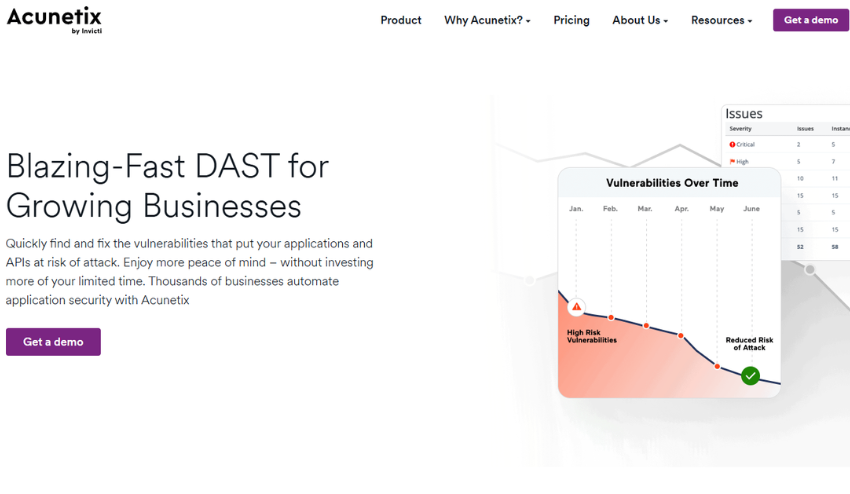
Acunetix is the best when it comes to scanning complex websites and web applications.
Features:
- Quick, accurate scanning
- Identifies more than 7,000 vulnerabilities
- Enterprise-grade reporting
Best For: Large companies that require large-scale and dependable vulnerability scanning.
3. Detectify
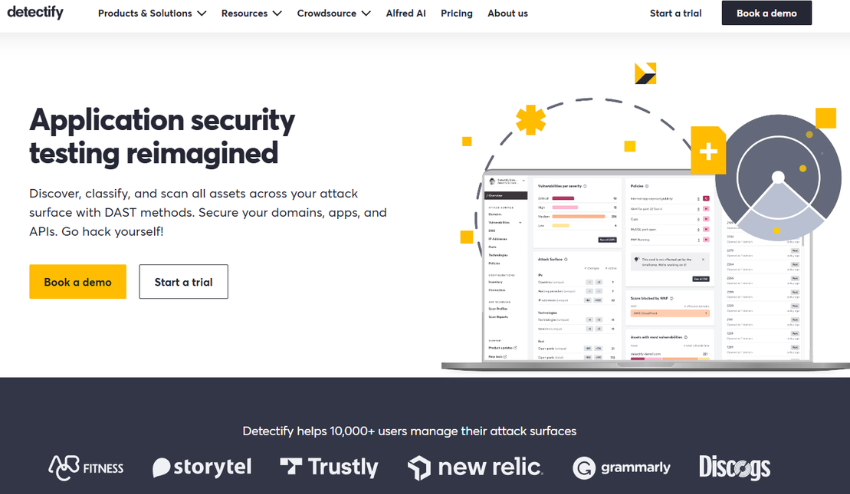
Detectify is crowdsourced, and it applies the skills of ethical hackers to identify vulnerabilities.
Features:
- Frequently updated automated scanning
- DevOps API integrations
- Continuous monitoring
Best For: Firms that want to acquire new security knowledge through hackers.
4. Qualys Web Application Scanner
Why it’s trusted: Qualys is known for enterprise-grade security solutions.
Features:
- Cloud-based scanning
- Compliance-friendly reporting
- Permanent monitoring and alerting
Best Suited: Companies that require strong compliance and security monitoring.
5. Invicti
Invicti minimizes false positives by automatically demonstrating vulnerabilities.
Features:
- Integration of CI/CD pipeline
- Proper identification of vulnerabilities
- Developer and security team report easily
Best For: Teams that desire accurate, actionable security intelligence.
6. Burp Suite
Why it’s flexible: Burp Suite is a tool of choice of a security professional that provides manual and automated testing.
Features:
- Sophisticated test equipment
- Complete manual testing support
- Good community resources
Best For: Security professionals in need of flexibility in scanning and testing.
7. OWASP ZAP (Free Option)

OWASP ZAP is an open-source scanner, which is ideal to those with limited budget.
Features:
- Identifies general weaknesses
- Community-supported and free
- Combines with development processes
Best For: Developers or small companies that desire a free and trustworthy starting point.
How to Choose the Right Website Scanner
Not every website scanner is made in the same way and therefore the correct one will be determined by your requirements. he key aspects that should be considered are the following:
- The Size and Complexity of Your Web Site – The smaller your business site is and the less pages you have, the simpler the scanner you require. The more pages or products you have eCommerce portal or enterprise application, the more vulnerabilities you want to scan.
- Budget and Resources – Open-source or free scanners are perfectly fine for small startups and personal projects; however paid tools are better at automating analysis of a website, and are regularly updated, and have professional support. Consider the frequency of scans that are required or enterprise level security needed.
- Industry Regulations and Compliance – If your business is required to handle sensitive information (medical, financial or eCommerce) you may want to consider scanners that also have reporting capabilities on PCI-DSS, HIPAA or GDPR compliance.
- Automation and Ease of Use – A good scanner should be easy to use, so your team can use it regularly. Locate the capabilities including dashboards, scheduled scans and integrations with the current workflows so that scanning is not a one-time event.
Considering these factors, you will have the ability to select a website scanner that offers an appropriate level of depth in cyber security, ease of use, and cost-effectiveness to your business.
Best Practices for Using a Website Scanner
A website scanner is not useful unless you use it properly and frequently. These are some of the best practices:
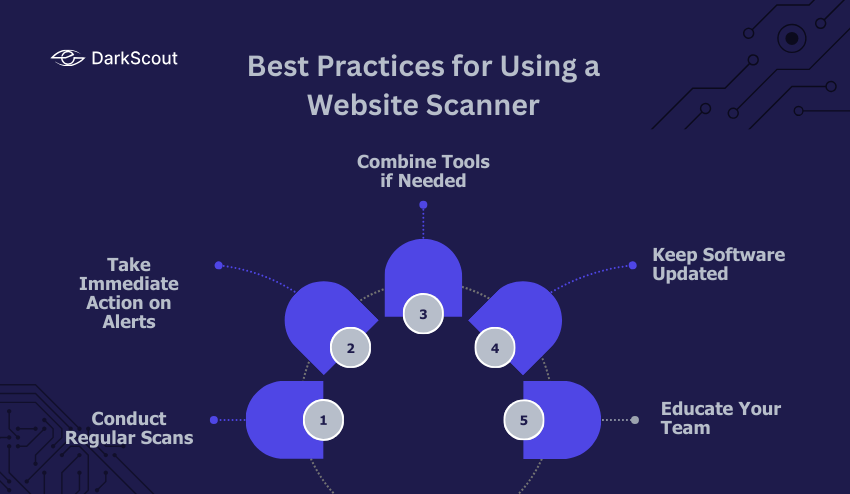
- Conduct Regular Scans – Security is not a once off activity. By running scans weekly or monthly, you will make sure that you do not miss vulnerabilities that can become larger issues. On high-traffic or eCommerce sites, still more frequent scanning can be required.
- Take Immediate Action on Alerts – A scanner is only good when you act on it. Immediately you get a warning of outdated software, misconfigurations, or malware, make sure you fix it to minimize your exposure.
- Combine Tools if Needed – There is no magic scanner that picks everything. A website scanner combined with performance and SEO tools will provide you with the full image of the health of your site.
- Keep Software Updated – A lot of vulnerabilities are caused by out-of-date CMS platforms, plugins and themes. Consistent updates make sure that your scanner does not only identify the issues but avoids many of them before they even occur.
- Educate Your Team – Security is not just an IT job. The employees need to be aware of the fundamentals, such as identifying phishing or reporting suspicious behavior. A knowledgeable team minimizes risks by a great deal.
The point to remember: a single scan is not sufficient. It is constant surveillance and prompt response that really makes your site secure, reliable and trusted by visitors.
Conclusion
A website scanner is not an option anymore; it is a must. Data breaches and lost revenue and damaged reputation can be caused by hidden vulnerabilities.
To offer the most complete security in 2026, DarkScout offers in-depth scans, ongoing monitoring and actionable reports, which is why it is the number one choice for businesses that treat their website security seriously.
Regular scanning, fixes and best practices will keep your site safe, up and running and trusted by users. Stop waiting to be breached and start scanning.