Email is still the front door to your organization.
It’s where contracts get signed, payments get approved, credentials get reset, and decisions get made. It’s also where 94% of cyberattacks begin.
In 2026, that front door is under more pressure than ever. AI-generated phishing has increased 1,200% in three years. Business email compromise generated over $3 billion in verified US losses last year alone. Account takeover attacks pivot from a single compromised mailbox to an entire vendor ecosystem within hours.
And the most dangerous attacks don’t start at your inbox at all. They start weeks earlier, in underground markets where your employees’ email credentials are being sold to the highest bidder.
By 2026 enterprise email security requires securing beyond the mailbox server, securing the email lifecycle threats: From dark webreconnaissance, through to delivery and post-compromise.
This guide covers everything your organization needs to know to build a complete, layered enterprise email security program.
What Is Enterprise Email Security?
Enterprise email security is a multi-faceted structure that incorporates the combination of security technologies, security policies, and a security management process in order to safeguard business email systems against unauthorized access, data breaches, and the vast array of possible email-based security threats.
The word “enterprise” matters here. Consumer email security is largely automated and invisible: spam filters, basic phishing detection, built-in malware scanning. Enterprise email security is a deliberate, multi-layered program that addresses the unique scale, complexity, and risk profile of business email environments.
Enterprise email environments carry different stakes. A single compromised inbox can expose financial records, strategic plans, legal documents, customer data, and the credentials of every person that the employee has ever corresponded with. Attackers know this. Email is their preferred initial access vector precisely because of how much it contains and how deeply trusted it is.
Enterprise email security covers four distinct dimensions: technical controls that prevent and detect email-based attacks, authentication protocols that verify message legitimacy, governance policies that define how email is used and protected, and threat intelligence that extends visibility to the pre-attack phase.
Organizations that treat enterprise email security as a single product deployment rather than a multi-dimensional program consistently find gaps that attackers exploit.
Why Enterprise Email Security Is Harder Than Ever
Three forces have made enterprise email security significantly more challenging in 2026.
AI has removed the most reliable detection signals
For years, poor grammar and unusual phrasing were reliable signals that an email was fraudulent. Security awareness training leaned heavily on teaching employees to spot those signals.
AI-generated content has eliminated that advantage entirely. Modern phishing emails are grammatically perfect, contextually appropriate, and stylistically matched to the person being impersonated. Voice cloning technology extends this to phone-based social engineering that accompanies fraudulent emails.
The 2026 attacker doesn’t need to write convincing emails. They instruct an AI to write them using samples from the target’s compromised accounts.
The attack surface has expanded beyond the inbox
Email threats no longer stay in email. BEC attacks that begin with a fraudulent invoice email cascade into phone calls, messaging platforms, and vendor relationships. Phishing campaigns use email to deliver links that complete their payload in browser sessions. Account takeover attacks spread from compromised email to every connected SaaS platform.
Enterprise email security can’t be limited to the mail gateway. It needs to cover the full attack chain that email-based threats enable.
Attackers operate before you see them
The most significant shift in enterprise email security is the pre-attack intelligence phase. Before most sophisticated email attacks are launched, attackers spend days or weeks gathering intelligence: reading through compromised email accounts, purchasing stolen credentials from dark web markets, and mapping organizational relationships from public sources.
By the time a fraudulent email arrives in an inbox, the attack has been in preparation for weeks. Security programs that only monitor at the point of delivery are always responding to attacks that are already well underway.
The Email Threat Landscape in 2026
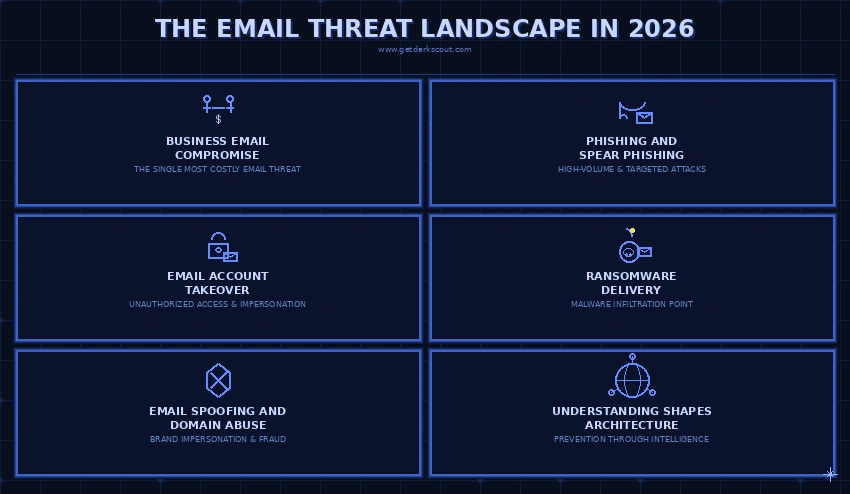
Understanding the specific threats your enterprise email security program needs to address shapes every architectural decision that follows.
1. Business Email Compromise
The single most costly email threat. In a BEC attack, attackers pose as a boss, vendor or trusted partner and deceive employees into sending money, altering payment information or disclosing confidential information.
A BEC attack doesn’t require malicious software. It doesn’t need to defeat technical controls. It capitalizes on an employee’s trust in an email they receive from someone they know.
Business email compromise attacks have grown in sophistication alongside the AI tools available to attackers. What was once a simple “CEO wire transfer” email is now a multi-stage campaign involving account takeover, extended reconnaissance, and impersonation built on genuine intelligence about the target organization’s processes and relationships.
2. Phishing and Spear Phishing
Phishing remains the highest-volume email threat. Generic phishing campaigns cast wide nets, attempting to harvest credentials from large numbers of targets. Spear phishing is targeted: a campaign designed specifically for one individual or organization, built on research about their role, relationships, and current activities.
Phishing and BEC have blended significantly. Today, spear phishing may initiate a BEC attack; credential harvesting allows access to account to launch a more precise impersonation attempt.
3. Email Account Takeover
If attackers achieve a takeover of a legitimate email account, they can often operate unnoticed for quite some time. Attackers may use emails to harvest information, inject themselves into an existing business transaction, or, using the email address as a credible source, target vendors, business partners, and clients.
Credential stuffing using passwords stolen in unrelated breaches is one of the most common account takeover entry points. Employees who reuse passwords across personal and professional accounts are particularly vulnerable.
5. Ransomware Delivery
Email is still a huge channel through which ransomware is distributed, although direct network compromise is also on the increase. The email Inbox provides the ‘in-point’ of the ransomware malware through attachments, via links through to a drive-by download page or macro-driven documents.
6. Email Spoofing and Domain Abuse
Attackers register lookalike domain names, impersonate your brand in phishing messages to your customers, and also forge sender addresses, making your fraudulent messages appear to come from your domain. Email spoofing is one of the most technically preventable email threats, yet it remains effective against organizations that haven’t properly configured authentication protocols.
The Four Layers of Enterprise Email Security
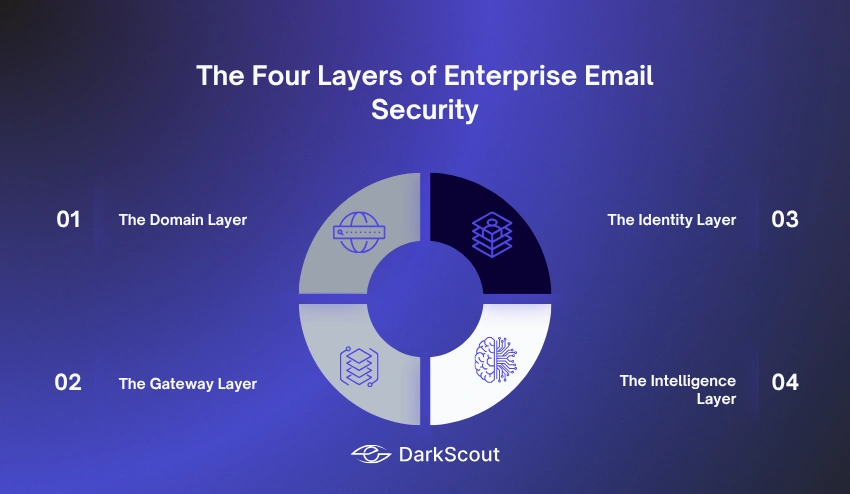
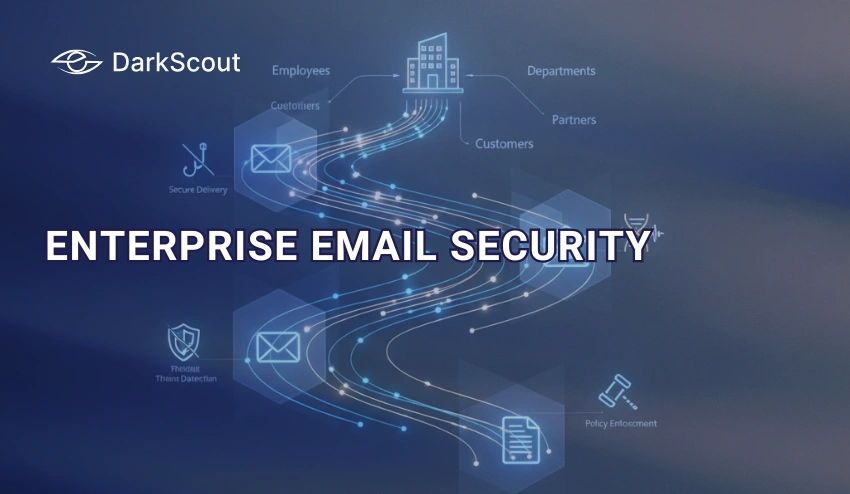
Good enterprise email security isn’t a single product. It’s four distinct layers working together, each focused on a different aspect of the email threat environment.
Layer 1: The Domain Layer
This is the technical foundation of your email identity. This layer regulates who can authentically send emails from your domain and what occurs when that authorization fails.
This layer is where the authentication standards live, that is, SPF, DKIM, and DMARC. By configuring and applying these mechanisms, you can stop attackers from impersonating your domain by sending external parties spoofed emails. They also give you an insight into the outside world and how your domain is being used.
The domain layer includes brand monitoring; determining any look-alike domains that have been created to impersonate your organization in phishing attacks that will ultimately target your customers/partners.
Layer 2: The Gateway Layer
The gateway layer looks at messages both going into and out of your mail environment. Inbound gateway security checks for phishing, malware, spam, and known bad content before the message ever makes it into user mailboxes. Outbound gateway security stops sensitive data from exiting your organization in mail and ensures that your outbound mail complies with authentication rules.
Legacy SEG sits at the front of your mail flow and looks at messages at the DNS level. API-based security solutions integrate directly with the cloud mail environment, such as Microsoft 365 or Google Workspace, and analyze messages after delivery and find things that gateways do not.
Layer 3: The Identity Layer
The identity layer secures access to email accounts themselves. Multi-factor authentication, conditional access policies, and behavioral monitoring protect mailboxes from account takeover even when credentials have been compromised.
This layer increasingly overlaps with zero trust security principles: no device or user is trusted by default, access to email requires continuous verification, and behavioral anomalies that suggest account compromise trigger immediate alerts regardless of whether the credentials being used are technically valid. Zero trust architecture applied to email access is one of the most effective controls against account takeover attacks.
Layer 4: The Intelligence Layer
The intelligence layer extends visibility beyond the inbox to the broader threat environment surrounding your email program. This is where most enterprise email security programs have the most significant gaps.
Intelligence for enterprise email security covers threat actor campaign tracking, dark web credential monitoring, domain abuse detection, and the pre-attack reconnaissance signals that precede sophisticated email attacks. The intelligence layer doesn’t block threats at the perimeter. It tells you what’s coming before it arrives.
Email Authentication: SPF, DKIM, and DMARC
Email authentication protocols are the technical foundation of the domain layer. Understanding how each one works and why all three are necessary helps you build a configuration that actually protects your domain.
SPF (Sender Policy Framework)
SPF is a type of DNS record that dictates which IP addresses are allowed to send e-mails from your domain. If a receiving mail server receives an e-mail it is told to be from your domain, it looks up your SPF record and confirms the sending IP address is in your permitted list.
SPF prevents IP-level spoofing but has limitations. It doesn’t protect the display name in the From header, only the envelope sender. And SPF breaks when emails are forwarded, because the forwarding server’s IP isn’t in the original domain’s SPF record.
DKIM (DomainKeys Identified Mail)
DKIM attaches a cryptographic signature to outgoing mail. The sending server is then able to use a public key which you place in your DNS, to verify that the signature is correct and that the mail has not been tampered with.
This is different from SPF as the signature travels with the mail, thus surviving forwarding. It provides integrity, if the mail is modified the DKIM check fails.
DMARC (Domain-based Message Authentication, Reporting, and Conformance)
DMARC ties SPF and DKIM together and tells receiving servers what to do when authentication fails. A DMARC policy of “reject” means that emails failing both SPF and DKIM checks are refused outright rather than delivered to inboxes.
DMARC also provides reporting: you receive data on every email sent claiming to be from your domain, including unauthorized sending sources. This visibility is what allows organizations to identify and shut down domain abuse campaigns.
The critical point: DMARC is only effective when set to enforcement mode. A DMARC policy of “none” (monitoring only) provides visibility but no protection. Many organizations configure DMARC and leave it in monitoring mode indefinitely, which means their domain can still be spoofed.
BIMI and MTA-STS
There are two more protocols that complete a mature authentication stack. BIMI (Brand Indicators for Message Identification) provides a brand logo next to authenticated email, which supports mail clients that display brand logos alongside valid emails. MTA-STS provides for a securely encrypted tunnel between Mail Transfer Agents so that messages aren’t intercepted as they transit.
Secure Email Gateways vs API-Based Protection
Your gateway layer’s architecture dictates the types of threats it can, or can’t, discover. Knowing the difference between classic gateways and those based on APIs will prevent blind spots.
Secure Email Gateways (SEGs)
Traditional SEGs sit on top of your email flow in the DNS. All incoming email traffic traverses your SEG before arriving at your mail platform where it is then scanned for known malicious content, reputation checked, and filtered of unwanted spam.
SEGs are effective against high-volume, known threat types: commodity phishing, malware attachments, spam. Their limitation is that they primarily detect known threats through signature and reputation matching. Novel attack infrastructure with no prior reputation, AI-crafted messages that don’t match known patterns, and account takeover attacks (which involve no inbound malicious email at all) consistently bypass traditional gateway detection.
API-Based Email Security
API-based security tools integrate directly with cloud email platforms through native APIs rather than sitting in the mail flow path. They scan messages after delivery, using behavioral baselines and machine learning to detect threats that gateway tools miss.
The behavioral detection advantage is significant. Because API-based tools can establish a baseline of normal communication patterns for every user, vendor, and partner in your environment, they detect anomalies that have no known signatures. A first-ever message from an unfamiliar domain requesting a wire transfer looks normal to a reputation-based gateway. It looks deeply anomalous against the established communication baseline.
The complementary approach: many mature enterprises run both. A gateway provides broad coverage against known threats at volume. An API-based layer catches what the gateway misses. For organizations facing sophisticated BEC and account takeover threats, running only one of the two consistently leaves meaningful gaps.
Identity and Access Security for Email
Securing email accounts themselves is as important as securing the messages flowing through them. The identity layer is where account takeover prevention lives.
1. Multi-Factor Authentication
MFA on every email account is the single highest-impact control for preventing account takeover. Even when credentials are stolen through phishing or purchased from dark web markets, an attacker without the second factor can’t log in.
The big caveat: not all MFA are created equal. SMS based MFA can be defeated via SIM swapping, and while authenticator apps do a decent job, hardware security keys provide the most protection against real-time phishing attacks attempting to intercept OTP codes.
Be aware that push bombing attacks attempt to overwhelm MFA by sending repeated push notifications until a tired or confused user approves one. Number matching and additional context in push notifications significantly reduces this risk.
2. Conditional Access Policies
In addition to MFA, conditional access policies analyze the context of each login attempt-device health, location, time, and user behavior. Logging in from a new country at 3am from an unmanaged device is perceived differently than a login from an expected office IP from a managed laptop. Based on that risk analysis, it might prompt for more verification, deny the login, or deny the session.
3. Behavioral Anomaly Detection
Account takeover attacks that use valid credentials look legitimate to authentication systems. Behavioral detection looks past the credentials at what the authenticated account is actually doing: accessing unusual volumes of files, setting up forwarding rules, sending messages to new external contacts, or accessing systems the account has never previously touched.
Understanding the signs that an email account has been breached helps security teams know what internal signals to monitor for beyond login activity.
Email Encryption and Data Protection
Encryption in Enterprise Email encrypts the data in transit and at rest. If an organization stores sensitive data, then it is a security measure and a compliance mandate to encrypt their messages.
1. Transport Layer Security (TLS)
TLS encrypts the connection between mail servers, so messages cannot be intercepted while they are being transmitted between mail servers. MTA-STS helps prevent message content from being sent over non-encrypted channels.
TLS is the baseline: virtually all enterprise email should use TLS in transit. It’s table stakes, not a differentiator.
2. End-to-End Encryption (S/MIME and PGP)
S/MIME and PGP encrypt the message content (instead of transport layer): if the messages have been intercepted in transit, or accessed on a hacked server, only the target recipient can decrypt the contents of the message.
S/MIME integrates well with enterprise email clients like Outlook and is the standard for enterprise environments. PGP is more common in individual and technical contexts. The limitation of both: the recipient also needs the corresponding key infrastructure, which creates friction in communications with external parties.
Data Loss Prevention (DLP)
DLP policies scan outbound email for sensitive data patterns: credit card numbers, social security numbers, patient health information, or confidential document content. When a match is detected, the message can be blocked, quarantined, encrypted, or flagged for review.
DLP for email is particularly important for cybersecurity compliance in regulated industries where accidental or unauthorized transmission of sensitive data carries significant legal consequences.
Email Threat Intelligence: The Layer Most Programs Miss
Most enterprise email security architectures cover authentication, gateways, and identity security reasonably well. The intelligence layer is where the most significant gaps consistently appear.
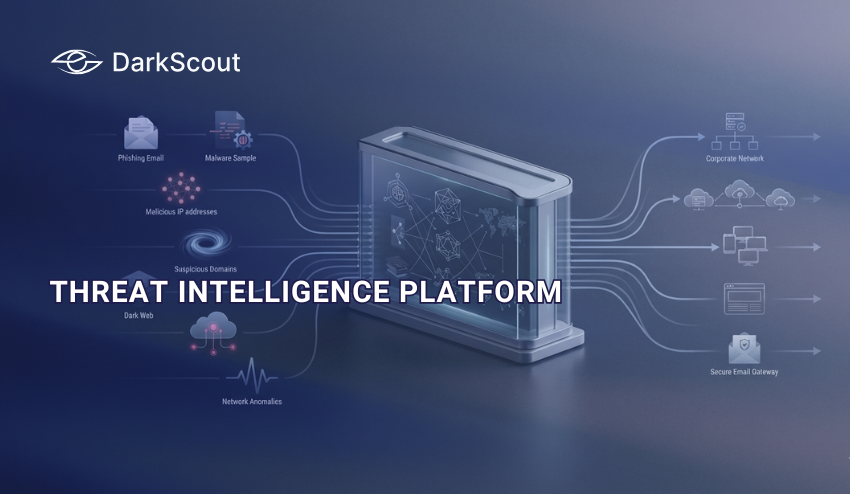
Email threat intelligence extends visibility beyond the perimeter to the environments where email attacks are planned, and the underground channels where the intelligence that enables them is traded.
What the intelligence layer covers:
Monitoring for your organization’s email addresses and credentials in dark web breach databases, stealer log markets, and underground forums. When an employee’s email password is compromised in an unrelated breach and appears in a credential dump being sold on dark web markets, that exposure is a precursor warning before any attack is launched.
Tracking the registration of lookalike domains that may attempt to impersonate your company for outbound phish campaigns against your customers and partners. Catching these in the hours after their registration gives you time to respond prior to them being used as a weapon.
Monitor threat actor campaign intelligence relevant to your industry and tech stack. The understanding that a specific BEC group is targeting companies like yours using your ERP system gives your team context needed to bolster defenses ahead of you becoming a target.
How it connects to the broader intelligence program:
Email threat intelligence is a component of your wider cyber threat intelligence program. The intelligence requirements, collection sources, and analytical processes that govern your CTI function should explicitly include email-specific intelligence requirements: credential exposure monitoring, domain abuse tracking, and threat actor email campaign intelligence.
For a detailed breakdown of the specific tools that provide email threat intelligence coverage, the best email threat intelligence tools guide covers the full landscape from enterprise platforms to specialist dark web monitoring.
Compliance Requirements That Affect Enterprise Email
Enterprise email security sits at the intersection of multiple regulatory frameworks. Understanding your compliance obligations shapes your architecture requirements.
1. GDPR
All emails containing PII of EU residents will be subject to GDPR requirements on adequate technical and organizational security measures. Email encryption over transit, access controls for archived mail, breach notification requirements (72 hours after discovery), and retention limits for mail data are all applicable to an enterprise environment containing EU residents’ email data.
2. HIPAA
Any organization subject to HIPAA, along with all business associates that access electronic PHI via enterprise email, must have technical safeguards around all transmitted PHI. Access controls, encryption, auditing of all activity, and business associate agreements with third party vendors handling the organization’s PHI, such as the email security appliance, are all common requirements.
3. PCI DSS
Any organization subject to PCI DSS must take precautions to prevent credit card data from being exfiltrated over an enterprise email environment, including the required monitoring, access controls and vulnerability management practices stipulated within the PCI DSS framework. Email transmissions that contain cardholder data must be encrypted.
4. SOC 2
Most technology companies and vendors seeking SOC 2 certification will be required to provide controls and audit trails that reflect the controls within their own enterprise email security posture. Access controls, monitoring, and incident response are typical areas that are examined in theSOC 2Type II audit.
A failure in the enterprise email security environment has consequences beyond a simple security incident; it’s a compliance event with mandatory notifications to regulators and potential financial penalties in the event of an investigation.
Building an Enterprise Email Security Architecture
Pulling all four layers together into a coherent architecture requires deliberate design rather than accumulation of point solutions.
1. Start with authentication enforcement
Configure SPF, DKIM, and DMARC for all your sending domains. Move DMARC to enforcement (reject) mode. This closes the spoofing-based attack surface that remains completely open for organizations still in monitoring mode.
2. Deploy gateway and behavioral detection in combination
Choose a gateway that covers high-volume known threats and complement it with API-based behavioral detection for BEC, account takeover, and novel attack techniques. The two complement each other’s coverage gaps.
3. Enforce MFA on every email account without exceptions
No exceptions for executives. No exceptions for service accounts. No exceptions for shared mailboxes. Every account with email access is an account that can be used for account takeover if MFA isn’t enforced.
4. Add the intelligence layer
Deploy dark web credential monitoring for your email domains. Configure domain monitoring for lookalike registrations. Integrate threat actor campaign intelligence into your detection workflows. This is the layer that provides the pre-attack warning window that perimeter tools can’t deliver.
5. Build response playbooks before you need them
Your incident response plan should include specific playbooks for the most common enterprise email security incidents: BEC fraud attempt, email account takeover, phishing campaign targeting employees, and domain abuse targeting customers. Documented playbooks with clear ownership make the difference between a contained incident and a crisis.
6. Measure what matters
Track: mean time to detect email-based threats, percentage of phishing simulations where employees verify through a second channel, DMARC enforcement rate across all sending domains, credential exposure coverage rate across employee email addresses, and false positive rate from gateway and behavioral detection tools. These metrics tell you whether your architecture is actually working.
Conclusion
Enterprise email security in 2026 is not a product. It’s a program.
Authentication protocols close the spoofing gap. Gateway tools catch known threats at volume. API-based behavioral detection catches what gateways miss. Identity controls prevent account takeover. Encryption protects data in transit and at rest. Compliance frameworks define minimum requirements in regulated industries.
And the intelligence layer, the one most programs are still missing, extends visibility to the dark web environments where email attack precursors circulate before any message reaches an inbox.
The organizations that consistently defend successfully against email-based threats aren’t the ones running the most expensive tools. They’re the ones that built all four layers deliberately, closed the intelligence gap, and built a culture where verification before action is reflexive rather than exceptional.
Email will remain the primary attack vector as long as it remains the primary business communication channel. The investment in defending it properly is proportional to everything it protects.